1-3
Before Using the Machine
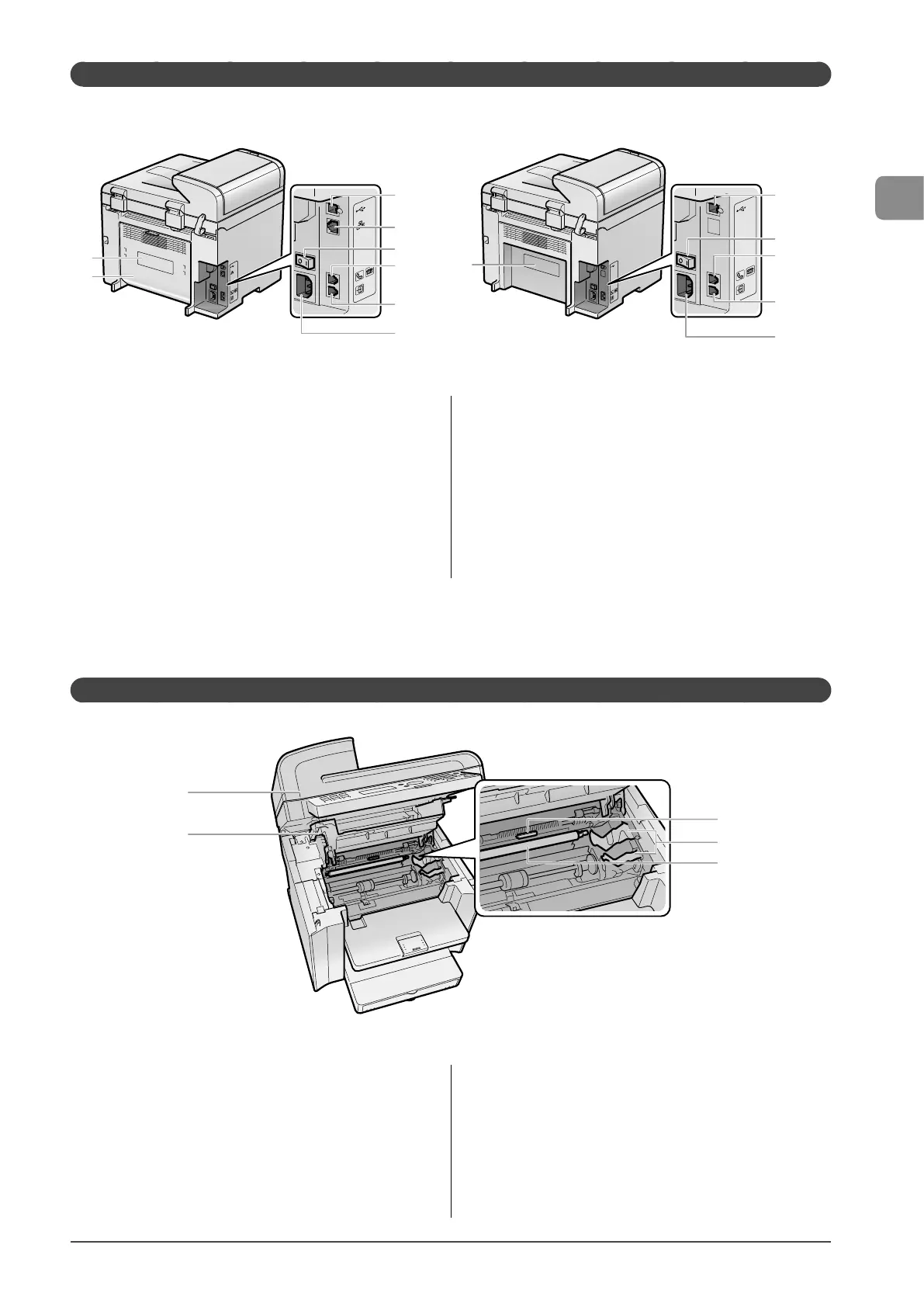
Back Side
● MF4570dn ● MF4450
(2)
(1)
HAND
SET
EXT.
LINE
HAND
SET
EXT.
LINE
(3)
(4)
(5)
(6)
(7)
(8)
HAND
SET
EXT.
LINE
HAND
SET
EXT.
LINE
(3)
(5)
(6)
(7)
(8)
(1)
(1) Rating label
The average values of the required voltage and current are
specified.
(2) Rear cover (MF4570dn only)
Open this cover to clear paper jams.
(3) USB port
Connect to a computer via a USB cable.
(4) LAN port (MF4570dn only)
Connect to a network via a LAN cable.
(5) Power switch
Turn the power ON or OFF.
(6) External device jack
Connect an external telephone.
(7) Telephone line jack
Connect a telephone line.
(8) Power socket
Connect the power cord.
Interior
(1)
(2)
(3)
(4)
(5)
(1) Scanning platform
Open this platform to replace the toner cartridge or clear paper
jams.
(2) Toner cover
Open this cover to replace the toner cartridge or clear paper
jams.
(3) Paper exit guide
Open this guide to clear paper jams.
(4) Toner guides
When inserting the toner cartridge, fit the protrusions on the
toner cartridge into these guides.
(5) Transfer roller
Transfers toner onto paper.










 To Next Page