7-2
Using the Scan Functions
You can scan a document using the keys on the operation
panel.
NOTE
To scan documents by operating a computer
See “Scan” in the e-Manual.
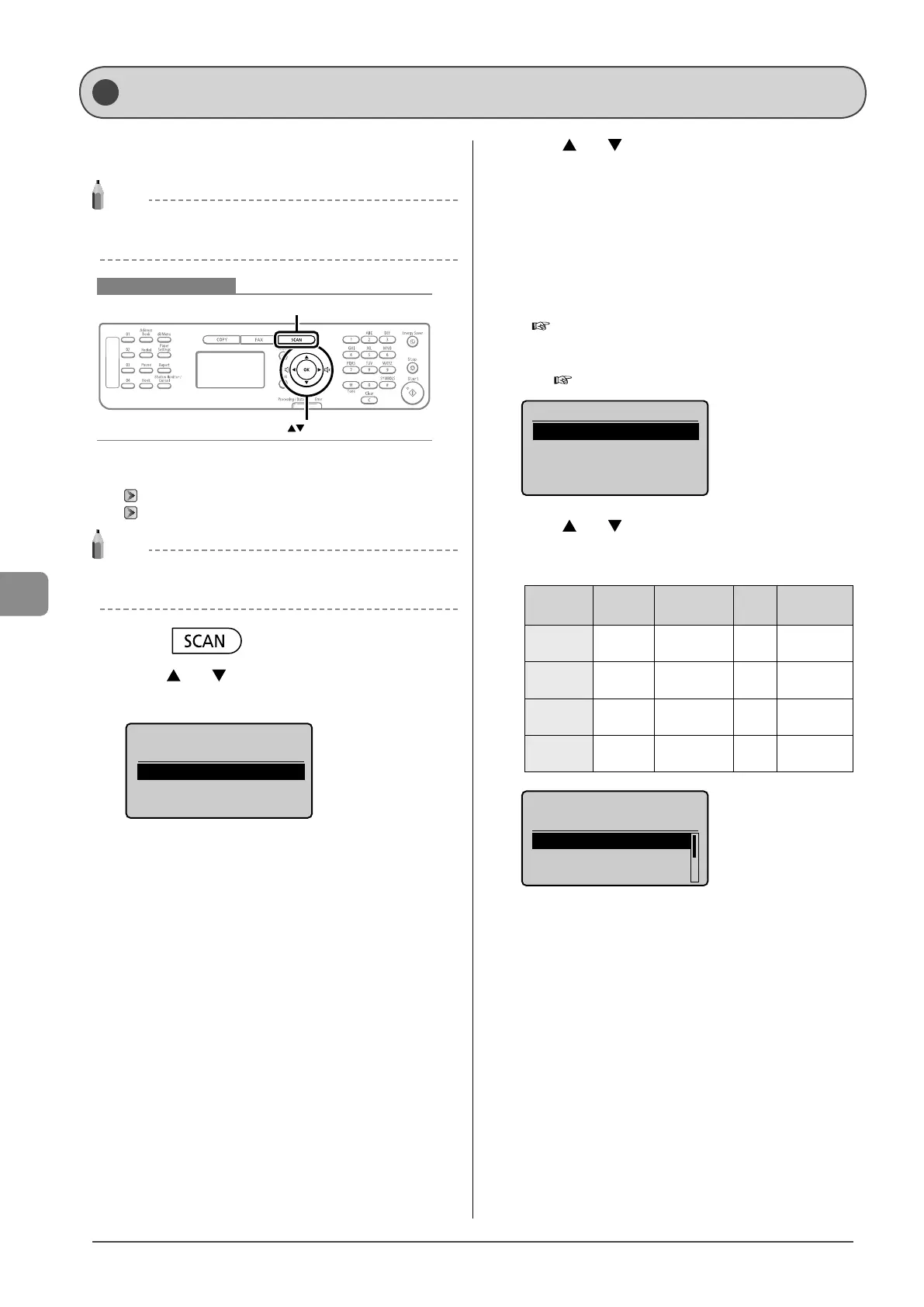
Keys to be used for this operation
OK
SCAN
1 Place documents.
“Placing Documents” (→P.2-4)
“Document Requirements ” (→P.2-2)
NOTE
When scanning using the operation panel
You cannot scan multiple documents from the platen glass.
2 Press [ ].
3 Press [ ] or [ ] to select <Computer>, and then
press [OK].
Select the scan type.
Computer
Remote Scanner
4 Press [ ] or [ ] to specify a destination, and then
press [OK].
• When multiple computers are connected
The computer connected by a USB cable is listed on the top.
• When a computer is connected by a USB cable
This screen is not displayed.
• If eleven or more computers are connected via a network
The eleventh and subsequent computers are not displayed (you
cannot scan). Reduce the number of computers connected to
this machine via a network.
e-Manual → Scan → Registering the Scanner in MF Network
Scan Utility (MF4570dn Only)
* You can change the names for the displayed computers.
e-Manual → Scan → Using the MF Toolbox
Specify destination.
EXAMPLE1
EXAMPLE2
5 Press [ ] or [ ] to specify the scanner settings
and then press [OK].
The scanner settings are specified by default as follows.
Scan
Mode
Resolution
File
Type
PDF
Settings
Color Scan Color 300 dpi PDF
Searchable/
High
B&W Scan
Black and
White
300 dpi TIFF -
Custom 1 Color 300 dpi
JPEG/
Exif
-
Custom 2 Color 300 dpi PDF
Searchable/
Standard
Select Scan Type
Scan: Press OK
Color Scan
B&W Scan
Custom 1
Scanning operation starts, and the scan mode screen reappears
after saving the data.
Basic Operation Methods for Scanning










 To Next Page