5-10
Registering Destinations in the Address Book
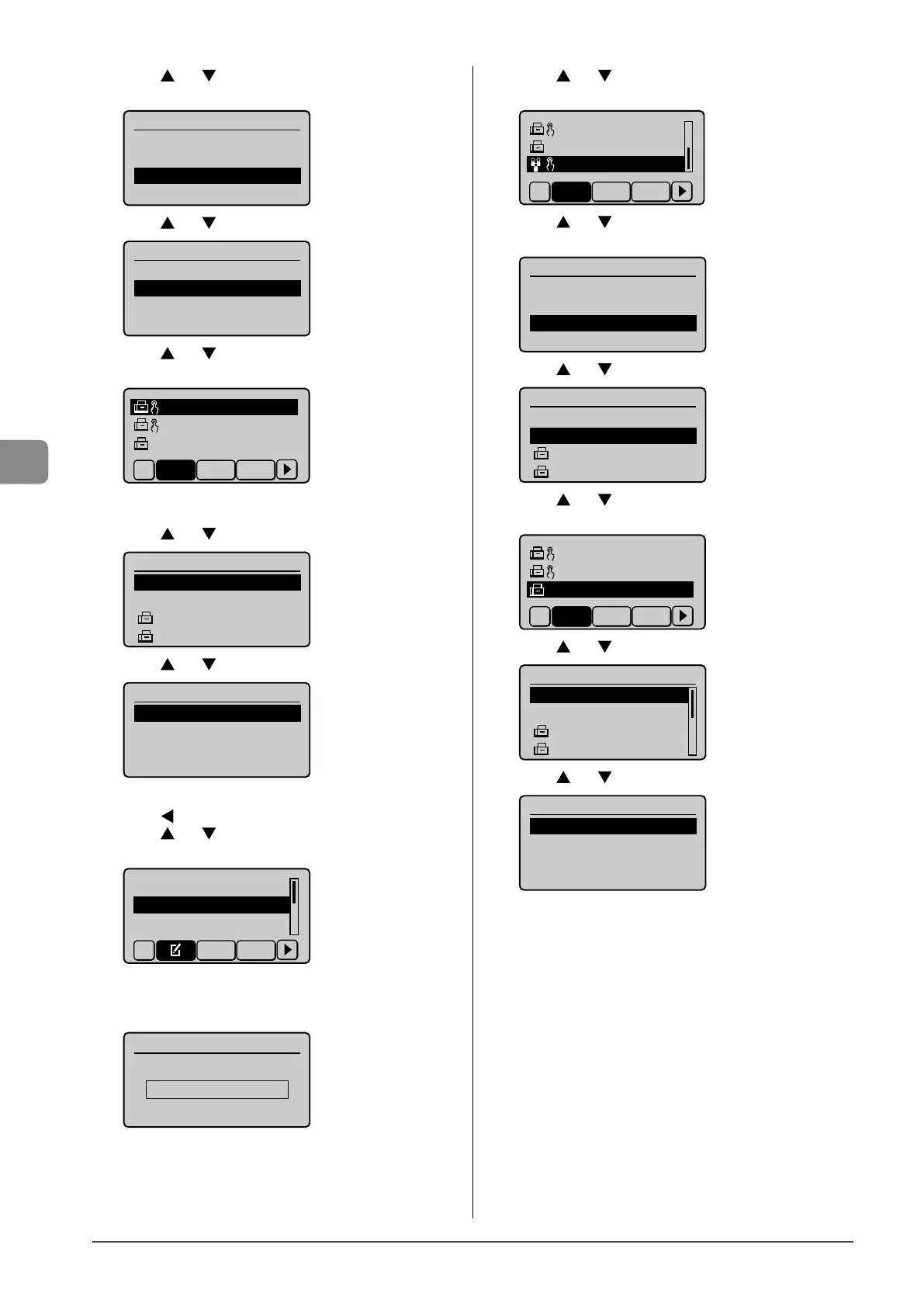
(9) Press [ ] or [ ] to select <Destinations>, and then press
[OK].
Group
<Apply>
Name: GROUP
Destinations::000
One-Touch: 03
(10) Press [ ] or [ ] to select <Add>, and then press [OK].
Destination
<Apply>
<Add>
(11) Press [ ] or [ ] to select a destination that you want to
add, and then press [OK].
CANON01 012345678
CANON02 98765432
...
CANON03 00112233
...
All A-Z 0-9
(12) Repeat Step (10) and (11) to select the destinations to be
added.
(13) Press [ ] or [ ] to select <Apply>, and then press [OK].
Destination
<Apply>
<Add>
CANON01 0123456789
CANON02 9876543210
(14) Press [ ] or [ ] to select <Apply>, and then press [OK].
Group
<Apply>
Name: GROUP
Destinations: 002
One-Touch: 03
● Adding destinations to a group
(1) Press [ ].
(2) Press [ ] or [ ] to select <Edit Address Book>, and then
press [OK].
Register New Destin
...
Edit Address Book
Address Book Details
All A-Z
When the address book PIN is specified
Use the numeric keys to enter the PIN, and then press
[OK].
Address Book PIN
(Apply: Press OK)
*******
(3) Press [
] or [ ] to select a group to which destinations
are added, and then press [OK].
CANON02 9876543
...
CANON03 0011223
...
GROUP 02 Destina
All A-Z 0-9
(4) Press [ ] or [ ] to select <Destinations>, and then press
[OK].
Group
<Apply>
Name: GROUP
Destinations: 002
One-Touch: 03
(5) Press [ ] or [ ] to select <Add>, and then press [OK].
Destination
<Apply>
<Add>
CANON01 0123456789
CANON02 9876543210
(6) Press [ ] or [ ] to select a destination to be added, and
then press [OK].
CANON01 01234567
...
CANON02 98765432
...
CANON03 001122334
All A-Z 0-9
(7) Press [ ] or [ ] to select <Apply>, and then press [OK].
Destination
<Apply>
<Add>
CANON01 01234567
...
CANON02 98765432
...
(8) Press [ ] or [ ] to select <Apply>, and then press [OK].
Group
<Apply>
Name: GROUP
Destinations: 003
One-Touch: 03










 To Next Page