7-13
Scanning
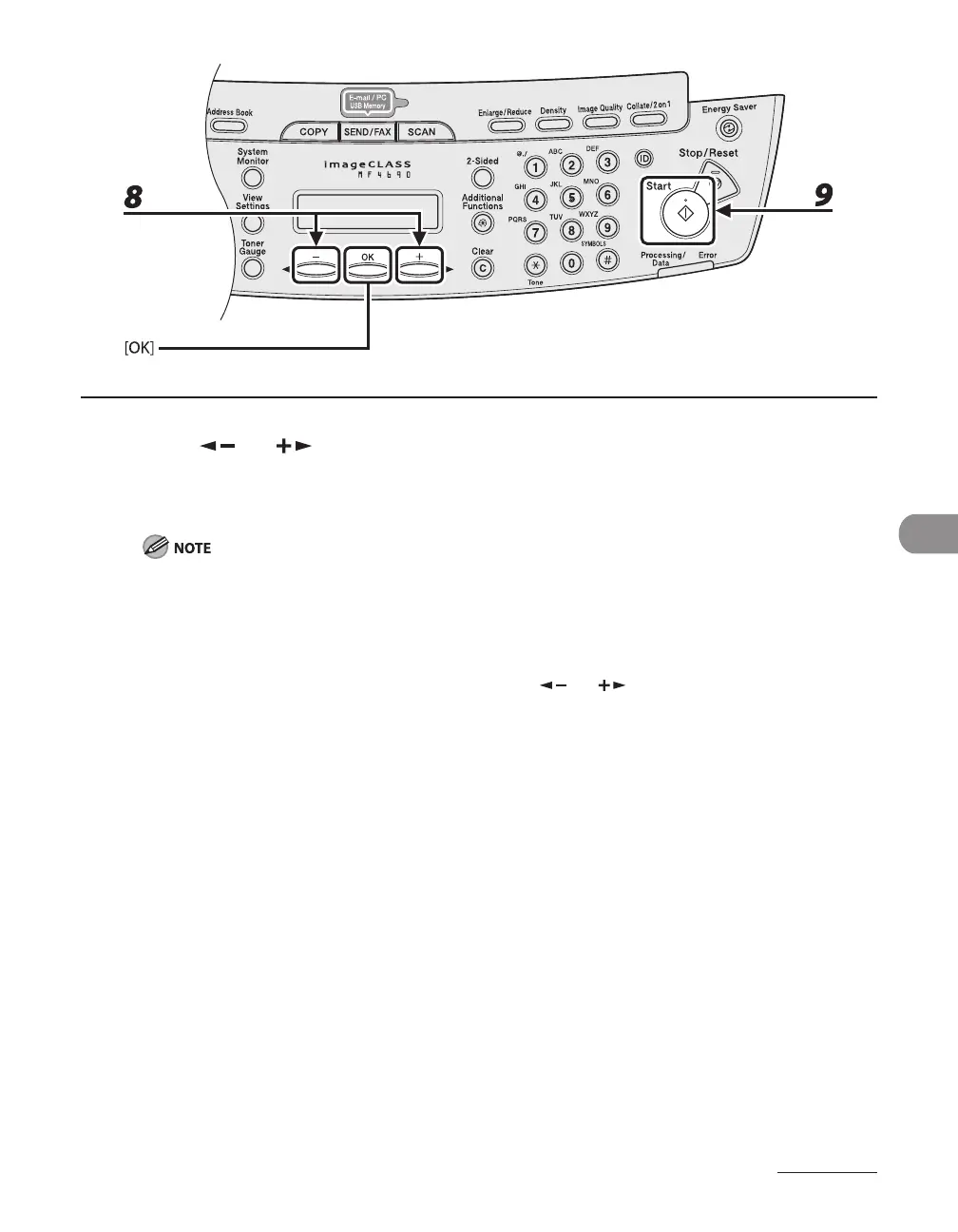
8 Press [ ] or [ ] to select the original type, then press [OK].
<TEXT/PHOTO>: For documents that contain text and photos.
<TEXT>: For text documents.
<PHOTO>: For documents that contain fine text or photos.
If you have selected <PDF (COMPACT)> as the file format in step 5, this setting is not available. The
original type is automatically set to <TEXT/PHOTO>.
9 Press [Start].
When you set the documents on the platen glass, press [ ] or [ ] to select the document size, then
press [Start].
You can remove the USB memory when <USB STORE COMPLETE/OK TO REMOVE USB> message
appears.










 To Next Page