Maintenance
10-14
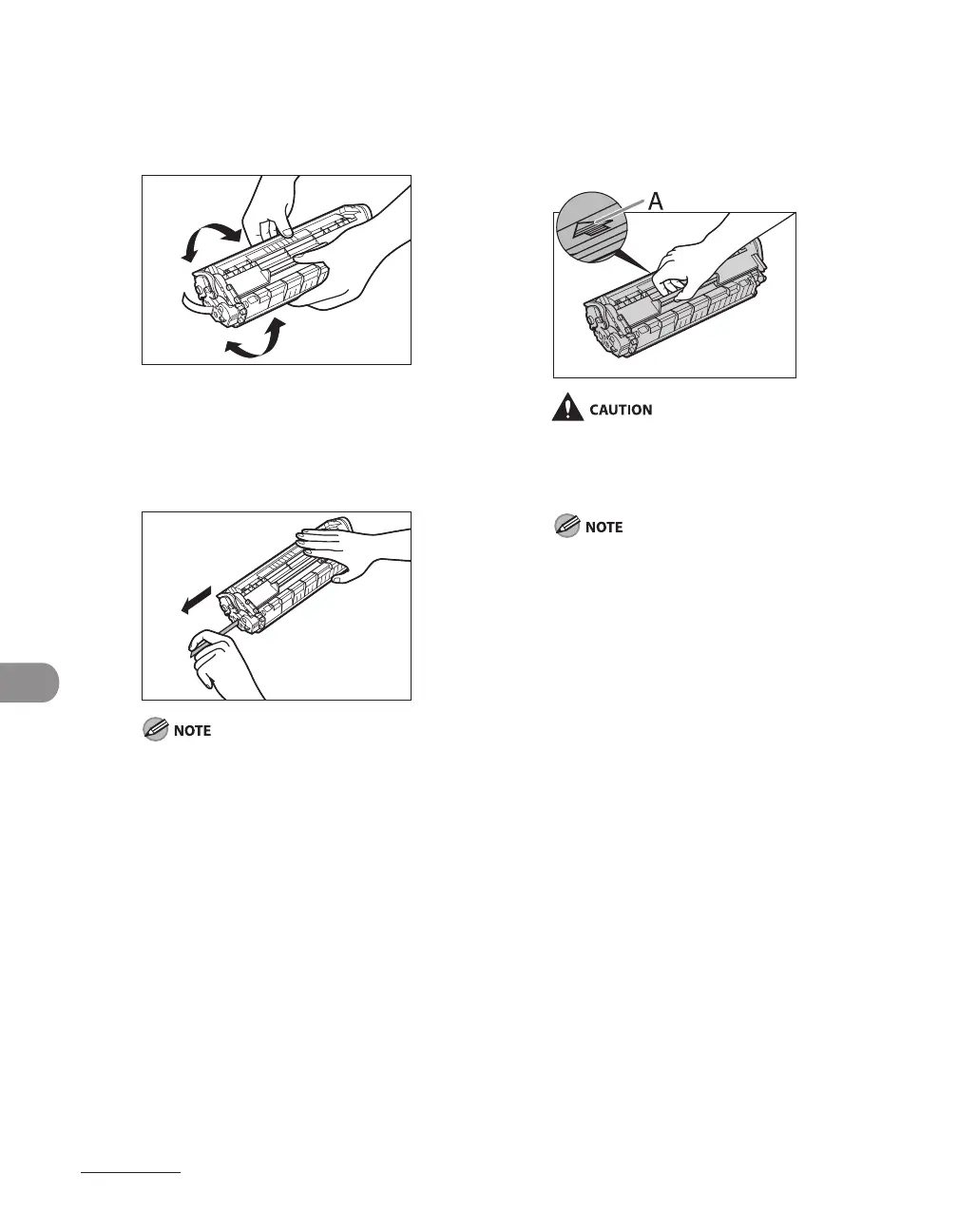
5 Gently rock the toner cartridge
five or six times to distribute toner
inside.
6 Hold the toner cartridge with one
hand, and pull the seal completely
out.
Do not pull the seal out at an angle.
7 Hold the toner cartridge by its
handle.
The arrow (A) on the toner cartridge should
be facing away from you and pointing down.
Do not open the drum protective shutter
on the toner cartridge. Print quality may
deteriorate if the drum surface is exposed to
light or is damaged.
Always hold the toner cartridge by its handle.










 To Next Page