11-31
Troubleshooting
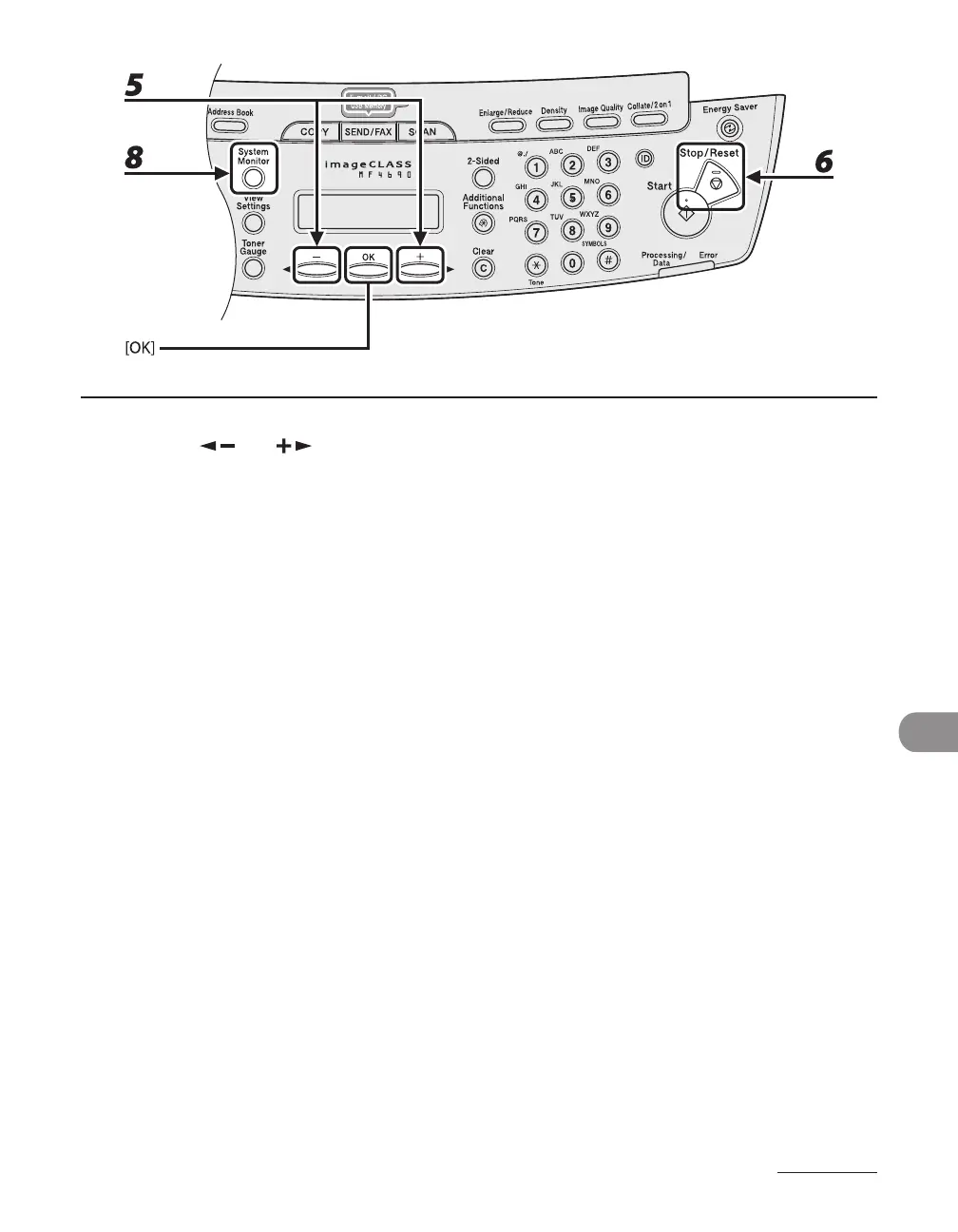
5 Press [ ] or [ ] to select the paper size same as paper loaded into the
machine, then press [OK].
6 Press [Stop/Reset] to return to the standby mode.
For a fax job, go to step 7.
For a copy job, or report print or list print job, go to step 8.
7 Press [OK] to resume the job.
No further operation is required.
8 Cancel the job on the system monitor.
For a copy job, you can also cancel the job by pressing [Stop/Reset].
For details on how to cancel the copy job, see “Checking and Deleting Copy Jobs,” on p. 3-19.
For details on how to cancel the report or list print job, see Chapter 11, “Appendix,” in the Reference
Guide.
Now ready to resume the job.










 To Next Page