3-11
Copying
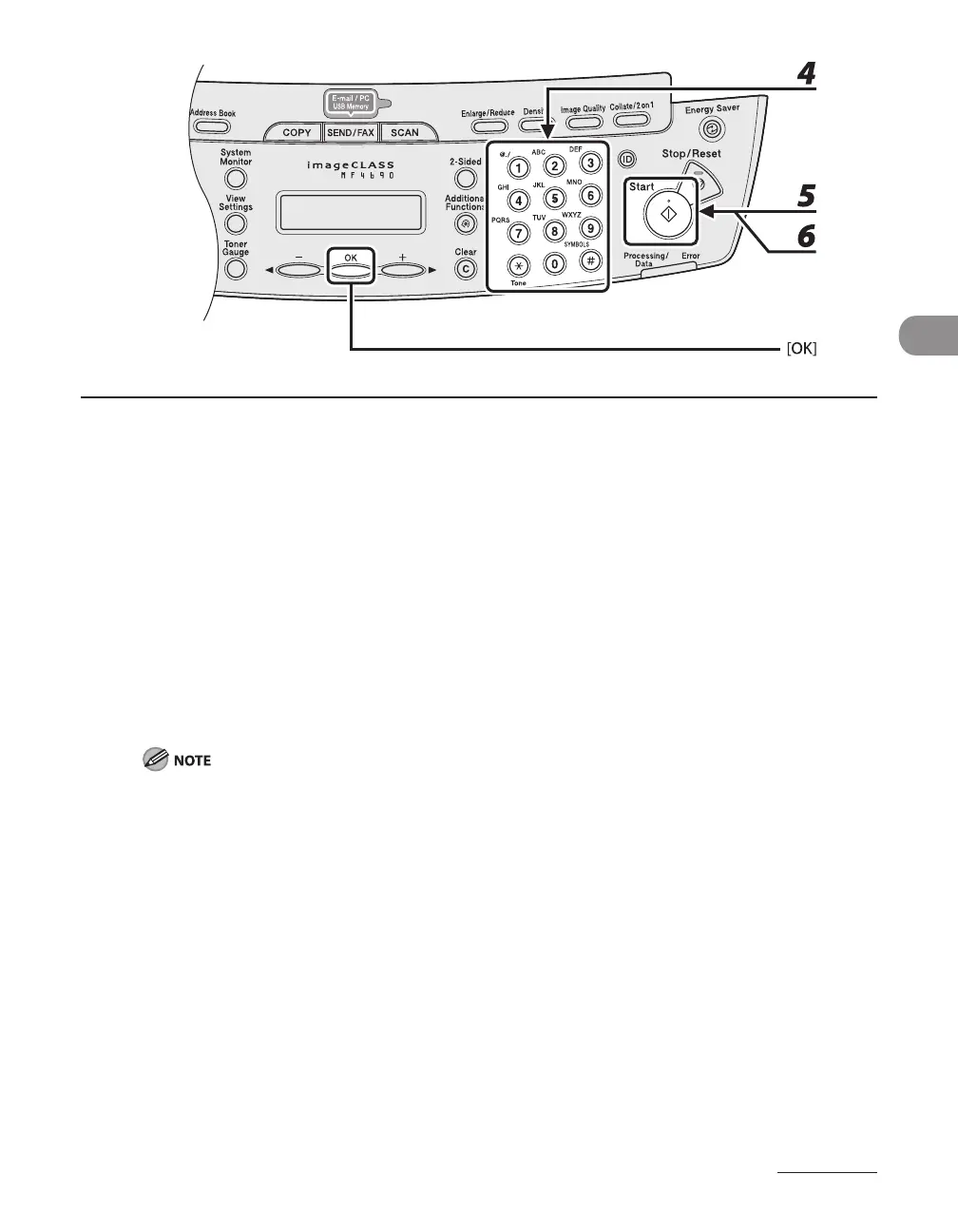
4 Use the numeric keys to enter the desired copy quantity (1 to 99).
5 Press [Start].
When the documents are loaded in the ADF, collate copying starts and no further operation is required.
6 Place the next page of the document on the platen glass, then press [Start].
Repeat this step to scan all pages.
7 Press [OK].
The machine prints the remaining sets of copies.
To cancel all settings, press [Stop/Reset].
When you switch the mode by pressing the mode keys such as [SEND/FAX], all settings will be also
canceled. If you want to keep the settings as the default, see “Setting Menu,” on p. 12-6.
When scanning multiple page documents, <MEMORY FULL> may appear in the LCD and scanning
may be canceled. If this happens, press [OK] to return to the standby mode, and print, send, or delete
any documents stored in memory.
–
–
–










 To Next Page