Printing fr om Ma c OS 9
Canceling print jobs
1
Open the Garo Printer Extra folder, which was installed on the hard disk at the
same time as the printer driver.
2
Open imagePROGRAF Printmonitor.
3
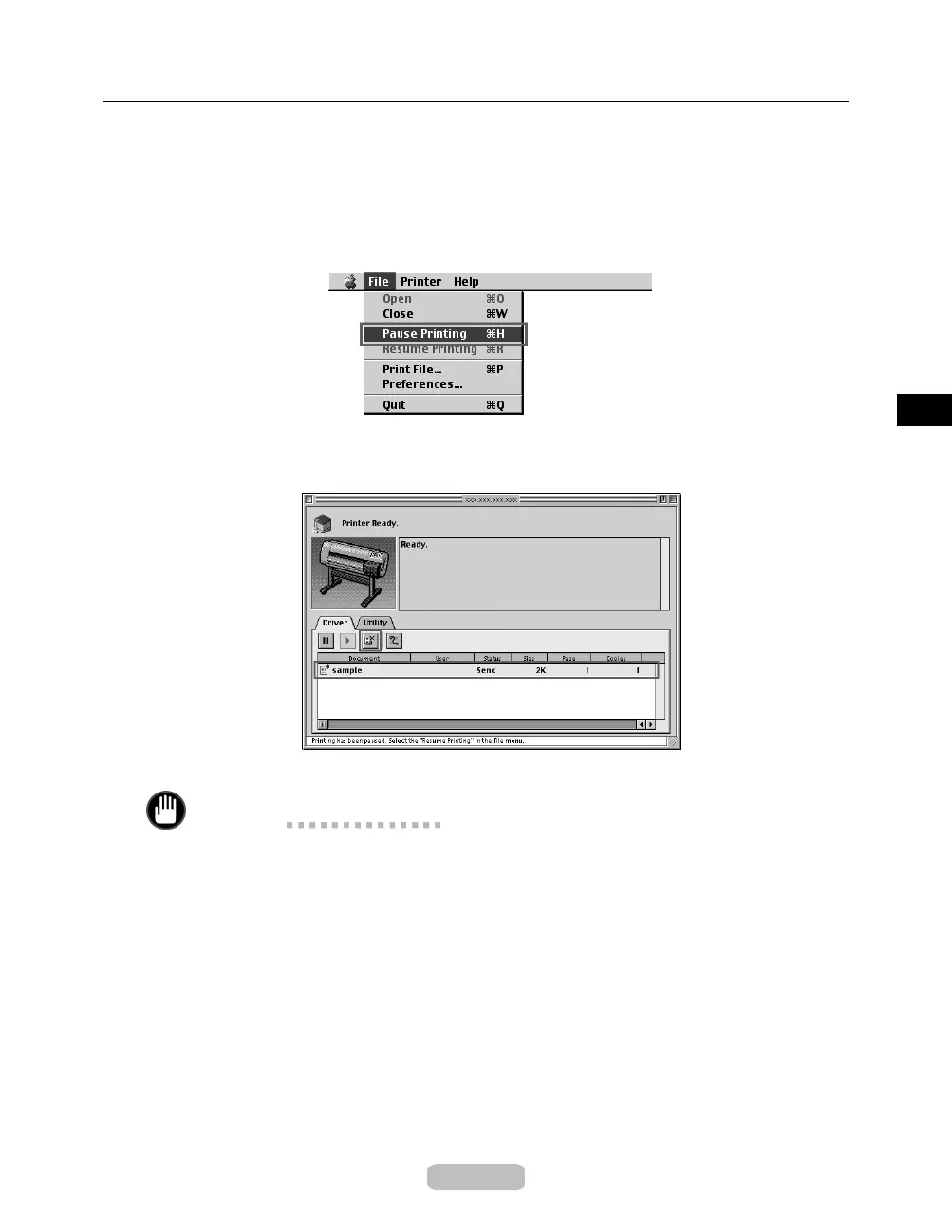
Choose Pause Printing in the File menu to stop print processing.
The job status changes from Sending to Send.
4
Select the print job to cancel and click the Cancel Job button to remove the print job.
5
Choose Resume Printing in the File menu.
Important
•
Always follow these steps if you cancel print jobs. If you do not restart the print
queue, the next job cannot be printed.
29







 To Next Page