Loading Sheets Manually
Note
•
If the Platen is dirty, clean inside the Top Co ver .
•
After pressing the Load/Eject button , you can refer to instructions on the Display
Screen as you load the paper.
1
You can switch the paper source between the roll and the sheet by pressing the
Feeder Selection button. Each time you press this button, the paper source switches
between the roll (indicated by the Roll Media lamp ) and the sheet (indicated by
the Cut Sheet lamp ).
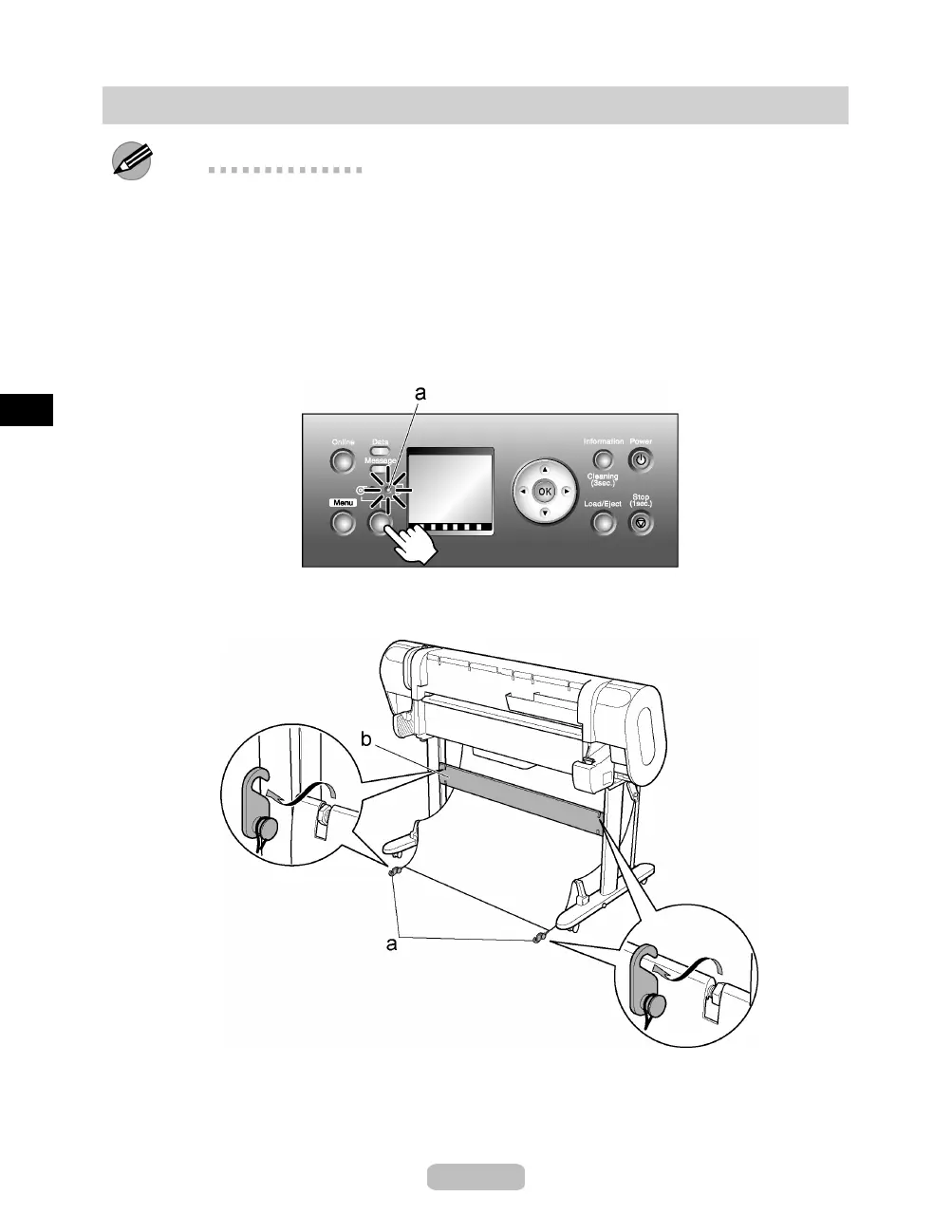
Press the Feeder Selection button to activate the Cut Sheet lamp (a).
2
Remove the Roll Holder from the printer and remove Basket Fastener A (a) from
the Stand Stay (b).
18















 To Next Page