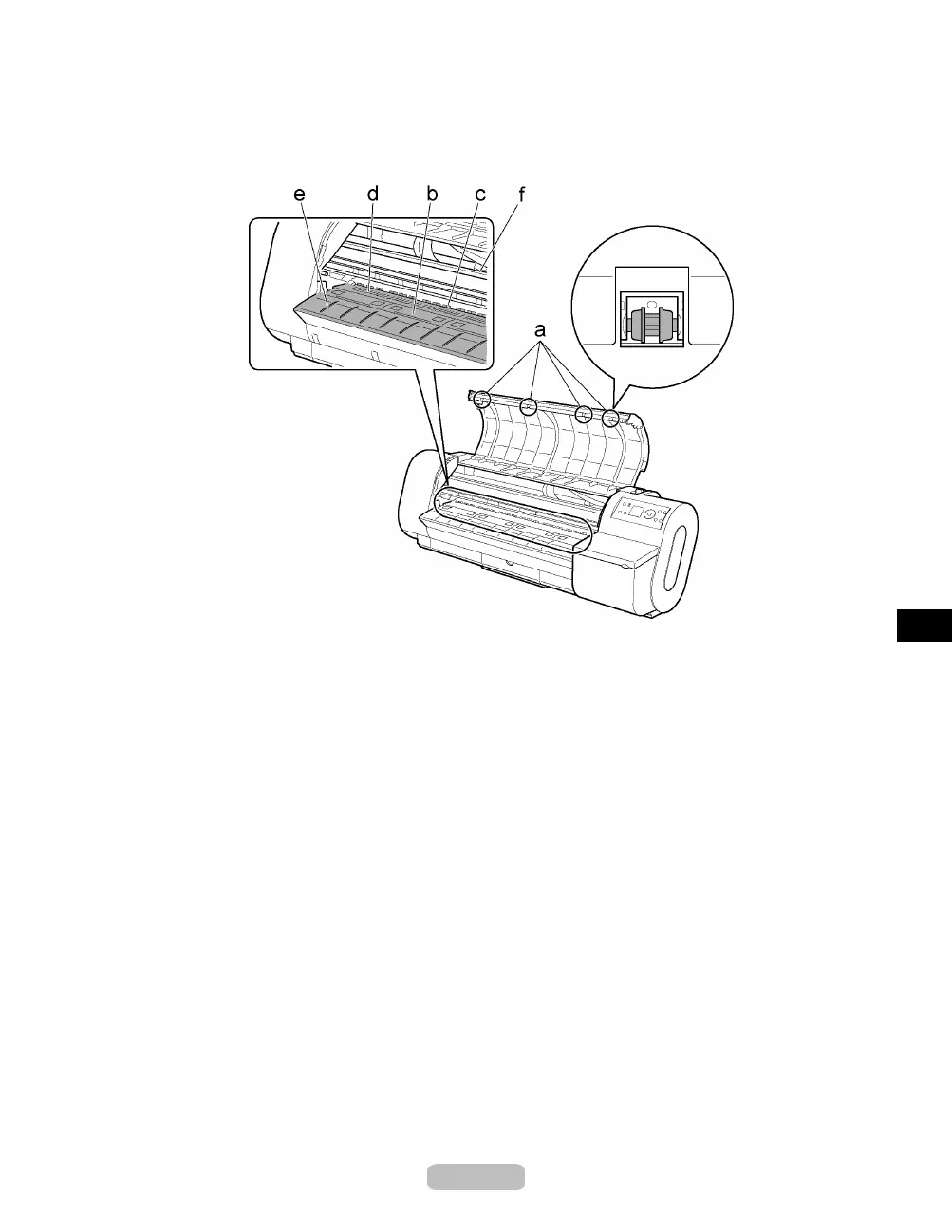
Cleaning the Printer
3
Using a damp cloth that you have wrung o
ut completely, wipe inside the Top Co ve r
to clean it. Wipe away any ink residue on the Top Cover Roller (a), all over the
Platen (b), the Paper Retainer (c), the Borderless Printing Ink Grooves (d), the
Ejection Guide (e), and the guide rai
l (f).
41















 To Next Page