Clearing a Jammed Sheet
5
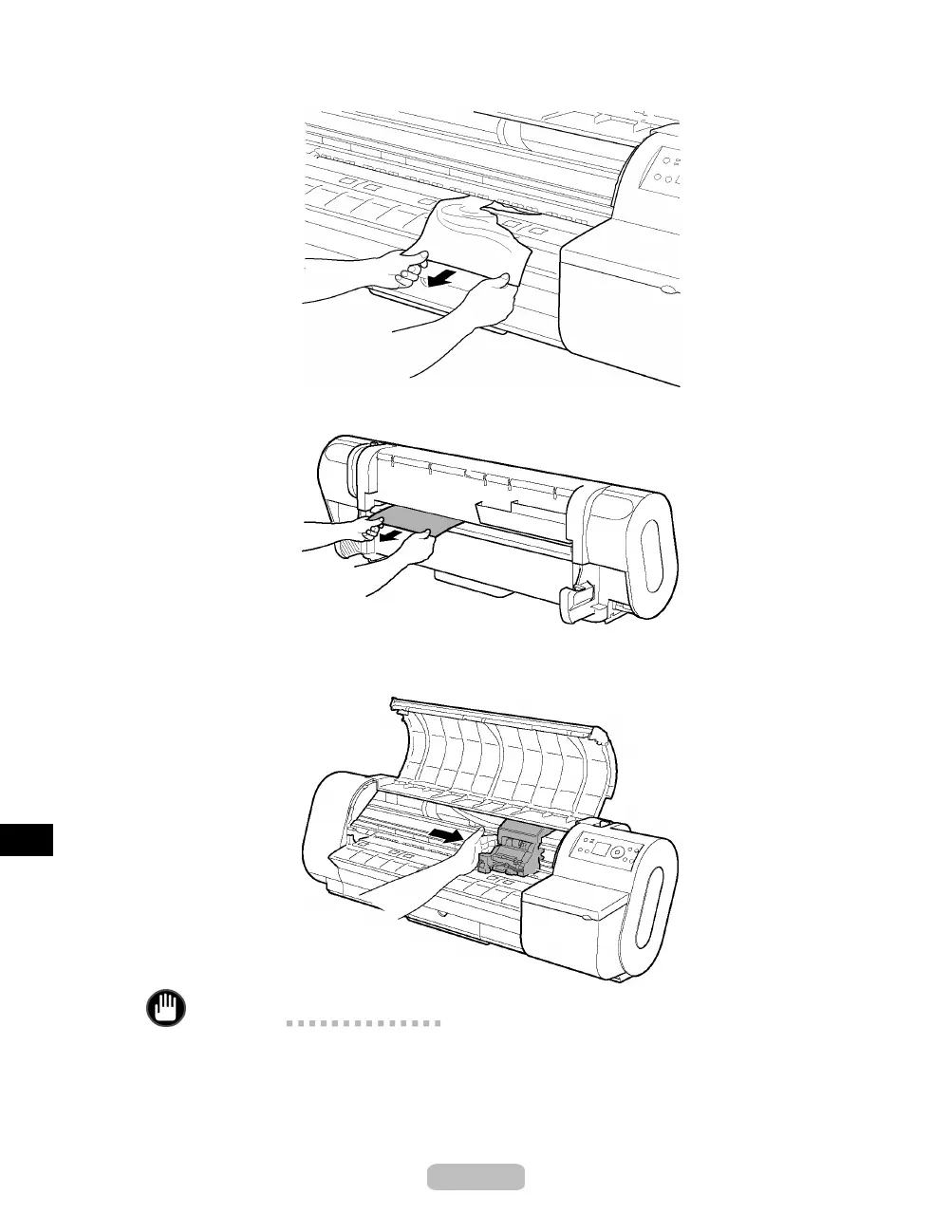
If the paper is visible, grasp the paper and pull it forward.
6
If you cannot see the paper, remove the scrap from behind the printer.
After removing the paper, make sure there are no other scraps of paper in the printer.
7
If the Carriage is on the left, move the Carriage to the right until it stops.
Important
•
Always move the Carriage to the right side. If the Carriage is on the left, a
Carriage error may occur w hen you turn on the printer.
8
Tu rn the printer on. (→P. 8)
80















 To Next Page