EasyManua.ls Logo

Canon imagePROGRAF iPF760 - Page 488

Canon imagePROGRAF iPF760
686 pages
Print Icon
To Next Page IconTo Next Page
To Previous Page IconTo Previous Page
Loading...
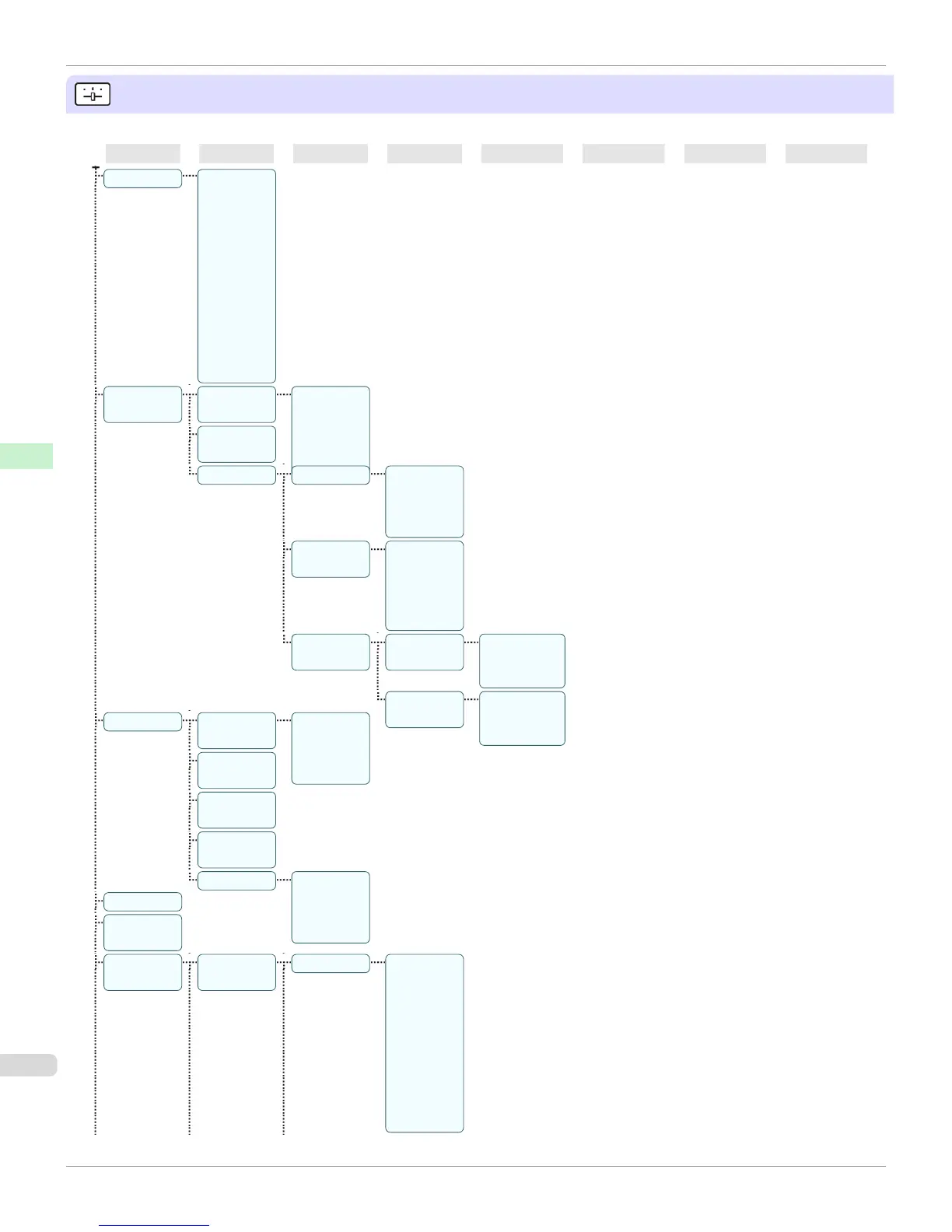
Set./Adj. Menu
Limited items are displayed during printing. The displayed items are indicated by annotations.
First Level Second Level Third Level Fourth Level Fifth Level Sixth Level Seventh Level Eighth Level
Test Print Nozzle
Check
Status Print
Interface
Print GL2
Set Print
Paper De-
tails Print
Job Log
Menu Map
Color Pa-
lette
Adjust Print-
er
Head Posi.
Adj.
Auto(Stand-
ard) Au-
to(Ad-
vanced)
Manual (*1)
Head Inc.
Adj.
Feed Priority Adj. Priority Automatic
*Print
Quality
Print Length
Adj. Quality
(*2)
Auto(Genu-
inePpr)
Auto(Other-
Paper)
Manual
Adjust
Length (*3)
Adjustment-
Print
A:High
B:Standard/
Draft
Change Set-
tings
A:High
B:Standard/
Draft
Maintenance Head Clean-
ing
Head Clean-
ing A
Head Clean-
ing B
Nozzle
Check
Replace
P.head
Repl. maint
cart
Head Info
ProductName:
s/n: Days
elapsed:
Count [Mdot]:
GL2 Replot
GL2 Buffer-
Clear
GL2 Set-
tings
Quality Man-
ager
Color Mode Mono-
chrome
Color (CAD)
1 *Color
(CAD) 2
Color (CAD)
3 Color
(CAD) 4
Color (CAD)
5
Menu Structure
iPF760
User's Guide
Control Panel Printer Menu
488

Table of Contents

Other manuals for Canon imagePROGRAF iPF760

Related product manuals