EasyManua.ls Logo

Canon imagePROGRAF iPF760 - Page 489

Canon imagePROGRAF iPF760
686 pages
Print Icon
To Next Page IconTo Next Page
To Previous Page IconTo Previous Page
Loading...
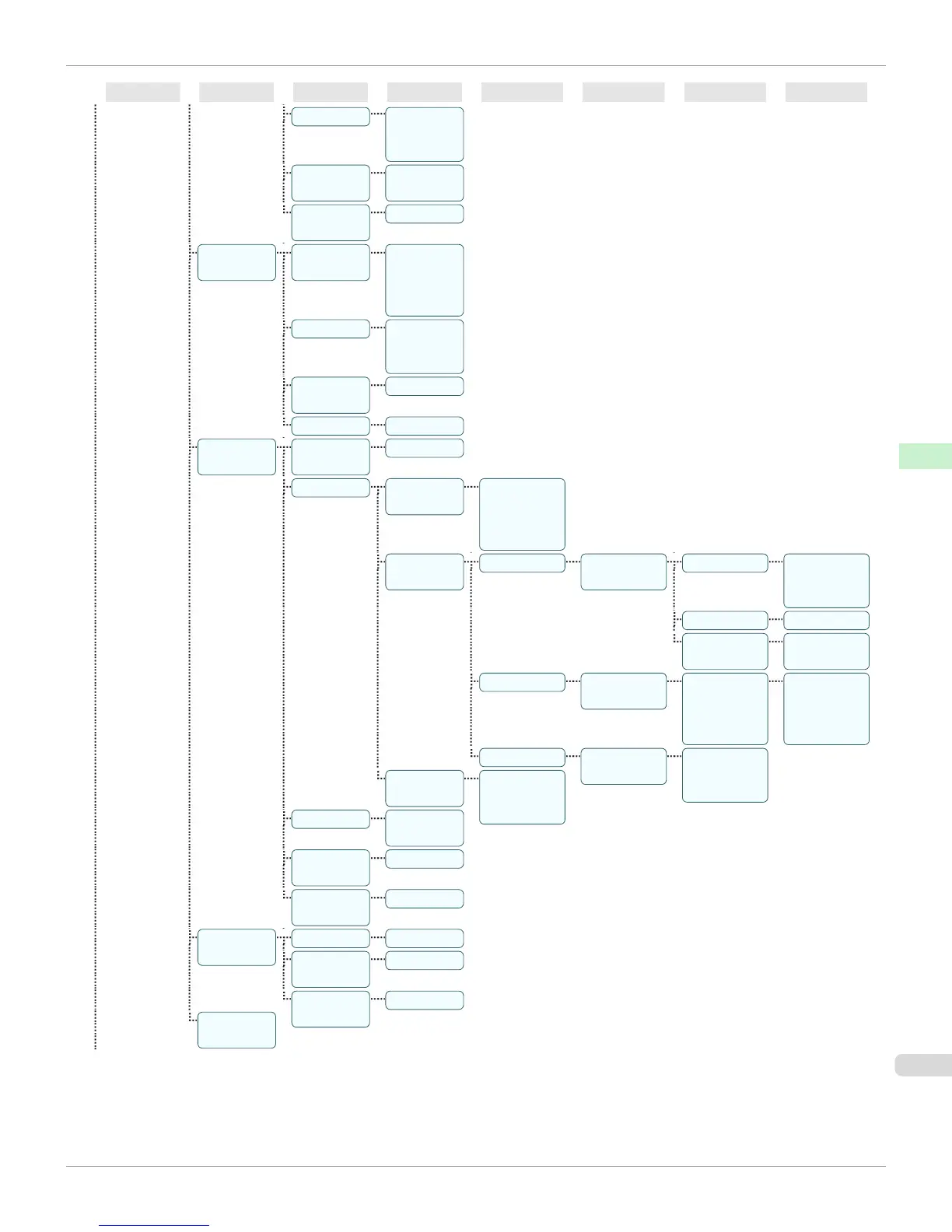
First Level Second Level Third Level Fourth Level Fifth Level Sixth Level Seventh Level Eighth Level
Print Quality Fast
Standard *
High
Input Reso-
lution
600dpi *
300dpi
Print (Econ-
omy)
Off *On
Paper Man-
ager
Paper
Source
Automatic
*Roll Pa-
per Cut
Sheet
Margin 3mm(Stand-
ard) *
5mm
Conserve
Paper
Off *On
Auto Rotate Off *On
Line & Pen
Manager
Enable
merge
Off *On
Pen Setup Select Pa-
lette
Software *
Palette A
Palette B
Factory
Define Pa-
lette
Palette A (Select the
pen number)
Width (Indicates the
value of
Width)
Color 0255
Line Attrib-
utes
No Setting
Circle Setting
Palette B (Select the
pen number)
(Indicates
Width, Color,
and Line At-
tributes)
(Specify the val-
ues of Width,
Color, and Line
Attributes)
Factory (Select the
pen number)
(Indicates Width,
Color, and Line
Attributes)
Reset Pa-
lette
All Palette
Palette A
Palette B
Smoothing Software *
Smooth
ThickenFi-
neLines
Off *On
AdjustFaint-
Lines
Off On *
Processin-
gOption
Warning Off *On
PageSize-
Process1
Off *On
PageSize-
Process2
Off *On
GL2 Set
Print
iPF760
Menu Structure
User's Guide
Control Panel Printer Menu
489

Table of Contents

Other manuals for Canon imagePROGRAF iPF760

Related product manuals