12.
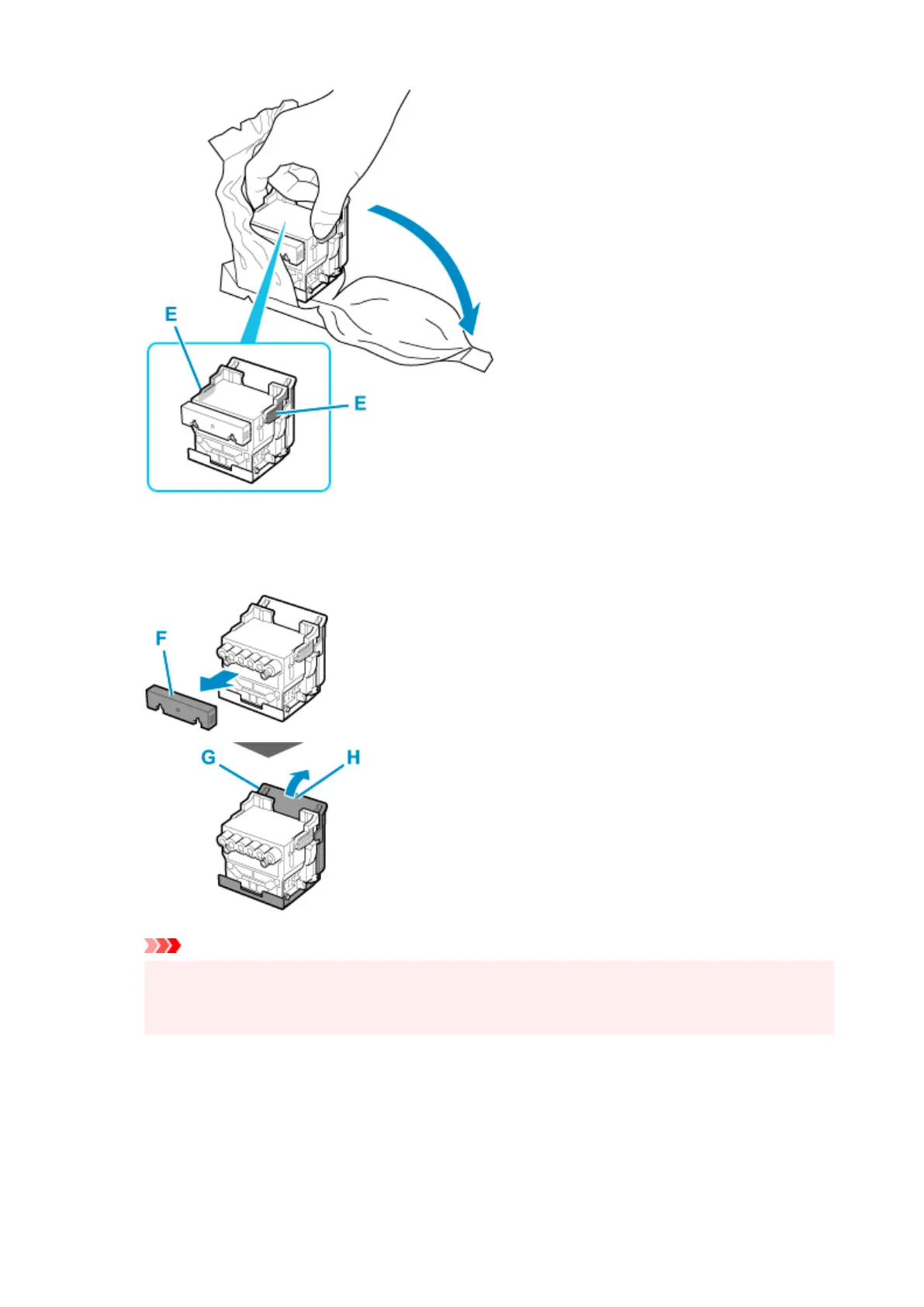
Remove orange protective caps (F, G).
12.
Grab grip (H) to remove protective cap (G).
Important
•
Always carry the print head by holding its right and left grips. Never touch nozzle (I) or metal
contacts (J). This may damage the print head and affect printing quality.
•
Never touch the ink holes (K). This may affect printing quality.
•
594


 To Next Page
 Loading...