100
F: Bulb Exposures
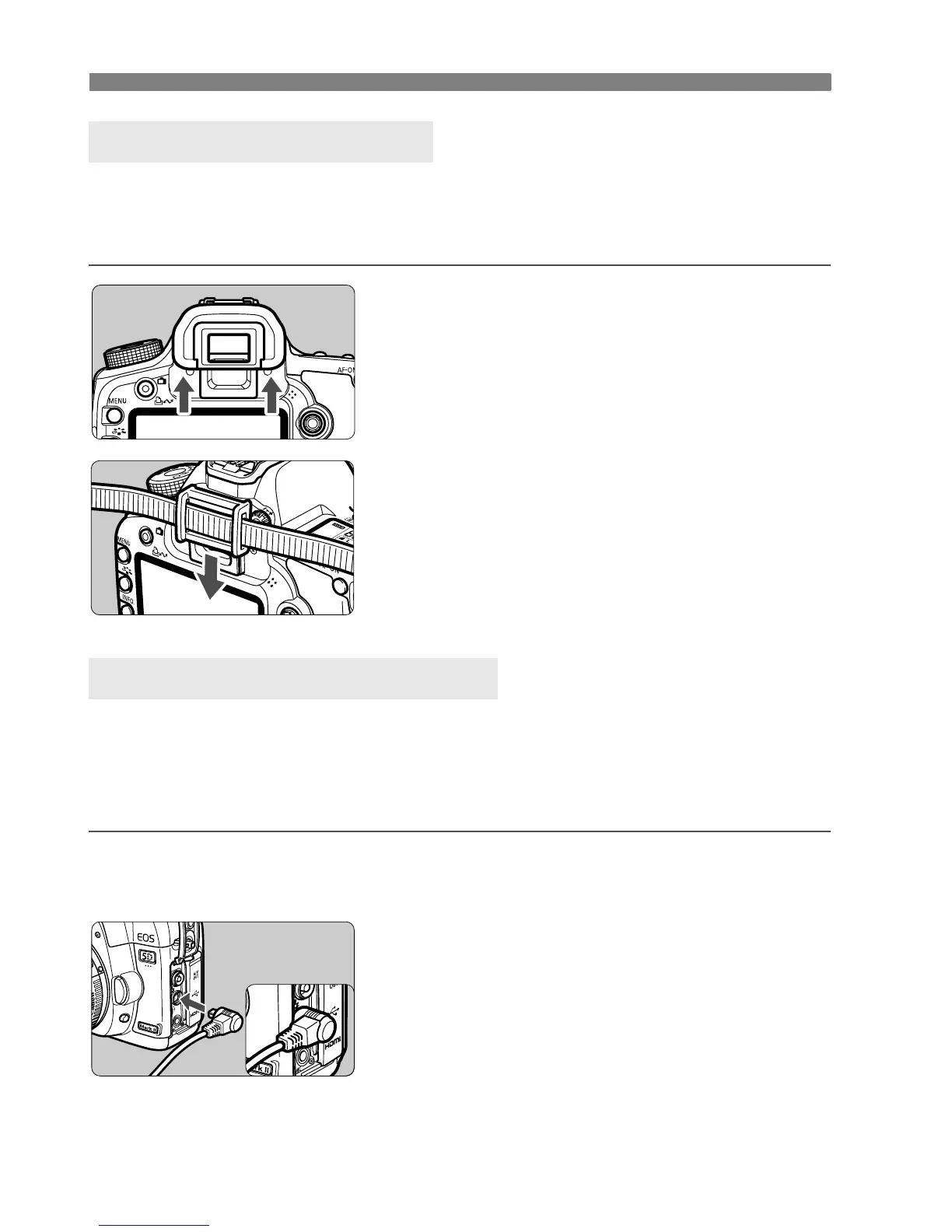
If you take a picture without looking at the viewfinder, light entering the
eyepiece can throw off the exposure. To prevent this, use the eyepiece
cover (p.23) attached to the camera strap.
1
Remove the eyecup.
Push the bottom of the eyecup
upward.
2
Attaching the eyepiece cover.
Slide the eyepiece cover down into
the eyepiece groove to attach it.
You can connect the Remote Switch RS-80N3 or Timer Remote
Controller TC-80N3 (both sold separately) or any EOS accessory
equipped with an N3-type terminal to the camera and shoot with it.
To operate the accessory, refer to its instruction manual.
1
Open the terminal cover.
2
Connect the plug to the remote
control terminal.
Connect the plug as shown in the
illustration.
To disconnect the plug, grasp the
plug’s silver part and pull out.
Using the Eyepiece Cover
Connecting the Remote Switch















 To Next Page