59
By selecting a Picture Style, you can obtain image effects matching
your photographic expression or the subject.
In the <1> (Full Auto) mode, you cannot select the Picture Style.
1
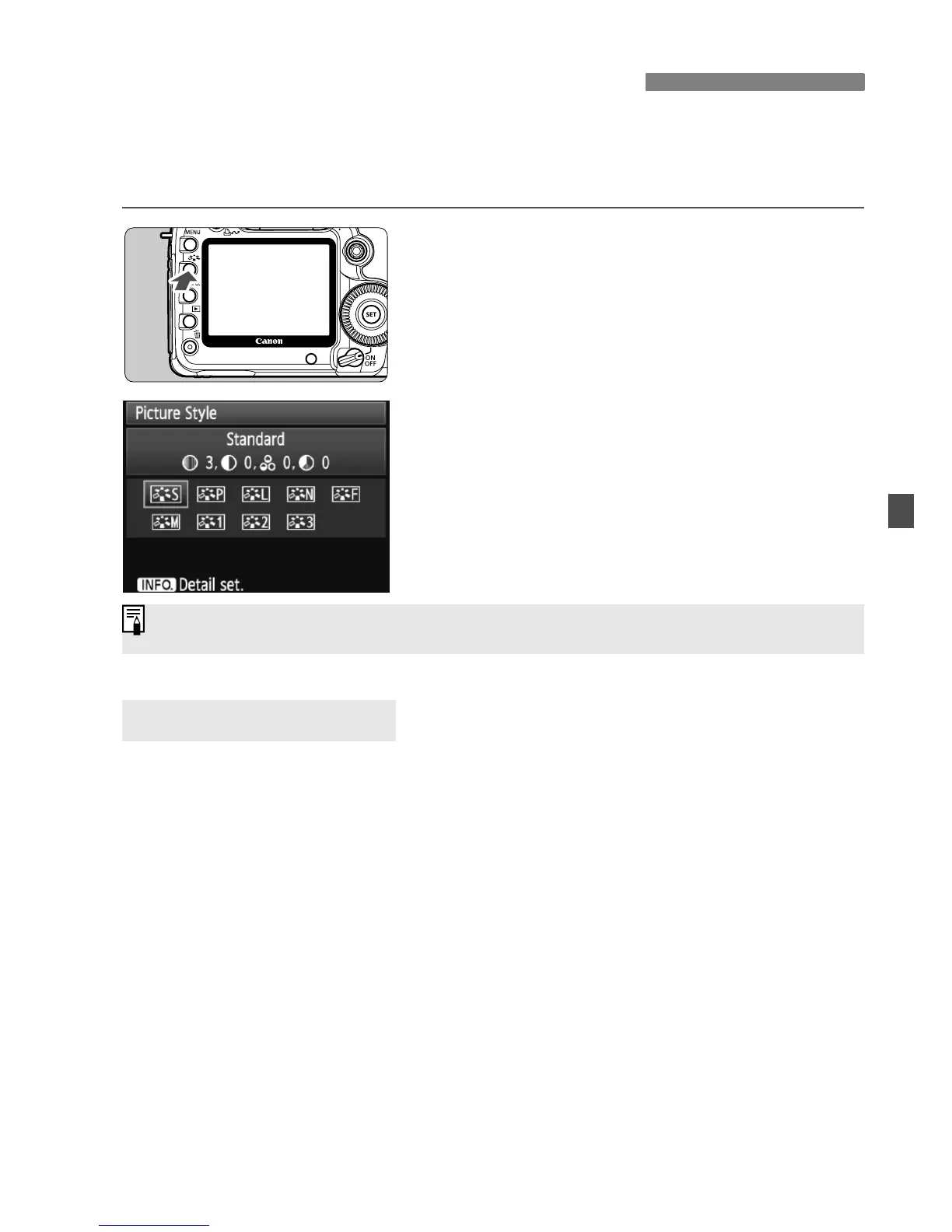
Press the <A> button.
When the camera is ready to shoot,
press the <A> button.
X The Picture Style screen will appear.
2
Select a Picture Style.
Turn the <6> or <5> dial to select
a Picture Style, then press <0>.
X The Picture Style will take effect and
the camera will be ready to shoot.
P Standard (C: Standard)
The image looks vivid, sharp, and crisp. This is a general-purpose
Picture Style suitable for most scenes. This is set automatically in
the <1> (Full Auto) mode.
Q Portrait (C: Smooth skin tones)
For nice skin tones. The image looks softer. Effective for close-ups
of women or children.
By changing the [Color tone] (p.61), you can adjust the skin tone.
R Landscape (C: Vivid blues and greens)
For vivid blues and greens, and very sharp and crisp images.
Effective for impressive landscapes.
A
Selecting a Picture Style
N
Picture Style Effects
You can also use the [2 Picture Style] menu to select the Picture Style.















 To Next Page