190
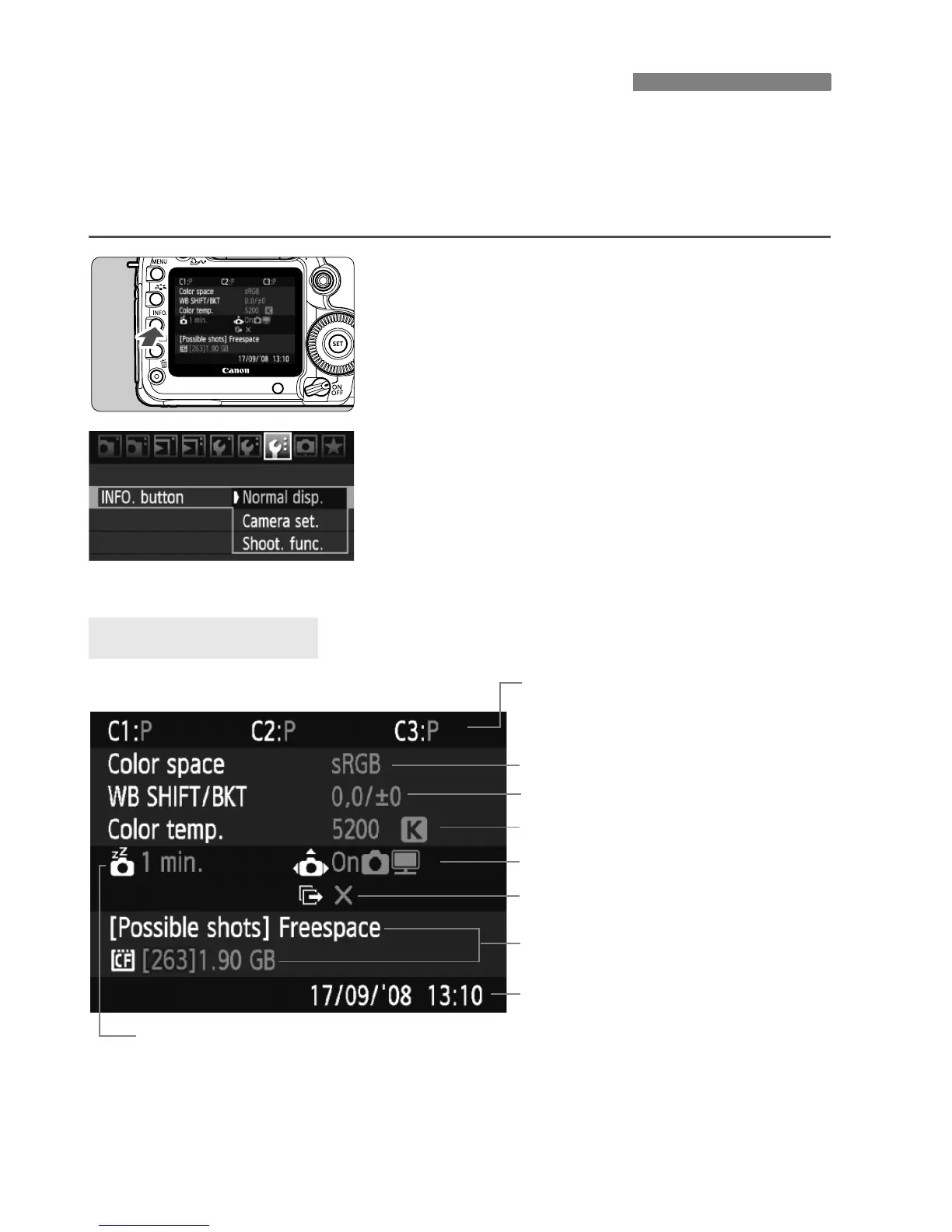
When the camera is ready to shoot, press the <B> button and
“Camera settings” and “Shooting functions” screens will appear.
When “Shooting functions” is displayed, you can set the shooting
functions while looking at the LCD monitor.
Display “Camera set.” and
“Shoot. func.”
Press the <B> button.
X The button toggles between the two
screens.
Display one of them.
Under the [7] tab, select [INFO.
button], then press <0>.
Select [Camera set.] or [Shoot.
func.], then press <0>.
* This icon is displayed only when the transfer of some images failed while using
the Wireless File Transmitter WFT-E4.
B Checking Camera Settings
Camera Settings
Date/Time (p.42)
(p.68, 69)
(p.76)
Auto rotate display (p.146)
Shooting mode registered under
the Mode Dial’s w, x, and y
positions
(p.29, 55)
Auto power off (p.44)
(p.67)
Transfer of some images failed*















 To Next Page