187
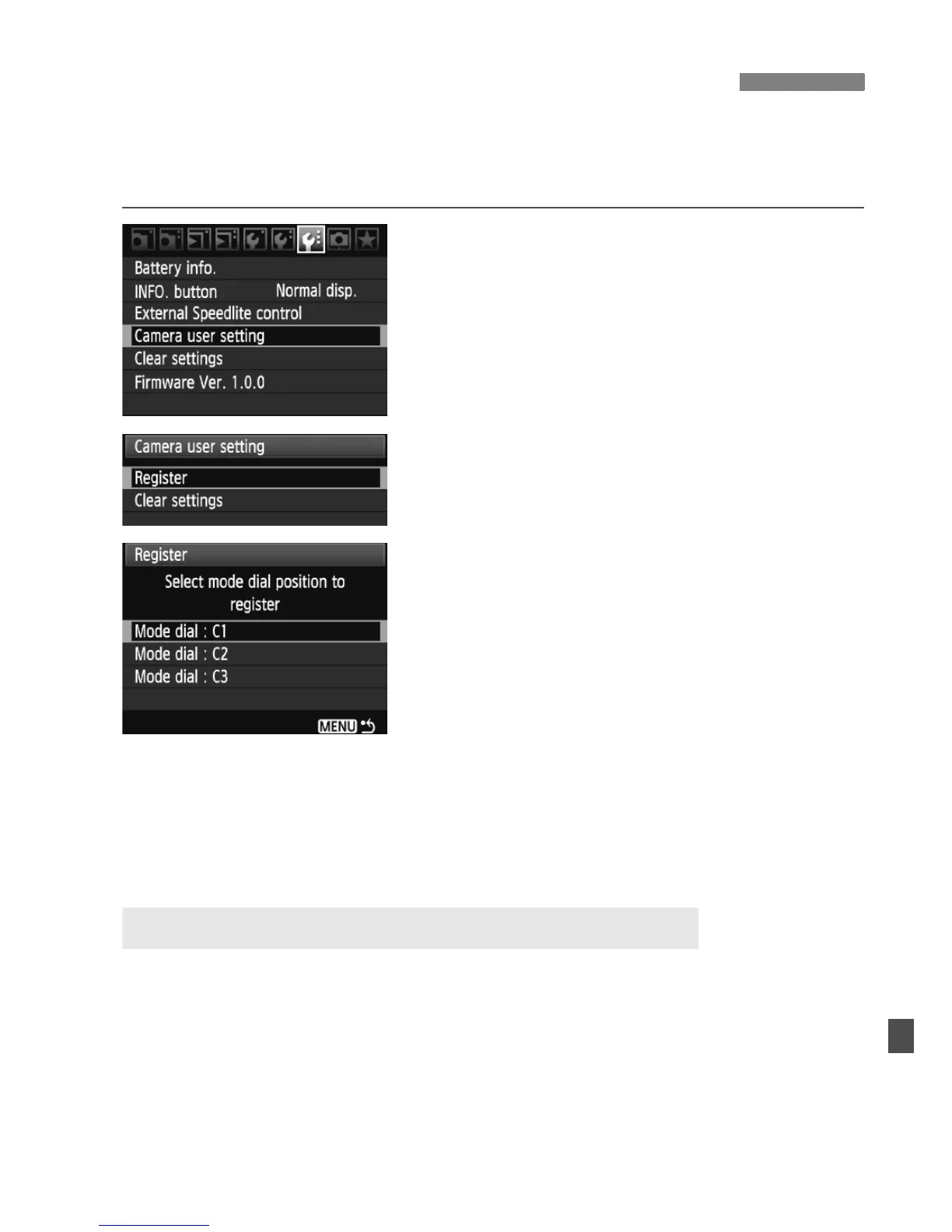
Under the Mode Dial’s <w>, <x>, and <y> positions, you can
register most of the current camera settings including your preferred
shooting mode, menus, Custom Function settings, etc.
1
Select [Camera user setting].
Under the [7] tab, select [Camera
user setting], then press <0>.
2
Select [Register].
Turn the <5> dial to select
[Register], then press <0>.
3
Register the desired items.
Turn the <5> dial to select the Mode
Dial position where the camera
settings are to be registered, then
press <0>.
When the confirmation dialog
appears, select [OK] and press
<0>.
X The current camera settings (p.190)
will be registered under the Mode
Dial’s C* position.
In step 2, if you select [Clear settings], the respective Mode Dial
position will revert to the default setting effective before you registered
the camera settings. The procedure is the same as step 3.
w Register Camera User SettingsN
About Camera user setting’s [Clear settings]















 To Next Page