95
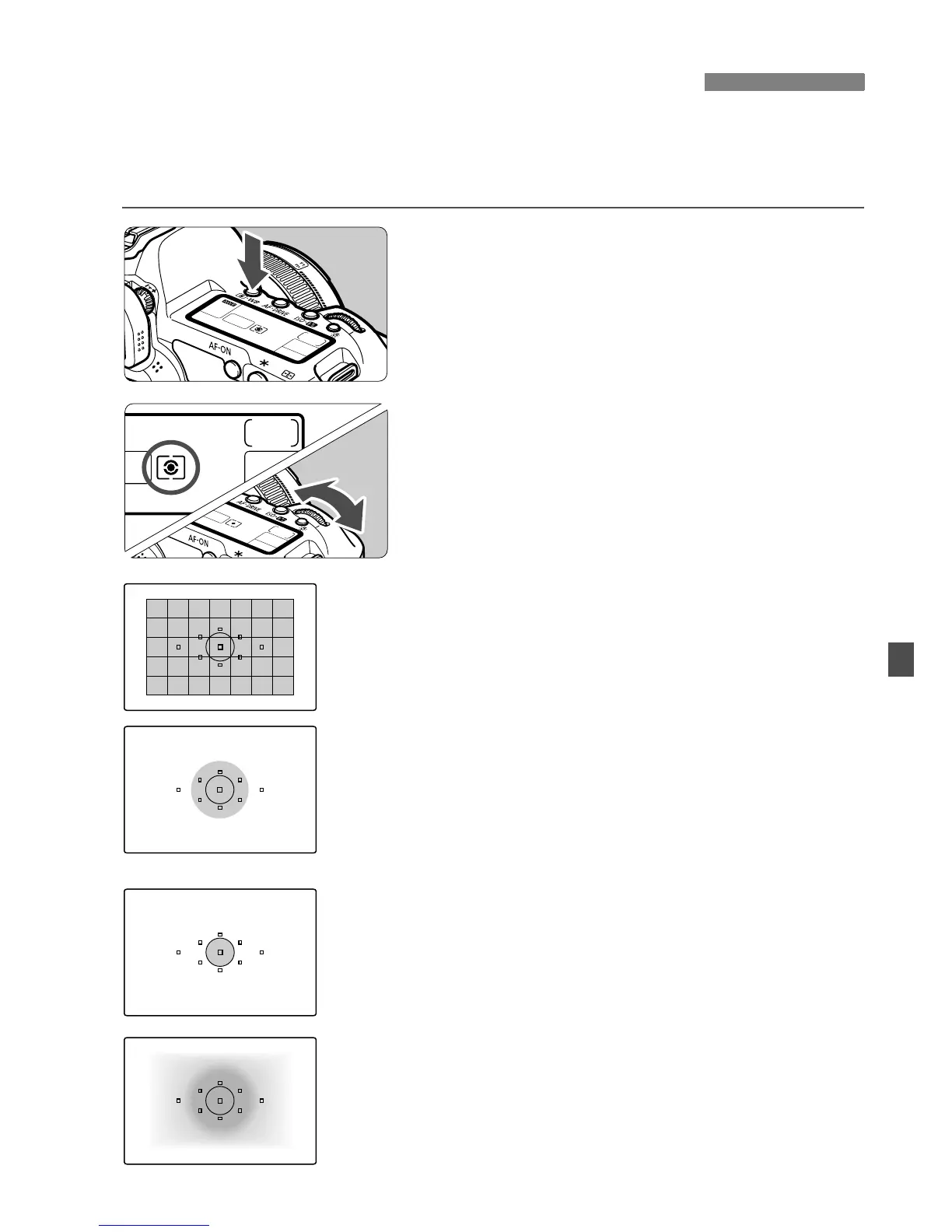
You can select one of four methods to measure the subject brightness.
In the fully-automatic modes (1/C), evaluative metering is set
automatically.
1
Press the <n> button. (9)
2
Select the metering mode.
While looking at the LCD panel, turn
the <6> dial.
q Evaluative metering
This is an all-around metering mode suited for
portraits and even backlit subjects. The camera
sets the exposure automatically to suit the scene.
w Partial metering
Effective when the background is much brighter
than the subject due to backlighting, etc. Partial
metering covers about 8% of the viewfinder area at
the center.
r Spot metering
This is for metering a specific part of the subject or
scene. The metering is weighted at the center
covering about 3.5% of the viewfinder area.
e Center-weighted average metering
The metering is weighted at the center and then
averaged for the entire scene.
q Selecting the Metering ModeN















 To Next Page