151
Dust which could not be removed by the automatic sensor cleaning can
be removed manually with a blower, etc.
The surface of the image sensor is extremely delicate. If the
sensor needs to be cleaned directly, having it done by a Canon
Service Center is recommended.
Before cleaning the sensor, detach the lens from the camera.
1
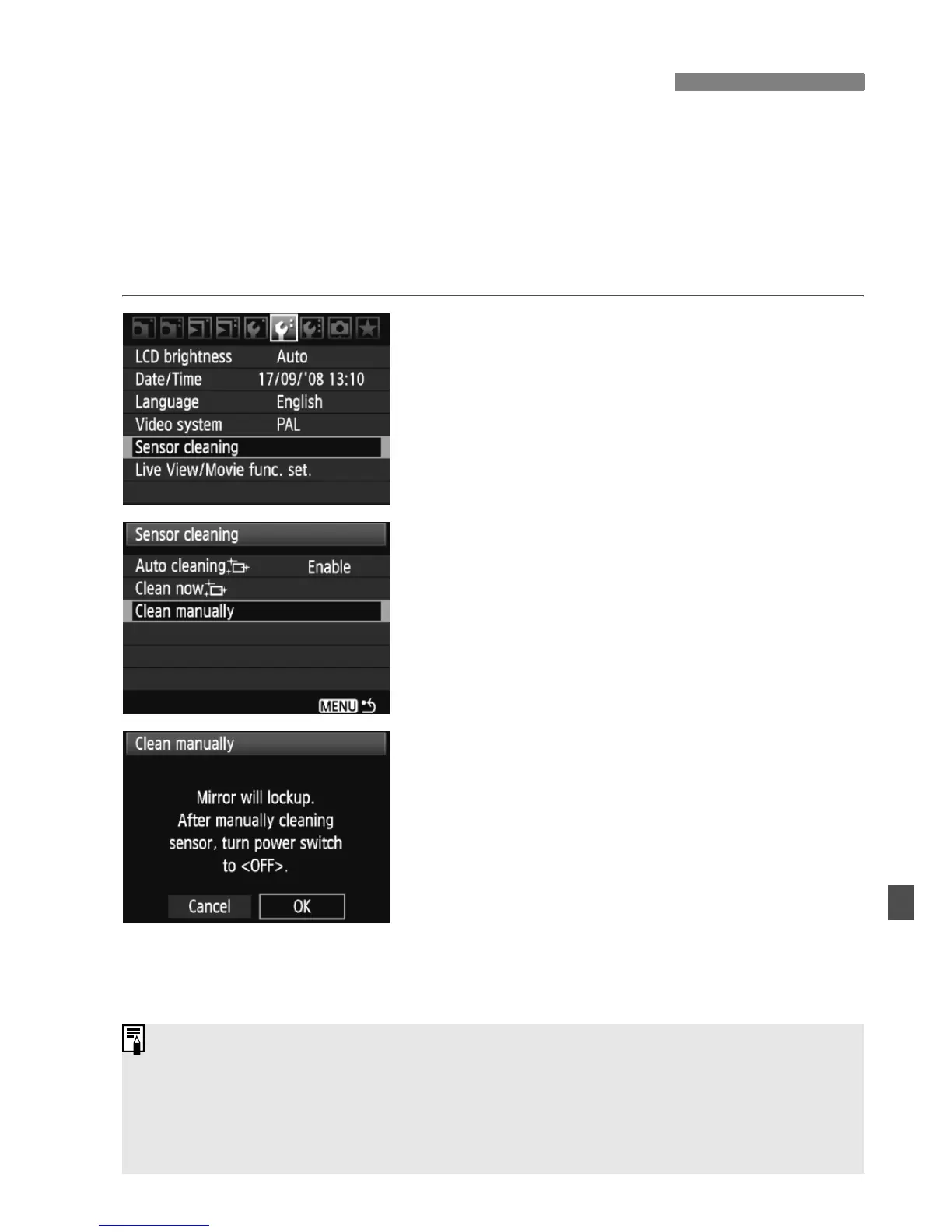
Select [Sensor cleaning].
Under the [6] tab, select [Sensor
cleaning], then press <0>.
2
Select [Clean manually].
Turn the <5> dial to select [Clean
manually], then press <0>.
3
Select [OK].
Turn the <5> dial to select [OK],
then press <0>.
X In a moment, the mirror will lockup
and the shutter will open.
“CLn” will blink on the LCD panel.
4
End the cleaning.
Set the power switch to <2>.
3 Manual Sensor CleaningN
As power source, using the AC Adapter Kit ACK-E6 (sold separately) is
recommended.
If you use the battery, make sure it is fully recharged. If a battery grip with
size-AA/LR6 batteries is attached, manual sensor cleaning will not be
possible.















 To Next Page