26
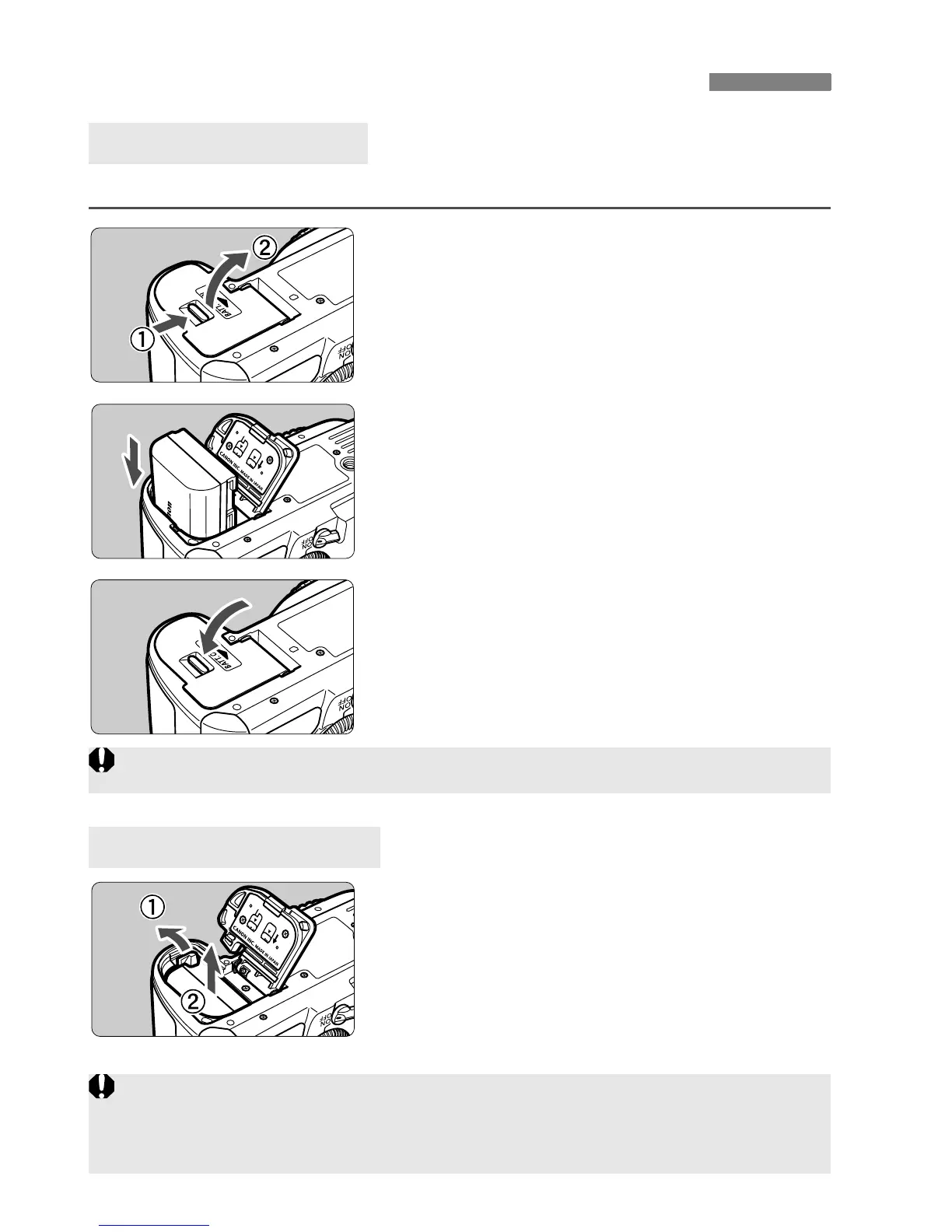
Load a fully charged Battery Pack LP-E6 into the camera.
1
Open the battery compartment
cover.
Slide the lever as shown by the arrow
and open the cover.
2
Insert the battery.
Insert the end with the battery
contacts.
Insert the battery until it locks in
place.
3
Close the cover.
Press the cover until it snaps shut.
Open the cover and remove the
battery.
Press the battery release lever as shown
by the arrow and remove the battery.
To prevent short circuiting, be sure to
attach the protective cover to the battery.
Installing and Removing the Battery
Installing the Battery
Removing the Battery
Only the Battery Pack LP-E6 can be used.
After opening the battery compartment cover, be careful not to swing it back
further.
Otherwise, the hinge might break.















 To Next Page