122
k Shooting Movies
4
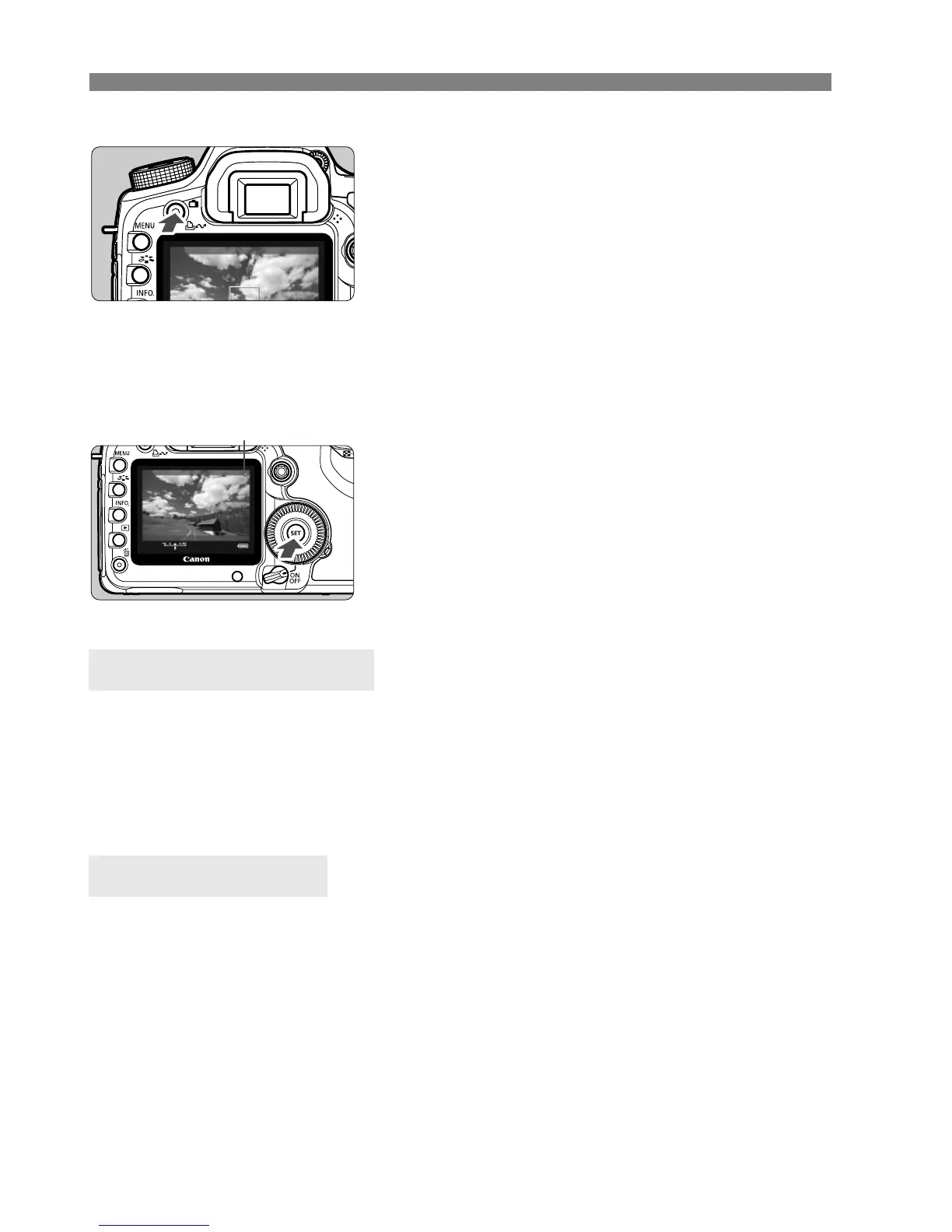
Display the Live View image.
Press the <A> button.
X The image matching the [Screen
settings] (p.109) setting is displayed
on the LCD monitor.
5
Focus the subject.
Before shooting a movie, focus with
AF or manual focus (p.113-119).
6
Start shooting the movie.
Press <
0
> to start shooting the movie.
While the movie is being shot, the “
o
”
mark will be displayed on the upper right
of the screen.
7
Stop shooting the movie.
Press <0 > again.
With a 4GB card, you can shoot a movie in [1920x1080] for about 12
min. At [640x480], about 24 min. (Based on Canon’s testing
standards.)
You can shoot several movies which total up to 90 mins at 23°C/73°F or 80
mins at 0°C/32°F with a fully charged LP-E6 battery pack.
During movie shooting, the top, bottom, left, and right parts of the screen will
have a semi-transparent mask. The area enclosed by the semi-transparent
mask will be the movie image that is recorded. The semi-transparent mask
size will change depending on the [
Movie rec. size
] setting (p.121).
In the fully-automatic modes (1/C), the movie shooting screen
will always be displayed.
In the
d/s/f/a/F
modes, if [
LV func. setting
] is set to
[
Stills+movie
], you can still shoot movies by pressing <
0
> even if [
Screen
settings
] has been set to [
Stills display
] or [
Exposure simulation
].
o: Shooting movie
Movie Shooting Time
About the Screen















 To Next Page