132
x Searching for Images Quickly
With the single image display, index display, and magnified view, you
can turn the <6> dial to jump through the images.
1
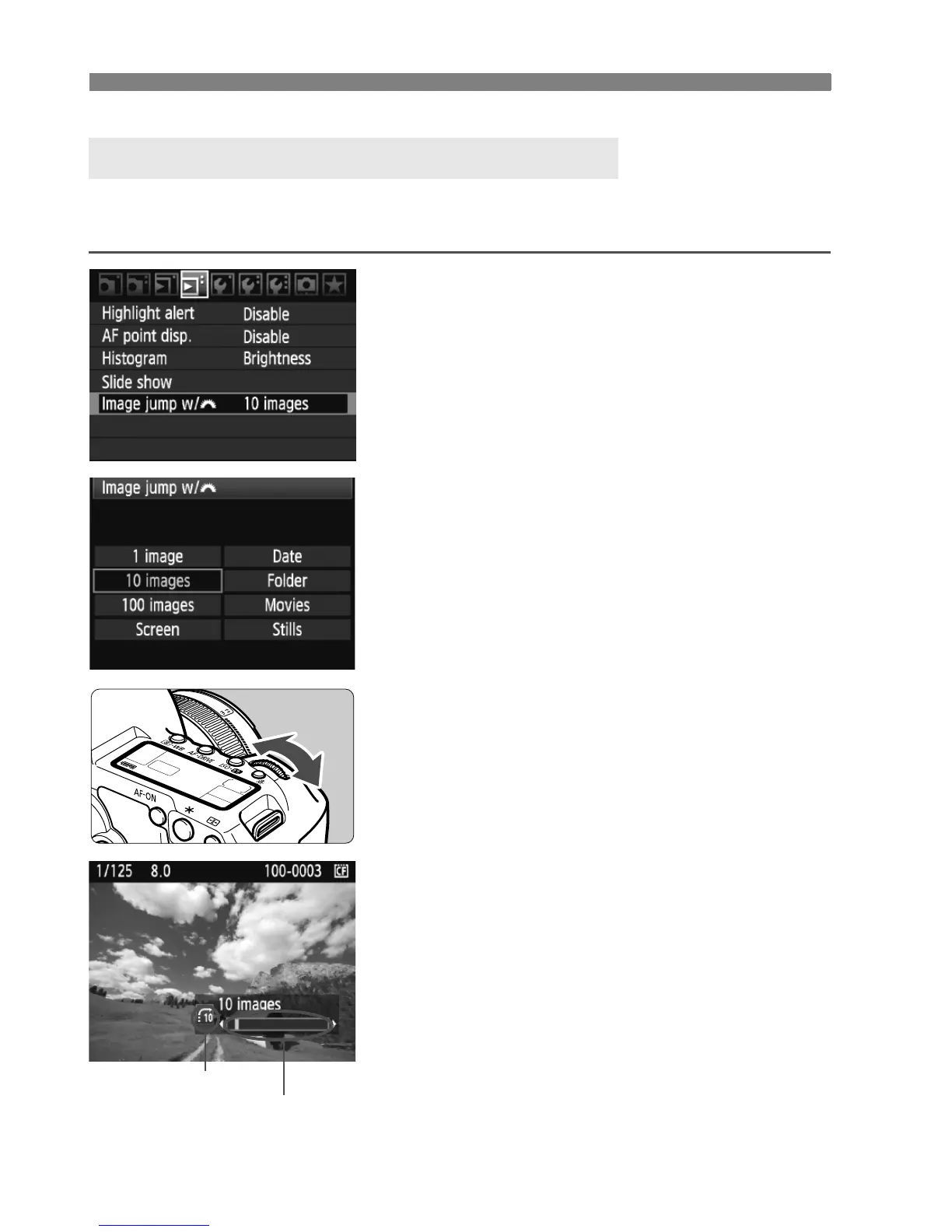
Select the jump method.
In the [4 Image jump w/6] menu,
select the desired jump method from
[1 image/10 images/100 images/
Screen/Date/Folder/Movies/Stills],
then press <0>.
With the index display, you can jump
by a single screen by selecting
[Screen].
If you want to jump by date, select
[Date]. To jump by folder, select
[Folder].
2
Browse by jumping.
Press the <x> button to playback
the image.
Turn the <6> dial.
X The jump display will proceed
according to the selected jump
method.
X On the bottom right, the jump method
and current image location are
indicated.
I Jump through Images (Jump display)
Image location
Jump method















 To Next Page