181
3 Custom Function SettingsN
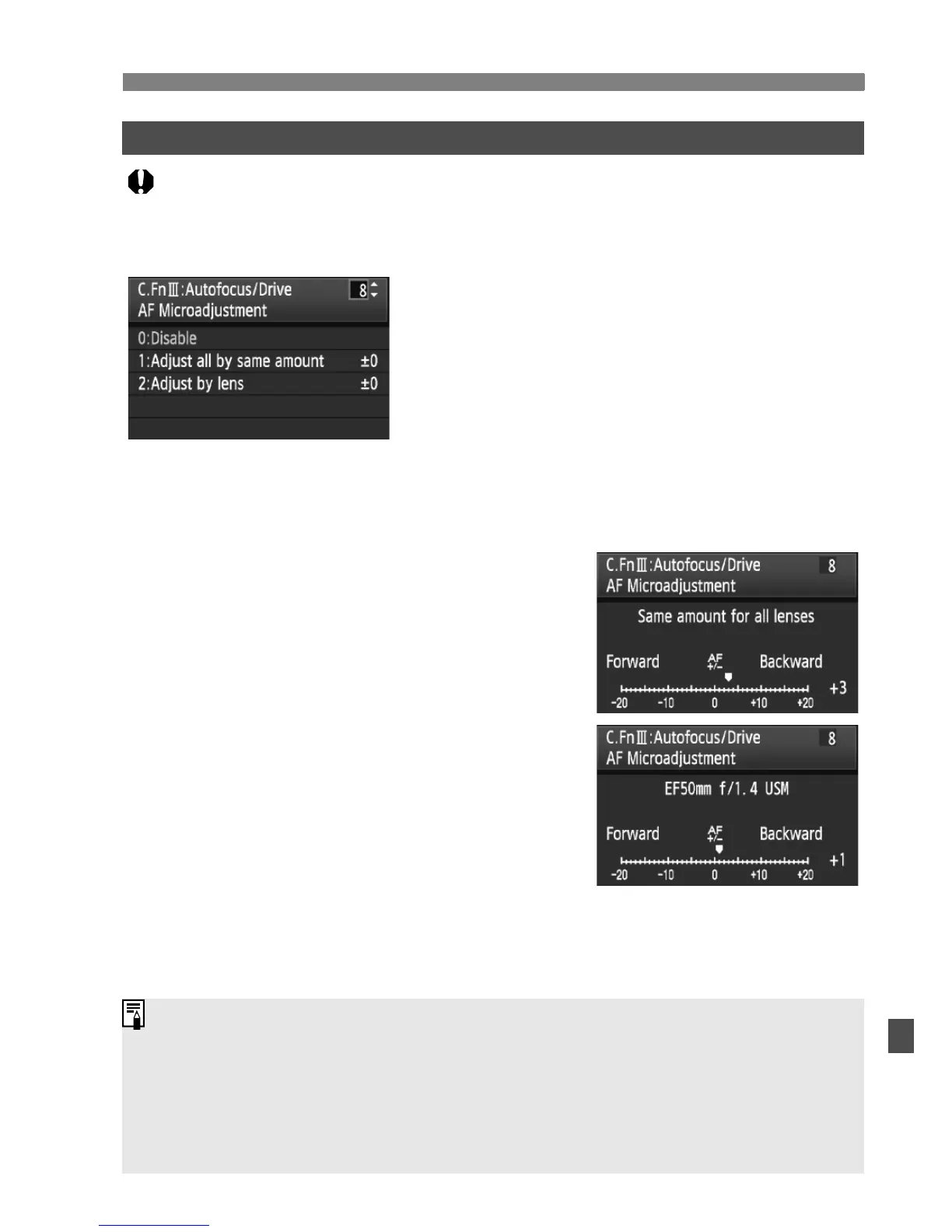
C.Fn III -8 AF Microadjustment
Normally, this adjustment is not required. Do this adjustment
only if necessary. Note that doing this adjustment may prevent
correct focusing from being achieved. AF adjustment cannot be
done during Live View shooting in Live and Liveu modes.
You can make fine adjustments for the AF’s
point of focus. It can be adjusted in ±20 steps
(-: Forward / +: Backward).
The adjustment amount of one step varies
depending on the maximum aperture of the lens.
Adjust, shoot (
73
), and check the focus.
Repeat to adjust the AF’s point of focus.
With setting 1 or 2 selected, press the <B> button to view the register
screen. To cancel all the registered adjustments, press the <L> button.
0: Disable
1: Adjust all by same amount
The same adjustment amount is applied to
all lenses.
2: Adjust by lens
An adjustment can be set individually for any
particular lens. Adjustments for up to 20 lenses
can be registered in the camera. When a lens
whose focus adjustment has been registered
is attached to the camera, its point of focus will
be shifted accordingly.
If adjustments for 20 lenses have already been registered and you want to
register an adjustment for another lens, select a lens whose adjustment can
be overwritten or deleted.
It is best to make the adjustment at the actual place to be photographed.
This will make the adjustment more precise.
With setting 2, if an Extender is used, the adjustment will be registered
for the lens and Extender combination.
The registered AF microadjustments will be retained even if you use the Custom
Function to clear all settings (p.172). However, the setting itself will be [
0: Disable
].















 To Next Page