184
3 Custom Function SettingsN
C.Fn IV -5 Focusing Screen
If you change the focusing screen, change this setting to match the
focusing screen type. This is to obtain the correct exposures.
0: Eg-A
1: Eg-D
2: Eg-S
About focusing screen characteristics
Eg-A: Standard Precision Matte
Standard focusing screen that comes with the camera. Provides
good viewfinder brightness and enables easy manual focusing.
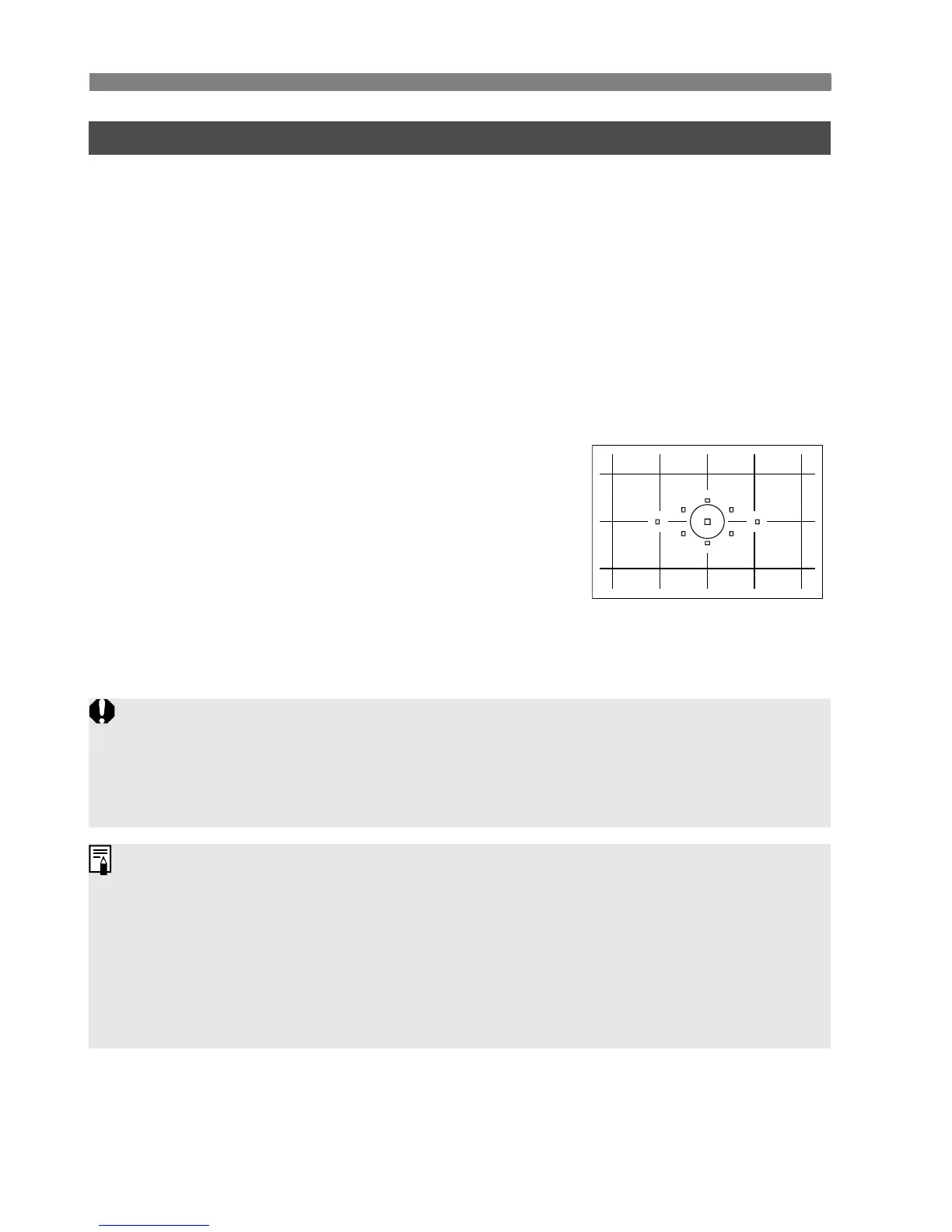
Eg-D: Precision Matte with grid
This is the Eg-A with a grid. It makes
it easier to align horizontal or vertical
lines.
Eg-S: Super Precision Matte
Focusing screen which makes manual focusing easier than with
the Eg-A. Effective for users who mainly focus manually.
About Super Precision Matte Eg-S and Maximum Lens Aperture
This focusing screen is optimized for f/2.8 and faster lenses.
If the lens is slower than f/2.8, the viewfinder will look darker than with
Eg-A.
Even if all the Custom Functions are cleared, this setting will be retained.
Since the standard Eg-A focusing screen comes with the camera, C.Fn
IV -5-0 is already factory set.
To change the focusing screen, refer to the instructions that come with
the focusing screen.
The C.Fn IV -5 setting is not included in the registered camera user
settings (p.187).















 To Next Page