194
3 Checking the Battery Information
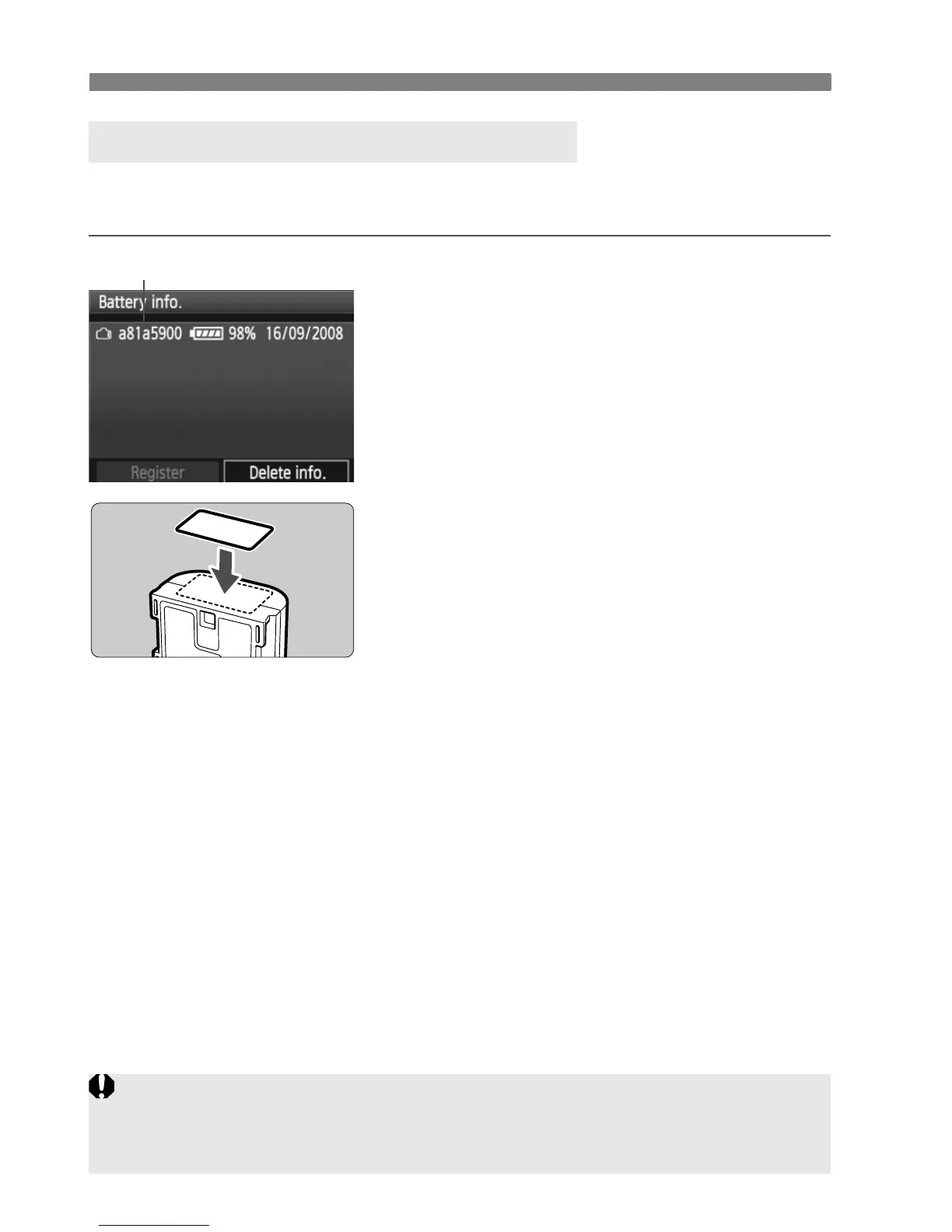
Affixing the serial No. onto all the registered Battery Pack LP-E6’s with
a label makes it convenient.
1
Write the serial No. on a label.
Write the serial No. displayed on the
battery history screen on a label
about 25 mm x 15 mm / 1.0 in. x
0.6 in. in size.
2
Take out the battery and affix the
label.
Set the power switch to <2>.
Open the battery compartment cover
and remove the battery.
Affix the label as shown (side with no
electrical contacts) in the illustration.
Repeat this procedure for all of your
battery packs so you can easily see
the serial No.
Labeling the Serial No. on the Battery
Serial No.
a81a5900
Do not affix the label on any part other than as shown in the illustration in
step 2. Otherwise, the misplaced label might make it difficult to insert the
battery or impossible to turn on the camera.















 To Next Page