Chapter 1
1-13
8. Platen glass
Used to load a document to be processed.
9. Direct print port (for digital camera)
digital camera or digital video camcorder to the machine when printing
images directly from the camera.
10. Open button
Press this button to open the paper output tray accommodated in the machine.
The paper output tray will not open when the machine is placed on a tilted surface.
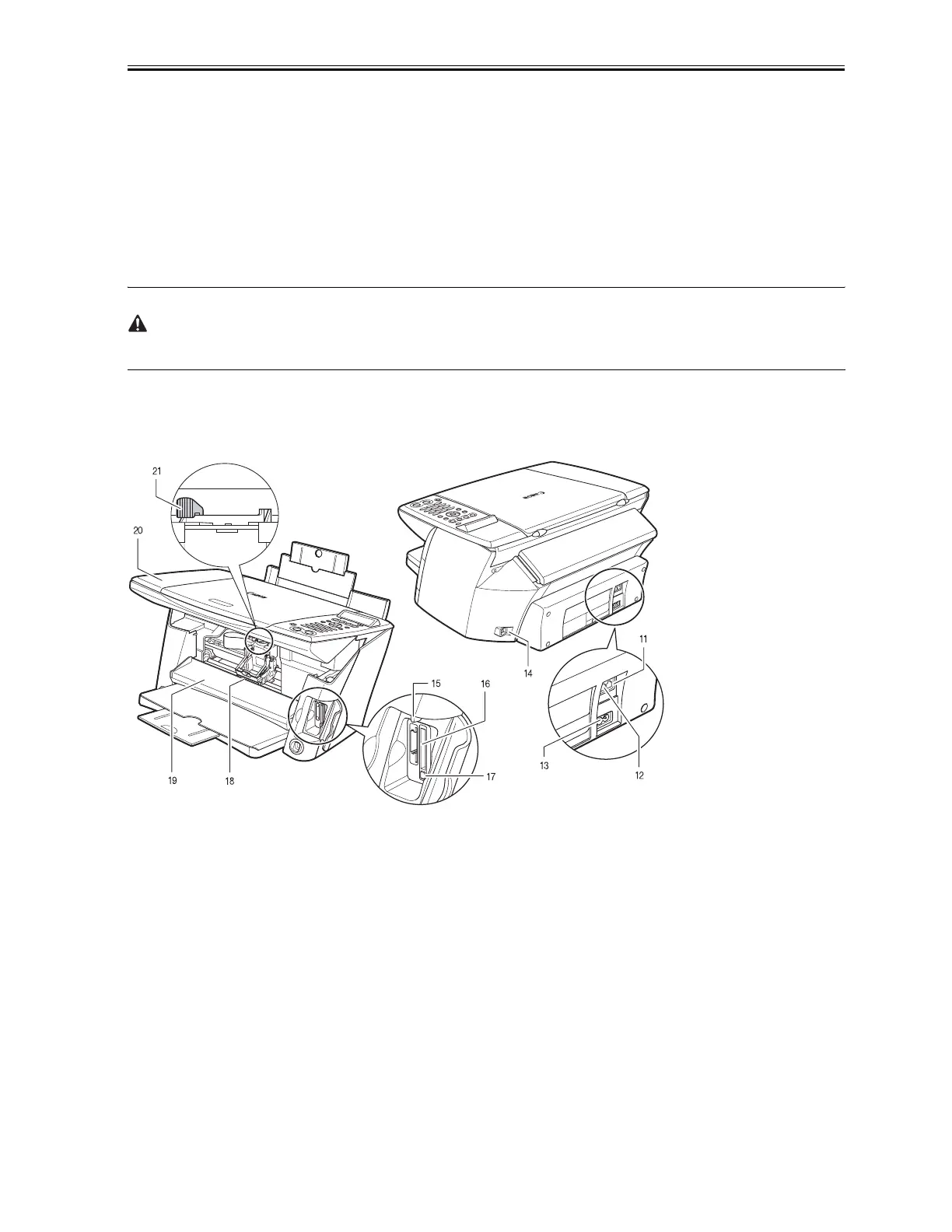
Rear view and interior
F-1-2
11. External device jack
Connects the external device.
12. Telephone line jack
Connects the telephone line.
13. Power connector
Used to connect the power cord to the machine.
14. USB connector (for computer)
Used to connect a computer to the machine when printing or faxing from or scanning to the computer.
Download Service Manual And Resetter Printer at http://printer1.blogspot.com



 To Next Page