Chapter 3
3-13
3.2.4 Scanner Unit
0002-5262
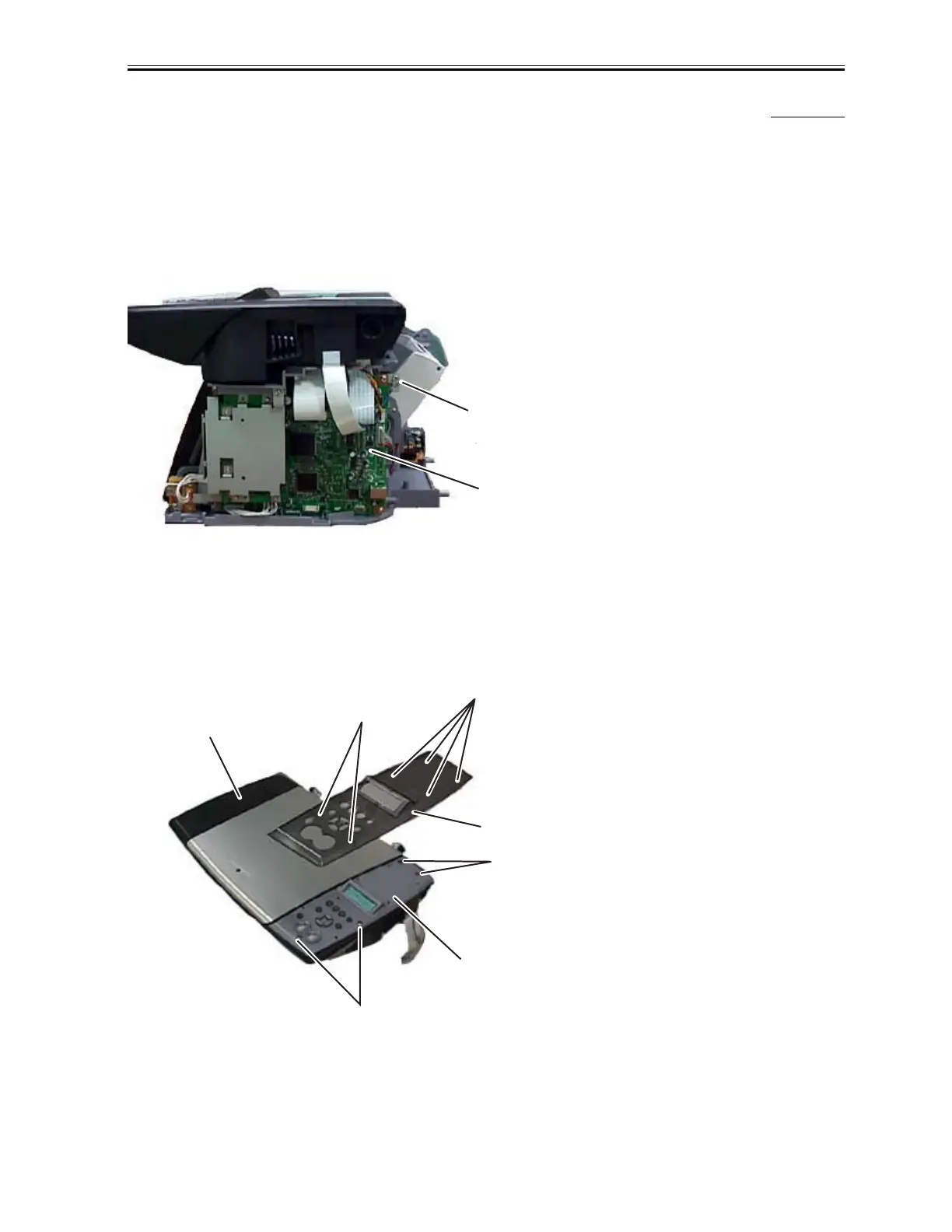
(1) Perform step 1 thorugh step 3 in the Basic Disassembly, and then remove the right front cover.
(2) Remove the screw (a) and then remove a grounding cable.
(3) Remove Connector JCCD1, JCCD2, JPANEL1 from the SPCNT Board.
F-3-13
(4) Remove the scanner unit from the main unit.
(5) Remove 6 claws (b) and then remove the operation panel cover.
(6) Remove 4 screws (c) and then remove the operation panel unit from the scanner unit.
F-3-14
a
SPCNT Board
b
b
c
c
Operation Panel Cover
Operation Panel Unit
Scan Unit
Download Service Manual And Resetter Printer at http://printer1.blogspot.com



 To Next Page