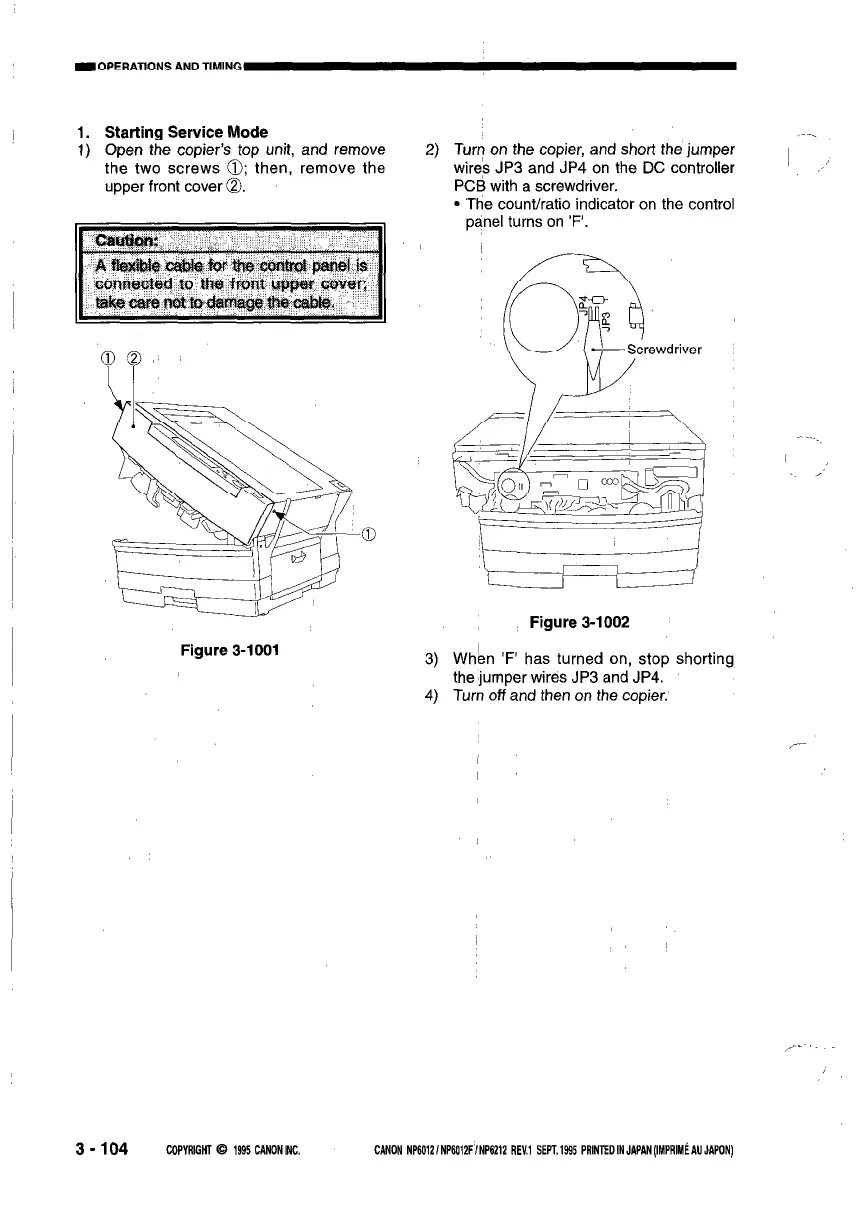
1. Starting Service Mode
1) Open the copier’s top unit, and remove
the two screws 0; then, remove the
upper front cover 0.
Figure 3-1001
2) Turn on the copier, and short the jumper
wires JP3 and JP4 on the DC controller
I
,,’
PCB with a screwdriver.
l The count/ratio indicator on the control
panel turns on ‘F’.
Figure 3-1002
3) When ‘F’ has turned on, stop shorting
the jumper wires JP3 and JP4.
4) Turn off and then on the copier.
3-104
COPYRIGHT 0 1995 CANONINC.
CANON NP6012lNPK012FINP6212 REV,1 SEM.1995 PRlNTEDINJAPAN(IMPRIM~AUJAPON)



 To Next Page