VIII. ELECTRICAL
A.
1.
1)
2)
SYSTEM
DC Controller PCB
Removing the DC Controller PCB
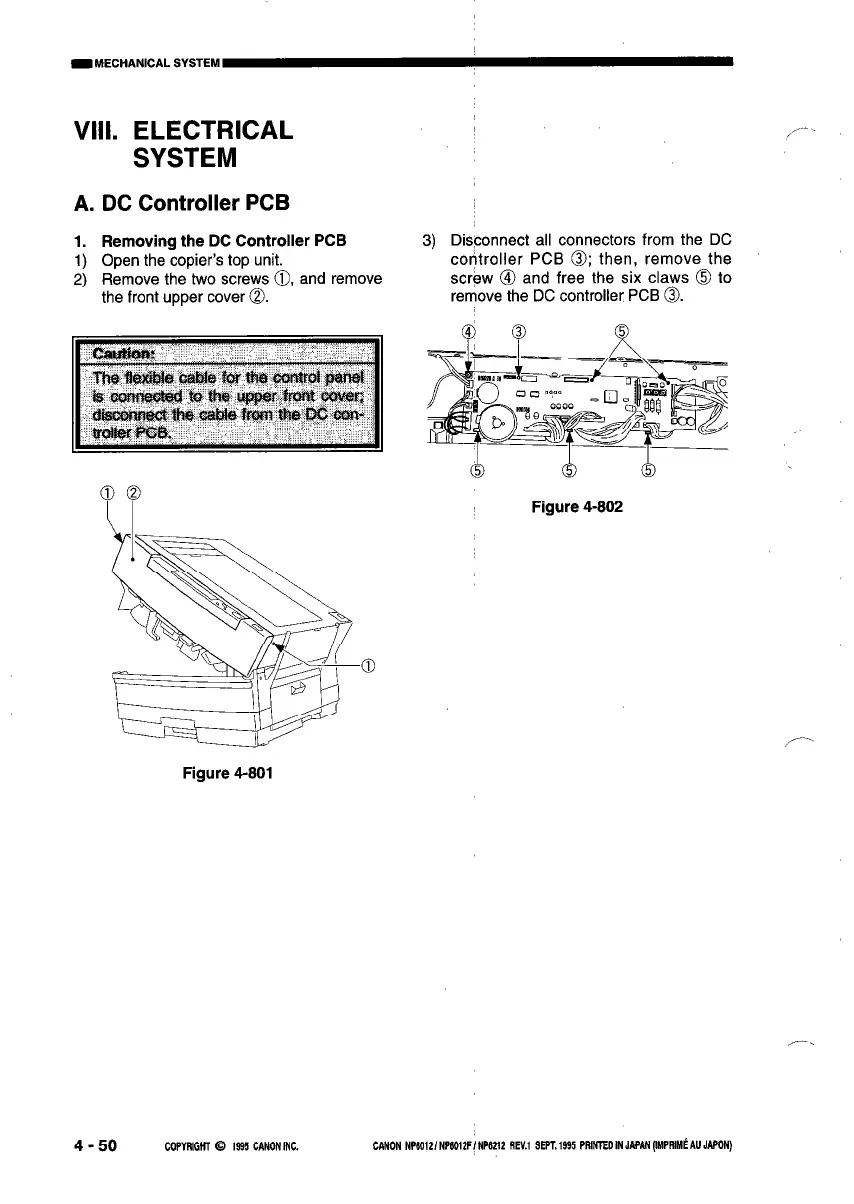
Open the copier’s top unit.
Remove the two screws 0, and remove
the front upper cover 0.
3)
Disconnect all connectors from the DC
controller PCB 0; then, remove the
screw @I and free the six claws 0 to
rerr\ove the DC controller PCB 0.
Figure 4-802
Figure 4-801
4 - 50
COPYRlGHl 0 1995 CANONINC. CANON NPSOl2/NP112F/NPb212 REU SEPT.1495 PRMTEDINJIP~(IMPRIM~AUJAWN)



 To Next Page