MECHANICALSYSTEM=
_/.~-’
‘\
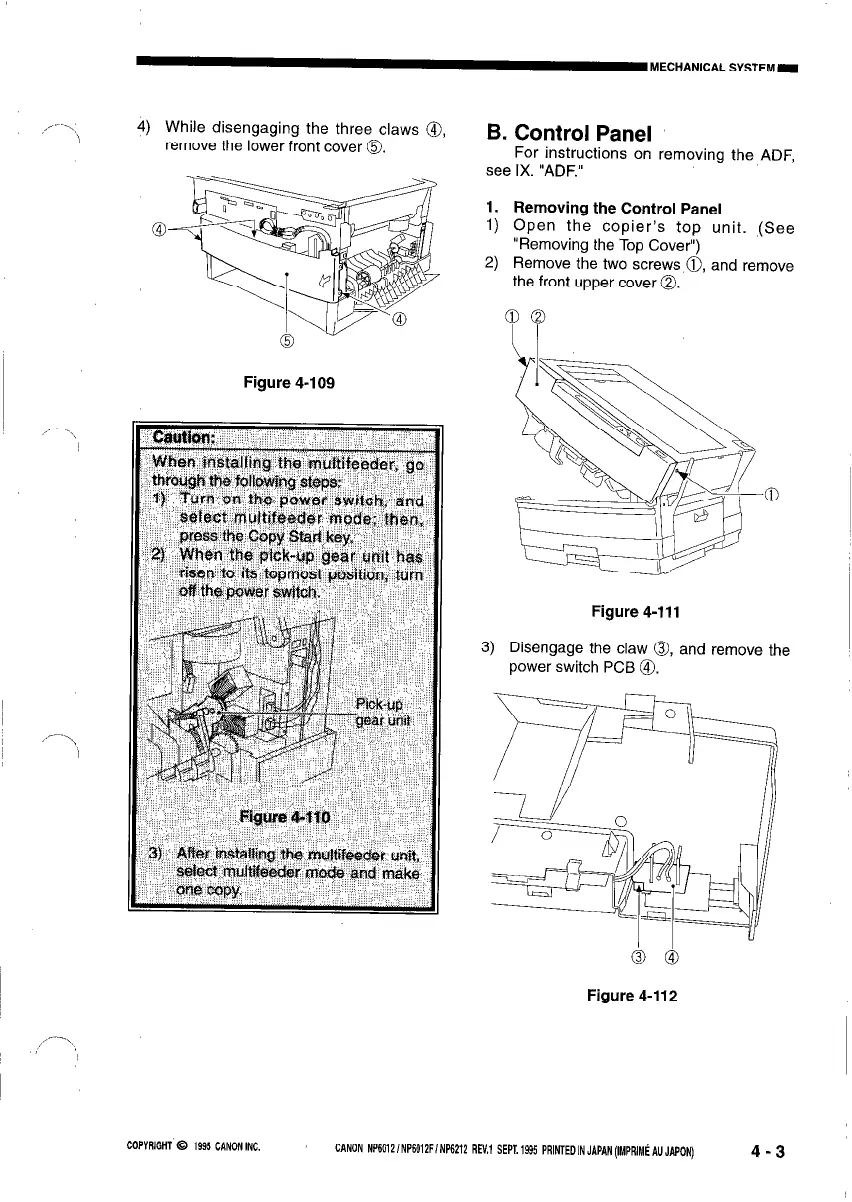
4) While disengaging the three claws a,,
remove the lower front cover 0.
Figure 4-109
B. Control Panel
For instructions on removing the ADF,
see IX. “ADF.”
1. Removing the Control Panel
1) Open the copier’s top unit. (See
“Removing the Top Cover”)
2) Remove the two screws 0, and remove
the front upper cover 0.
Figure 4-111
3) Disengage the claw 0, and remove the
power switch PCB @I.
Figure 4-112
,,-\
COPYRIGHT 0 1995 CANONINC.
CANON NP6012iNPSOi2F/NP6212 REV.1 SEPT.1995 PRlNTEDINJAPAN(IMPRIM~AUJAPON)
4-3



 To Next Page