,,-..
\
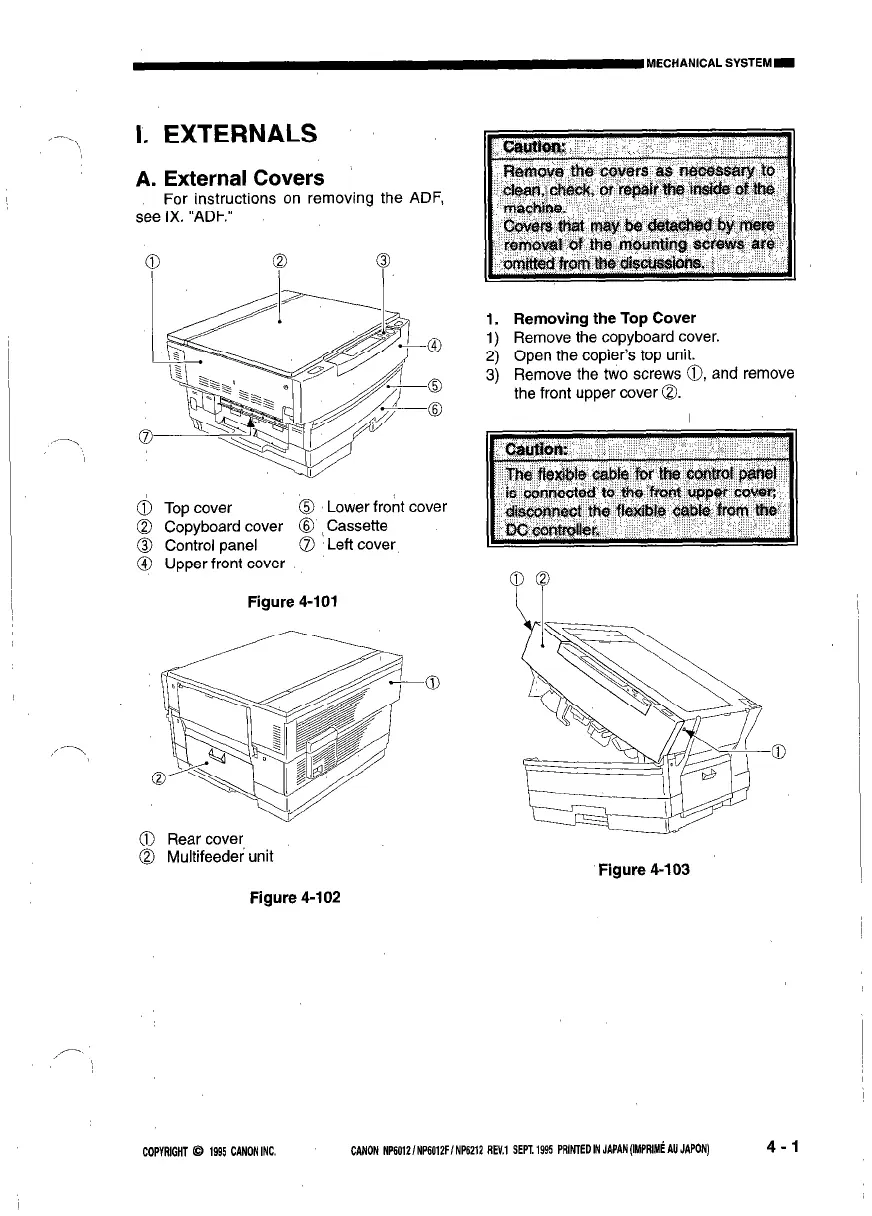
I. EXTERNALS
A. External Covers
For instructions on removing the ADF,
see IX. “ADF.”
TOD cover
@ Lower front cover
Cdpyboard cover 8 (Cassette
Control panel
0 Leff cover
Upper front cover
Figure 4-101
@ Rear cover
0 Multifeedei unit
Figure 4-102
1. Removing the Top Cover
1) Remove the copyboard cover.
2) Open the copier’s top unit.
3) Remove the two screws 0, and remove
the front upper cover 0.
Figure 4-103
COPYRIGHT @ 1935 CANON INC.
CANON NP60i2/NP6012F/ NP6212 REV.1 SEPT. 1995 PRlNfED IN JAPAN (IMPRIMt AU JAPON)
4-1








 To Next Page