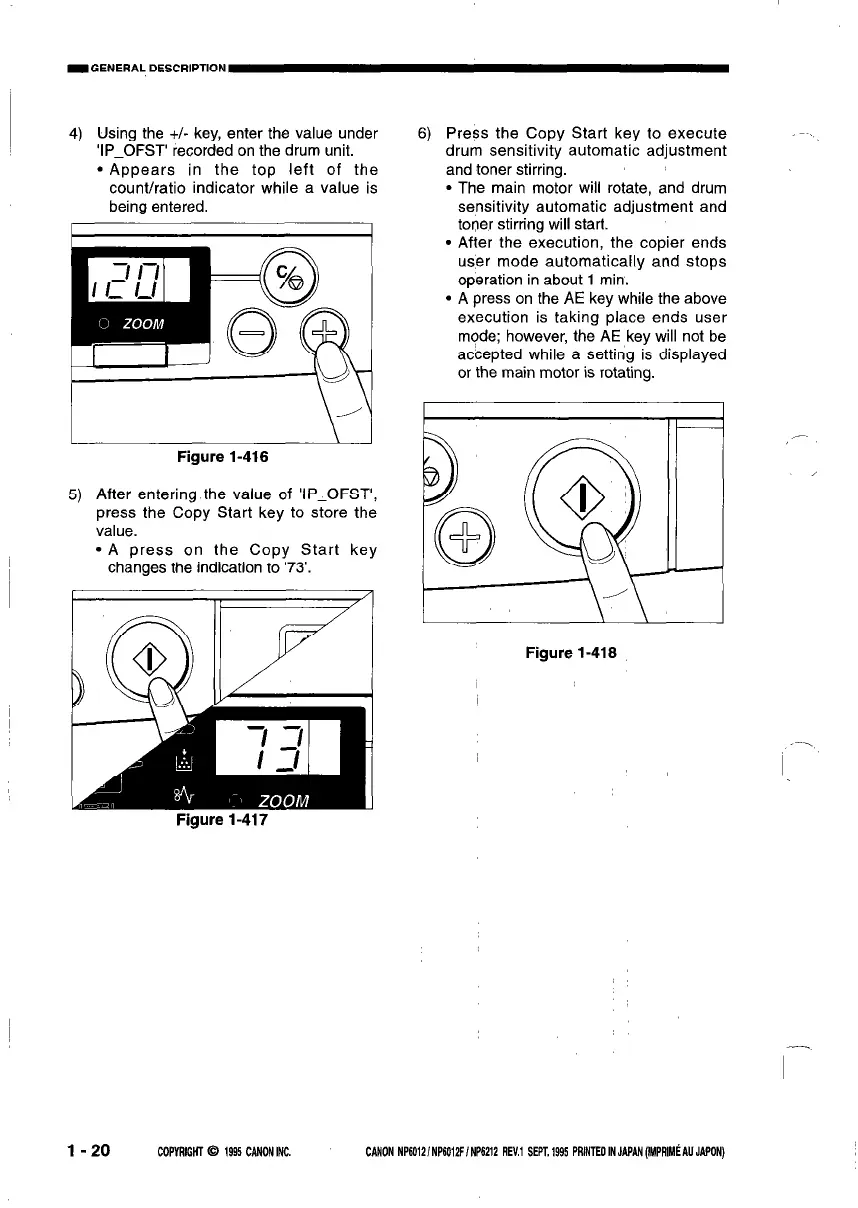
4) Using the +I- key, enter the value under
‘IP_OFST’ recorded on the drum unit.
l Appears in the top left of the
count/ratio indicator while a value is
being entered.
I
Figure 1-416
5) After entering the value of ‘IP_OFST’,
press the Copy Start key to store the
value.
l A press on the Copy Start key
changes the indication to ‘73’.
Figure 1-417
6) Press the Copy Start key to execute
drum sensitivity automatic adjustment
and toner stirring.
l The main motor will rotate, and drum
sensitivity automatic adjustment and
toner stirring will start.
l After the execution, the copier ends
user mode automatically and stops
operation in about 1 min.
l A press on the AE key while the above
execution is taking place ends user
mode; however, the AE key will not be
accepted while a setting is displayed
or the main motor is rotating.
I
I
Figure 1-416
l-20
COPVRffiIil 0 1995 CANONINC.
CANON NP6012/NP60i2F/NP6212 REV.1 SEPT.1995 PRlNTEOINJ~~(IMPRIMCAUJ~ON)



 To Next Page