151
Chapter 5 Administrator Settings
11.
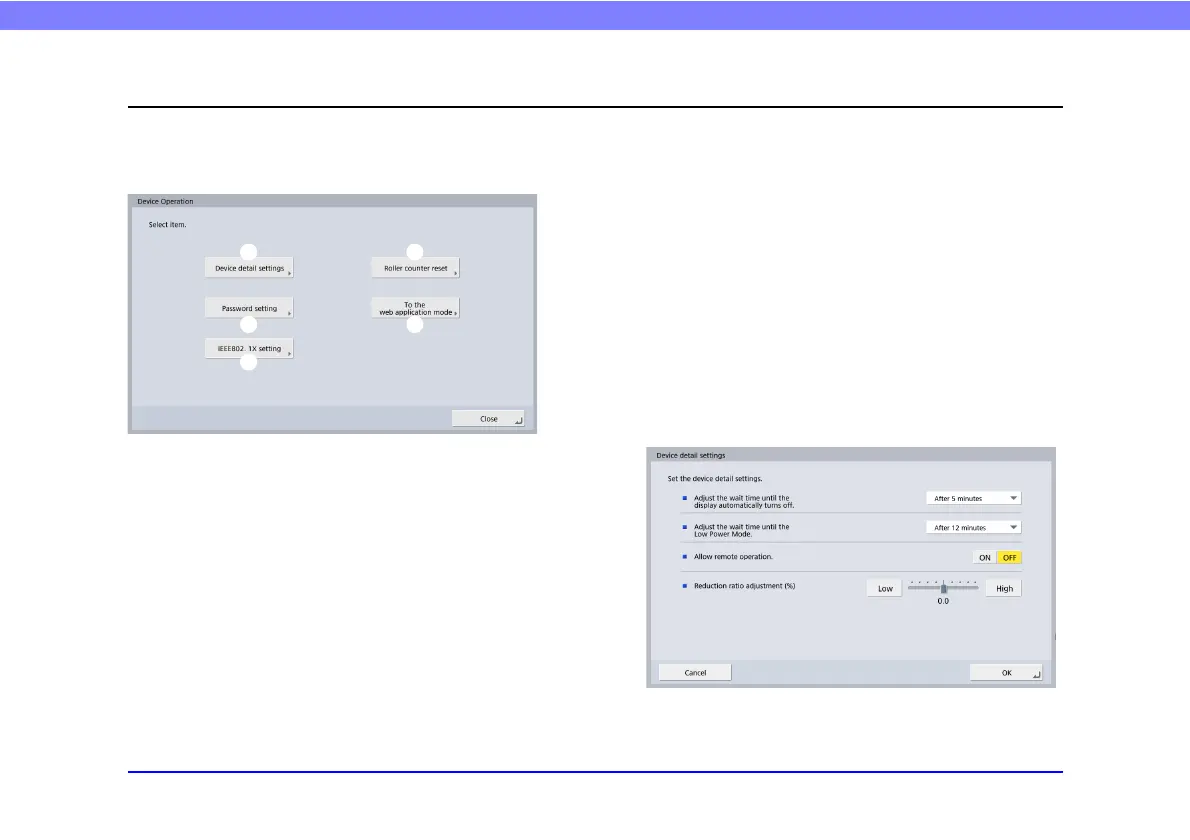
Device Operation Screen
You can configure the display off setting, reset the roller counter, and configure the password.
The Device Operation screen can be displayed from the Device Configuration screen of the Administrator Settings. (See p. 131.)
a Device detail settings
Configure the display off setting, configure the low power
mode setting, and adjust the compression ratio of the
scanner driver.
b Roller counter reset
Reset the counter after replacing the feed roller when the
scanner no longer feeds properly. (See “2. Replacing the
Rollers” – “Checking the Page Count and Resetting the
Counter” on p. 182.)
c Password setting
Set the password for restricting the display of the
ScanFront maintenance screen. (See “Setting a Password”
on p. 152.)
d To Web Application Mode
Switch to Web Application Mode to use an external Web
Application Server.
To use Web Application Mode, contact your local
authorized Canon dealer.
e IEEE802.1X settings
Configure these settings when using IEEE802.1X
authentication for network connections. (See
“IEEE802.1X settings” on p. 153.)
❏ Device detail settings








 To Next Page