83
Chapter 4 Operating Procedures
❏ Modifying an Address
Modify an address when there is a send error because the
information of the transfer destination registered for the
address is wrong or has been changed.
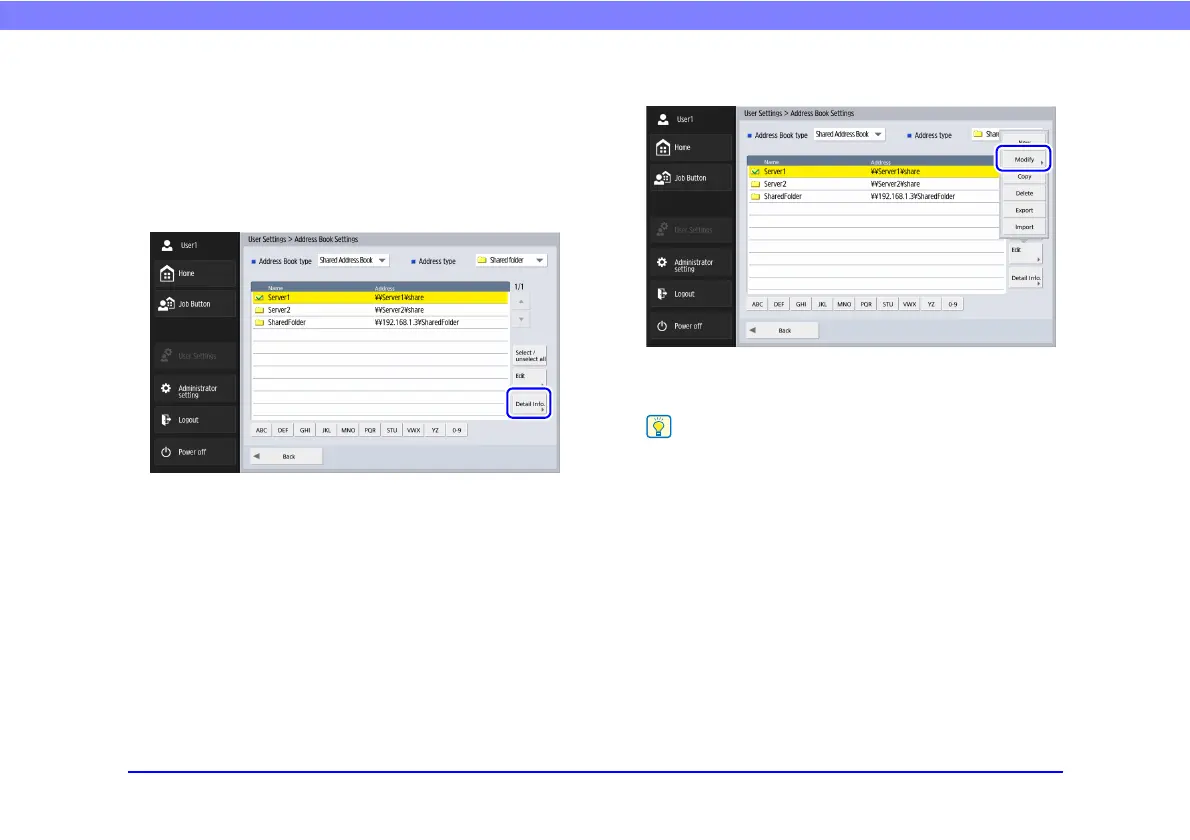
1. Select the type of the address to modify and press
[Detail Info.].
Detailed information for the address appears.
2. Check the detailed information for the selected
address.
3. Press [Edit], and then press [Modify].
The edit screen for the address appears.
4. Modify the address.
For details on editing items, see “Registering a New Address”
on p. 78.








 To Next Page