72
Chapter 4 Operating Procedures
d [Downward] button
Enables you to move to a lower level folder in the USB
memory.
e [Edit] button
Enables you to register new folders and edit folders.
f [Format] button
Enables you to delete all files on a USB memory
device. (The file system will not be changed.)
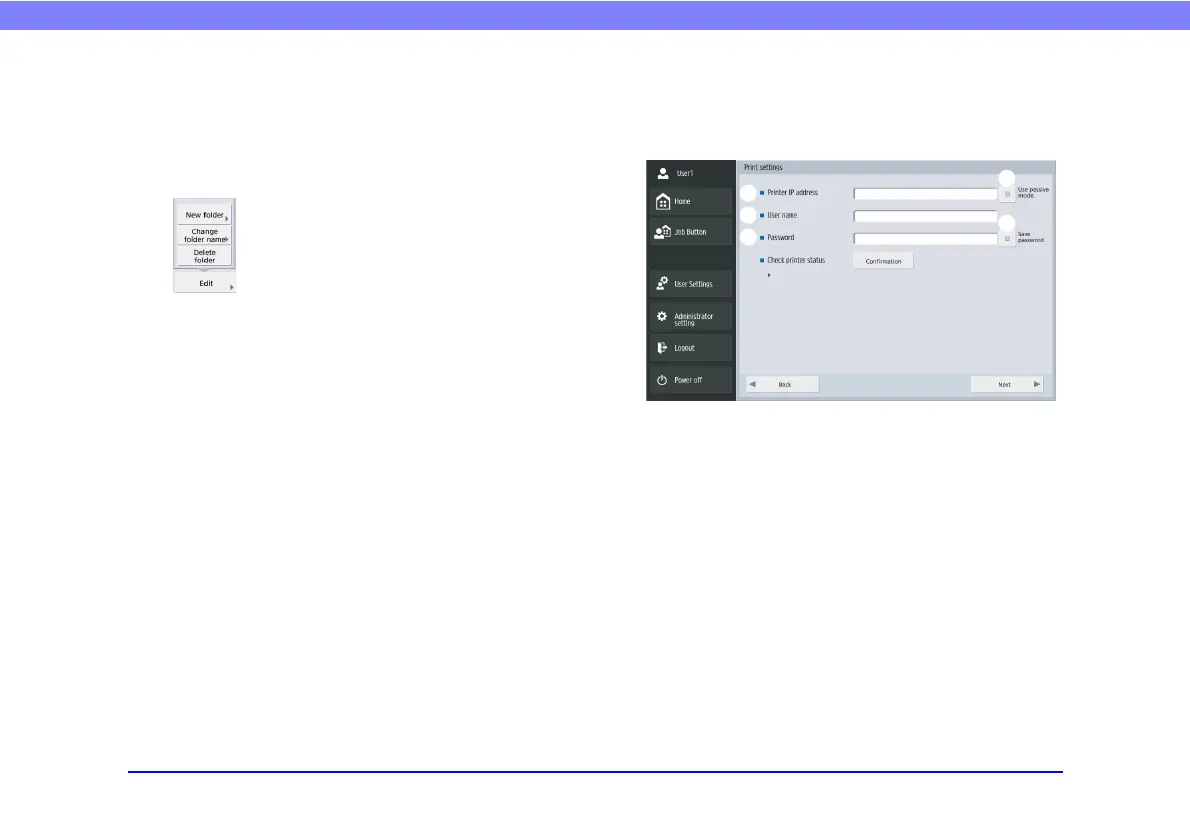
❏ Print Settings Screen
The print settings screen enables you to specify the printer
on which to use FTP printing.
a Printer IP address
Enter the printer's IP address.
b User name
Enter the user name configured for the printer's FTP
printing.
c Password
Enter the password configured for the printer's FTP
printing.
d Save Password
Save the entered password.
e Use passive mode
Transmit to the FTP server in Passive Mode.
a
b
c
d
e








 To Next Page