63
Chapter 4 Operating Procedures
4. Screen Displayed after Login
You can set the screen (Home screen or Job Button screen) that is displayed after a user logs in. (See p. 109 and p. 157.)
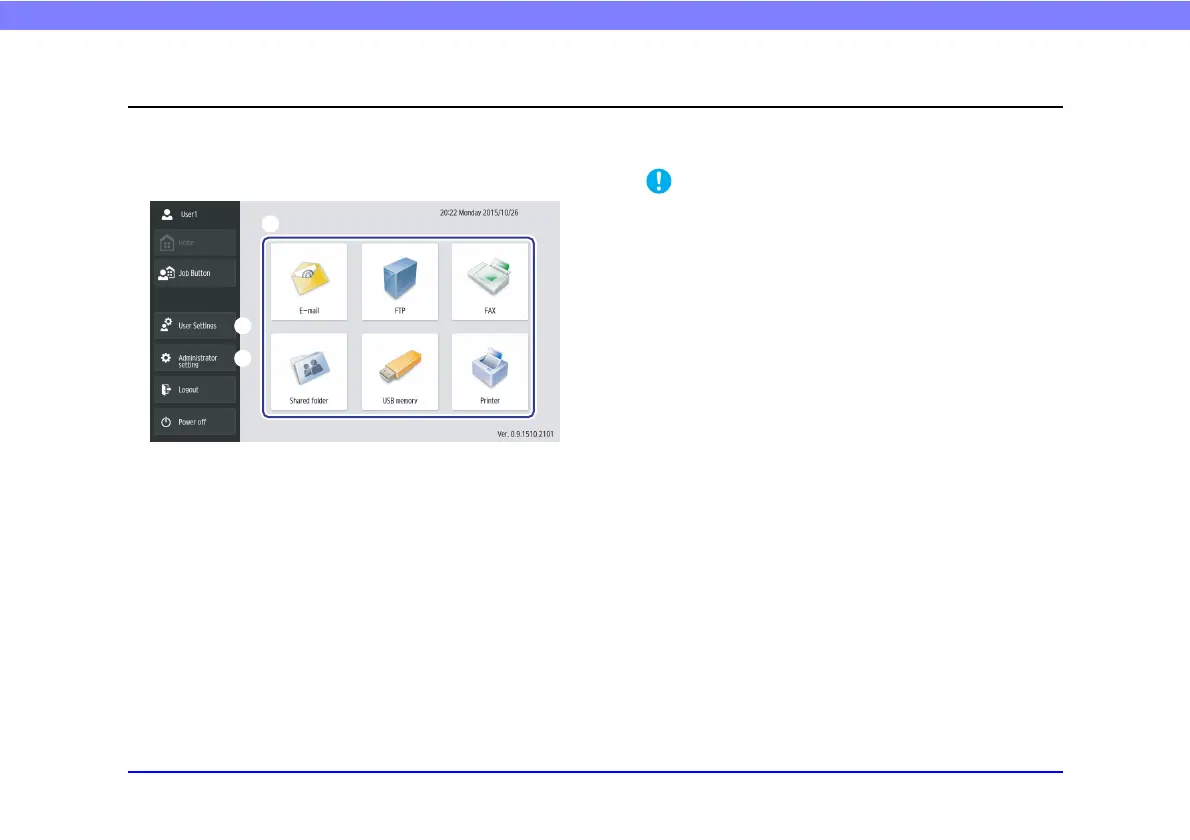
❏ Home Screen
a Select destination (E-mail, FTP, FAX, Shared
folder, USB memory, and Printer) buttons
These buttons open an address selection screen. (See
“Scanning Procedures” on p. 68.)
b [User Settings] button
Open the User Settings screen. For details, see “User
Settings Screen” on p. 65.
c [Administrator setting] button
Opens the Administrator Settings screen. For details,
see “Configuring Administrator Settings” on p. 34.
If a user whose use of the Home screen is restricted logs in, the
Home screen is not available. For details, contact the
administrator.
a
c
b








 To Next Page