73
Chapter 4 Operating Procedures
Print settings vary depending on the printer. Print settings
cannot be configured on the ScanFront.
❏ Scanning
This section describes the procedure for scanning.
If you want to save the image file to USB memory, specify
the folder in the USB memory to save the image file in
Steps 2 to 4. (See “USB Memory Screen” on p. 71.)
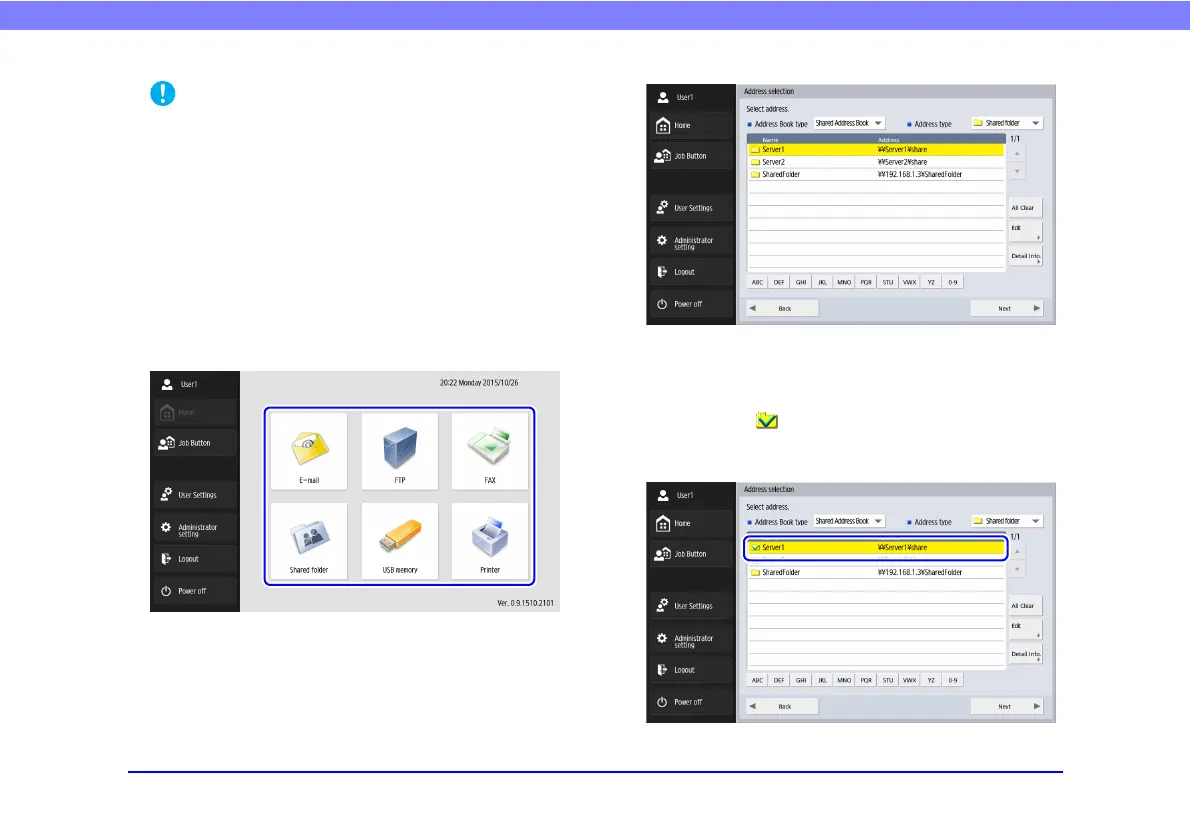
1. Select a destination.
Press a destination button to select a destination.
The address selection screen appears.
2. Use [Address Book type] and [Address type] to
display the address to send the image file.
3. Press a displayed address to select it.
A checkmark ( ) is added to the icon for the selected
address. Pressing a selected address again clears the
selection.








 To Next Page