Creative Print
42
Printing from Memory Cards
Image Effects (SELPHY ES2 only)
1 Select [Print Effects] in [Creative Print].
• For selecting [Print Effects], refer to How to
Use the Menu (p. 32).
2 Press or to select the desired
print effect and press .
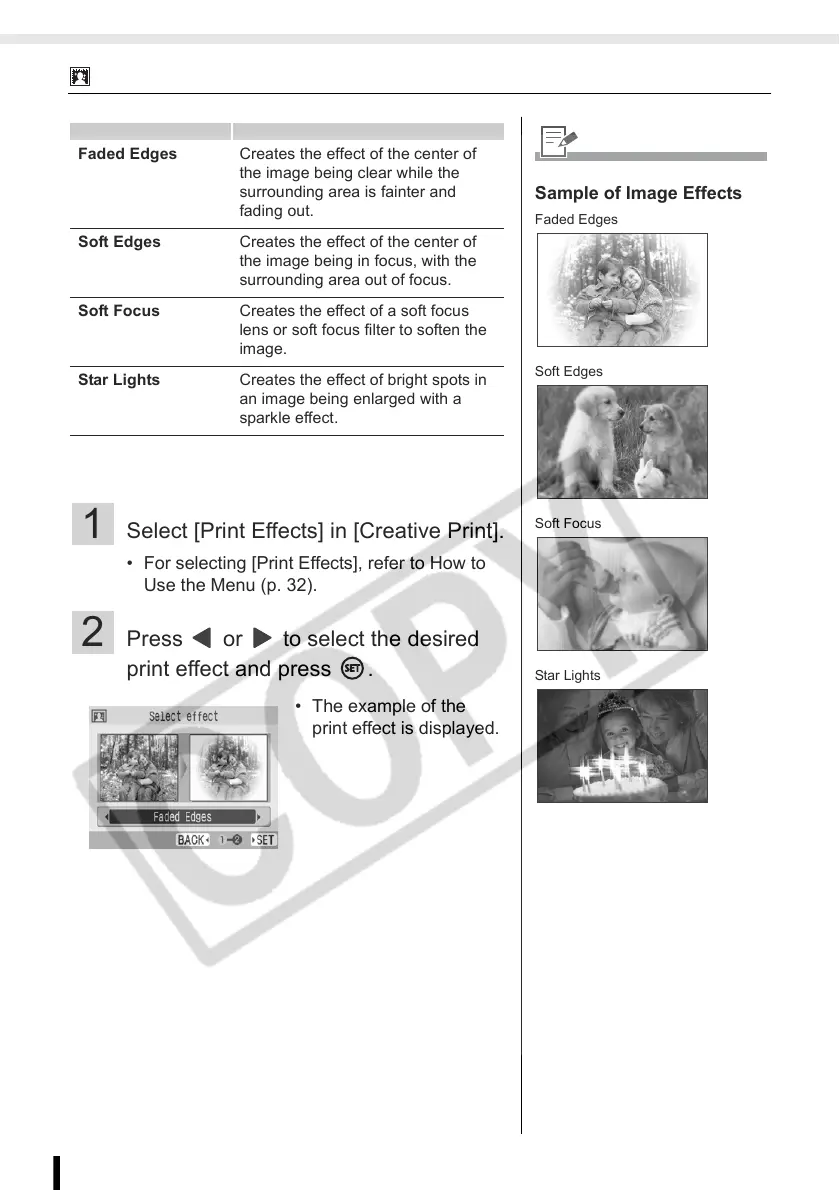
Faded Edges Creates the effect of the center of
the image being clear while the
surrounding area is fainter and
fading out.
Soft Edges Creates the effect of the center of
the image being in focus, with the
surrounding area out of focus.
Soft Focus Creates the effect of a soft focus
lens or soft focus filter to soften the
image.
Star Lights Creates the effect of bright spots in
an image being enlarged with a
sparkle effect.
• The example of the
print effect is displayed.
Sample of Image Effects
Faded Edges
Soft Edges
Soft Focus
Star Lights














 To Next Page