3-33
NC Viewer and Viewer Switcher
Setting Video Display
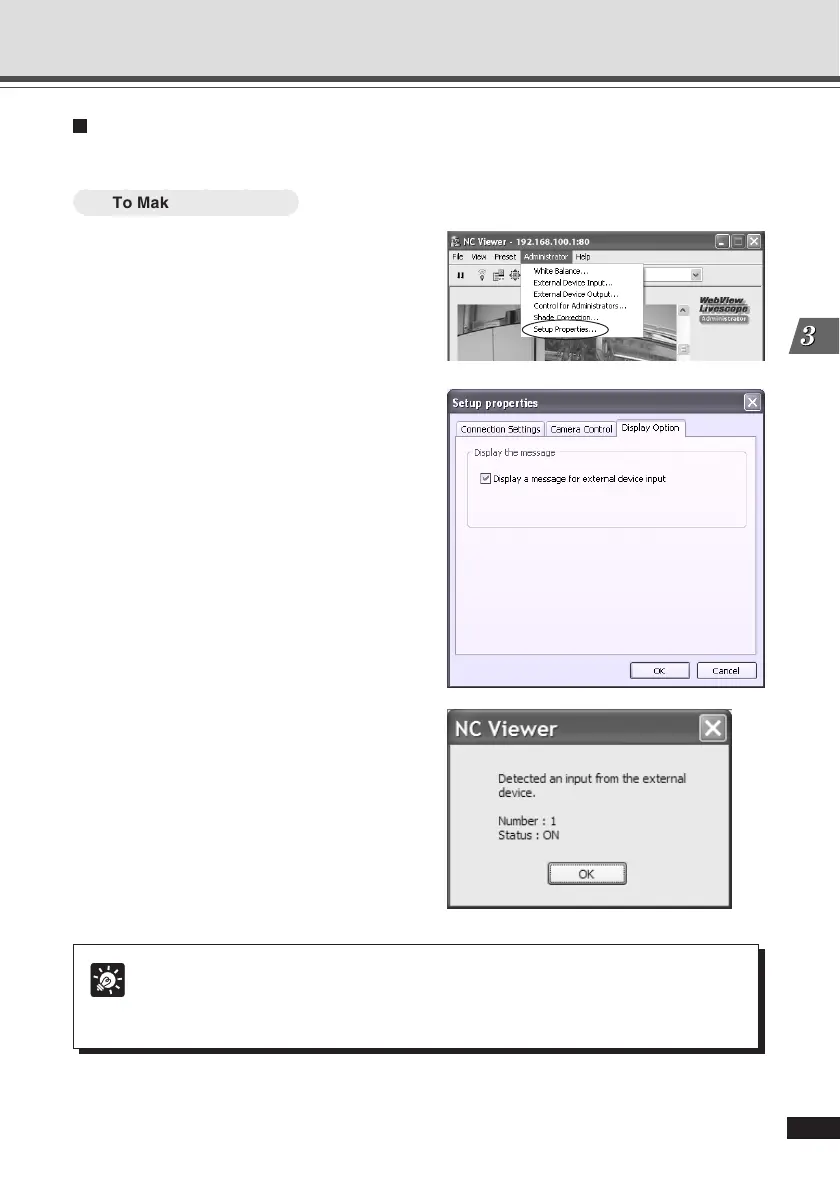
A message box can be displayed in the event of a change in external device input.
○○○○○○
To Make Settings...
1. Choose “Setup Properties” from the
Administrator menu bar.
2. Click the Display option tab in the
Setup properties dialog.
Ensure that the Display a massage for external
device input message option is checked, and
click “OK”.
3. When the message “Try new property
setting.” appears, click “OK”.
A message box can be displayed in the event
of a change in external device input.
Tip
If the NC Viewer window is minimized or in full-screen mode, the notification message
for external device input appears after get back to the normal display. Also, this
message is not displayed when the External Device Input dialog is displayed.
Operating and Setting Camera as Administrator





 To Next Page