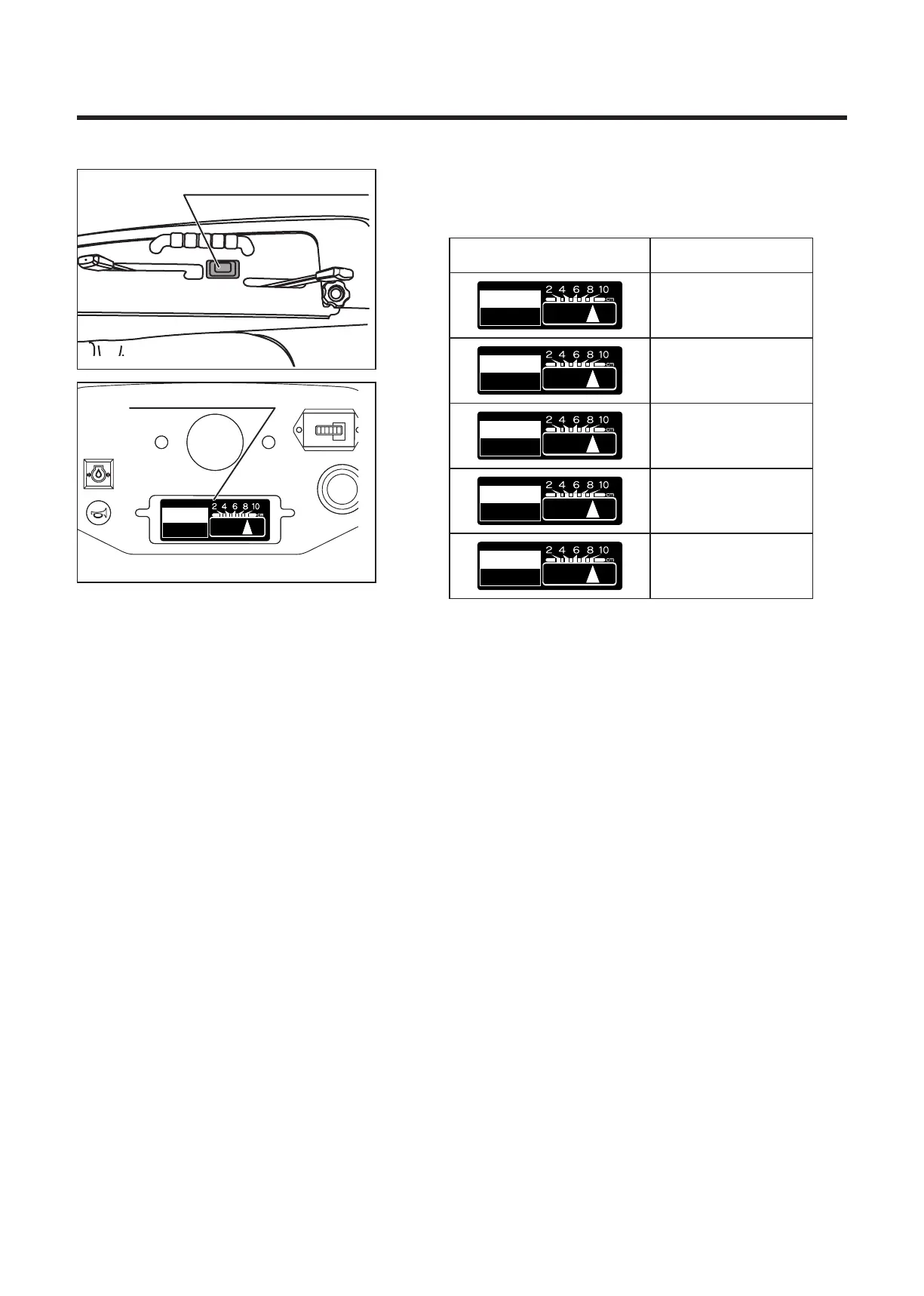
Rotary height adjusting switch
Blade height�
Monitor
Blade height monitor
5314M-0608-050E
4. If necessary, change the blade height by adjusting the
rotary height adjusting switch.
Blade height monitor
indication
Cutting height
10cm
8cm
6cm
4cm
2cm
5. Shift the accelerator lever to “HIGH” and increase the
rotation speed of the engine.
6. Shift the auxiliary speed change lever to "LOW", and
start the cutting work at low running speed. (Adjust the
running speed according to work conditions.)
7. When the working load is heavy (due to cutting a large
amount of material), reduce running speed, or raise
cutting height and cut area two times.
5314M-0602-030E


 To Next Page