• Always move the steering levers back to the neutral position before releasing.
Letting it go from other operating positions may result in sudden deceleration
and can cause the machine to tip over or the operator to fall or to be thrown.
• Do not operate steering levers when the parking brake is engaged (parking
brake pedal is pressed down). It can wear out the brake.
1. M a k e c e r t a i n o f t h e s a f e t y o f y o u r
surroundings.
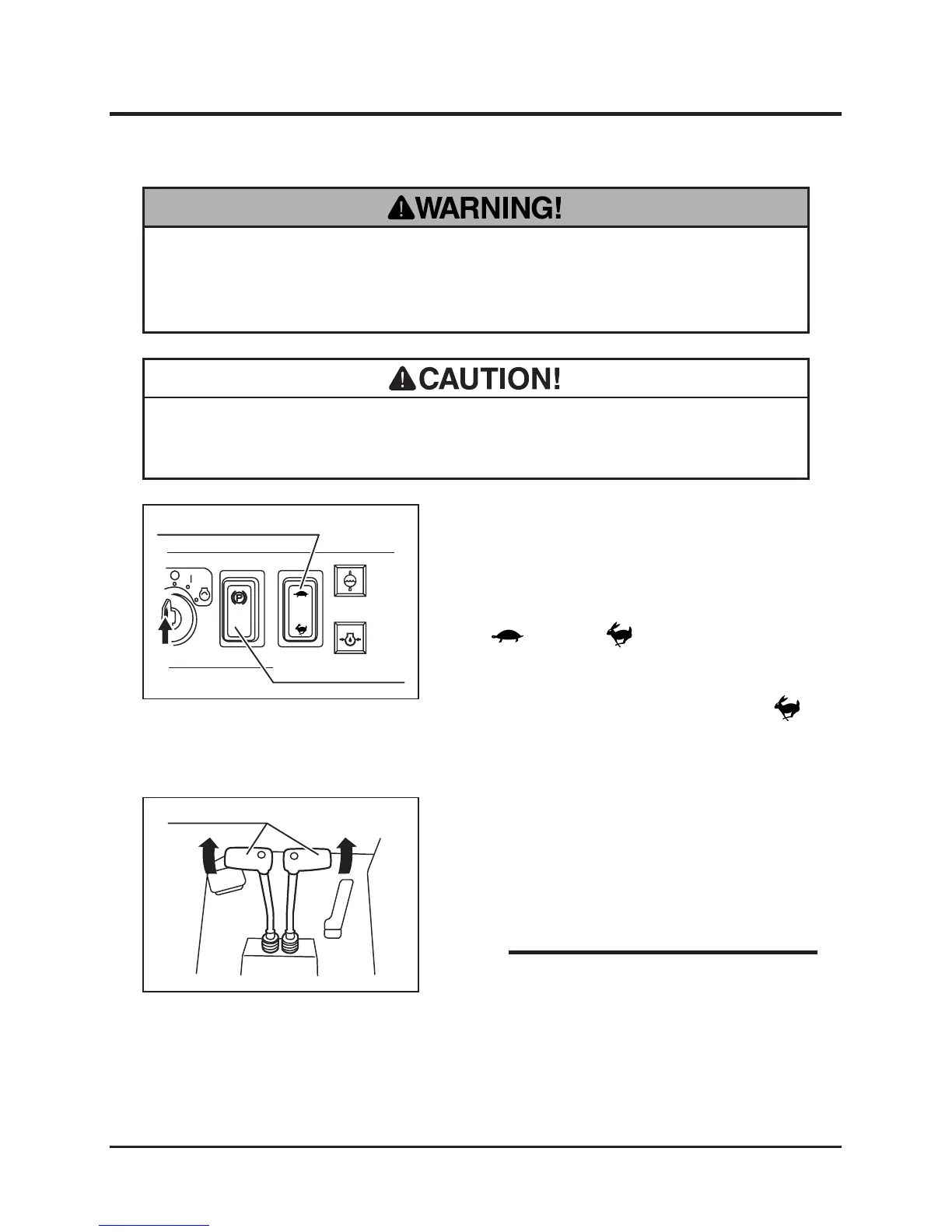
2. Turn parking brake switch to [TRAVEL]
position.
3. Push H/L speed selecter switch to either
[ (LO)] or [ (HI)] position. For the
speed range in either position, see "Product
Specification (page 17-18)."
3. Mo ve the thrott le lever to ward [
(fast)] position or depress throttle pedal to
increase the engine speed.
4. Move left and right steering levers gradually
forward together to move the machine
forward. The angle of steering levers controls
the machine speed.
Moving Forward
• When seat is turned, the direction that seat
is facing is FORWARD for the operation of
steering levers.
NOTE



 To Next Page