lb-05046-03-EN Pag.10 22/01/2014
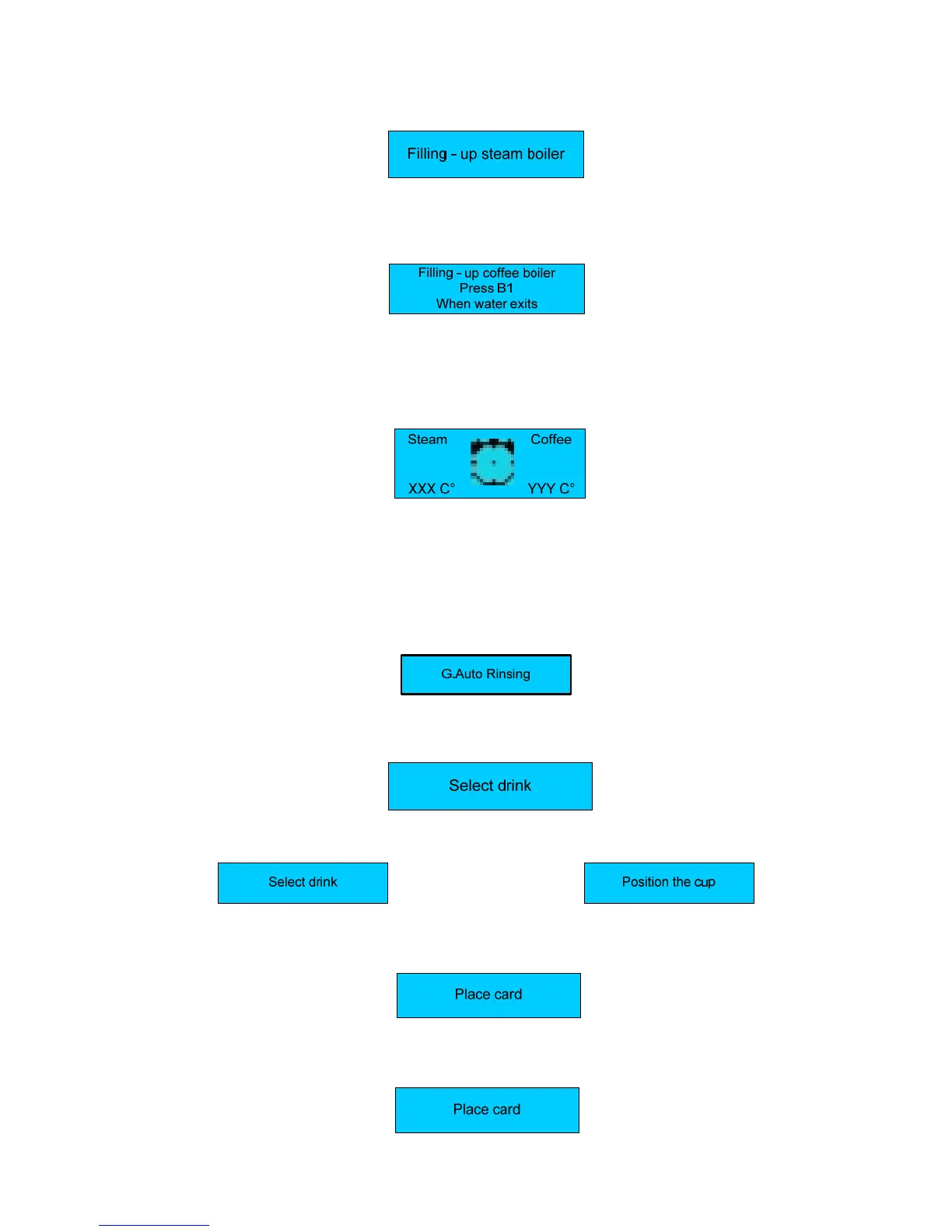
Press the key N°11( ON/OFF ) , the display shows:
During this stage the steam boiler is being filled up.
WARNING: The solenoid valve of the steam nozzle automatically opens to release the air inside the boiler.
When the steam boiler has been filled up, the display shows:
During this stage the coffee boiler is being filled up
WARNING:
The upper piston of the coffee group positions itself inside the brewing chamber, and the coffee boiler starts filling up. When
the coffee spout starts dispensing water, press the key dose N° 1 to confirm that the filling up procedure has been carried
out. When the coffee boiler has been filled up, the display shows:
Where:
- XXX °C indicates the temperature of the steam boiler
- YYY ° C indicates the temperature of the coffee boiler
WARNING:
A) DURING THIS STAGE THE MILK FROTHER AND STEAM WAND SOLENOID VALVES WILL STAY OPEN UNTIL 95°C. THIS WILL
RELEASE THE AIR FROM THE BOILER AND GENERATE STEAM.
B) WHEN THE BOILER TEMPERATURE OF 50°C ITS REACHED THE MACHINE CARRY-OUT A RINSING GROUP .THIS IS
USEFULL TO RELEASE AIR FROM THE WATER COFFEE CIRCUIT; THE DISPLAY WILL SHOW :
When the set-up temperature is reached , the keypad lights are on and the display shows:
For machine configurations: Standard.
For machine configurations: Self.
The display shows:
Alternated with the message:
For machine configurations: waiters’ card
The display shows:
For machine configurations: Self + credit card
The display shows:











 To Next Page