lb-05046-03-EN Pag.9 22/01/2014
STARTING UP
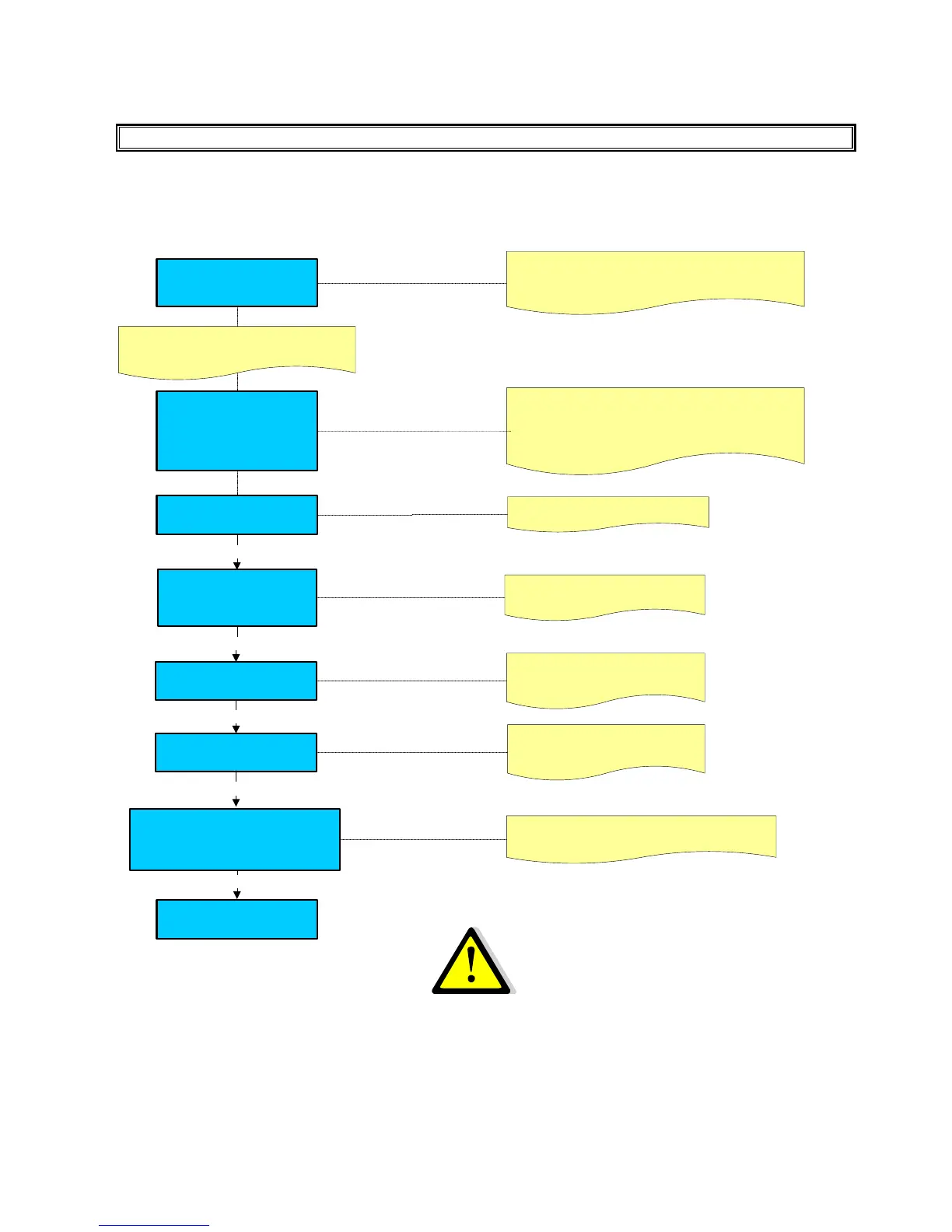
After having connected the machine to the water and electric networks, turn the switch on (see diagram).
The display shows:
Language
English
REV.X.XXX : Indicate the Software release inserted in the
display board
LCD
Rev.X.XX
….. wait connection
Use: + / - keys to select the language
Enter
Serial Number
000000
Insert the Machine serial Number
Use: + / - keys to select the number
Press Enter to confirm the number
Installation date
-- / -- / ----
Enter
Insert the Installation Date
Use: + / - keys to select the numbers
Press Enter to confirm the numbers
Enter
Enter
After a few seconds the display shows
LCD
Rev.X.XX
ZZZZ
Rev.Y.YY
Loading……
REV.X.XXX : Indicate the Software release inserted in the
display p.c.board.
ZZZZ : Indicate the machine model : EASY – BAR – LM.
REV.Y.YYY : Indicate the Software release inserted in the
master board.
System clock programming
YYYY - MMM - DD DAY HH:MM
---- / --- / -- --- / -- : --
Use : + / - keys to program the date ( YYYY-MMM-
DD - DAY) and the time ( HH:MM )
A - If the language choice is not displayed, keep the machine in OFF mode; it is absolutely necessary to
carry out a TECHNICIAN PRESET CONFIGURATION DATA procedure.
B - If a FACTORY PRESET CONFIGURATION DATA has been carried out , also the MACHINE
CONFIGURATION parameters will be displayed . ( See the System manager paragraph ).
OFF
WARNING:
Press the key (+) and (-) to adjust the
display contrast.
Display regulation
contrast
xx
Enter











 To Next Page