lb-05046-03-EN Pag.52 22/01/2014
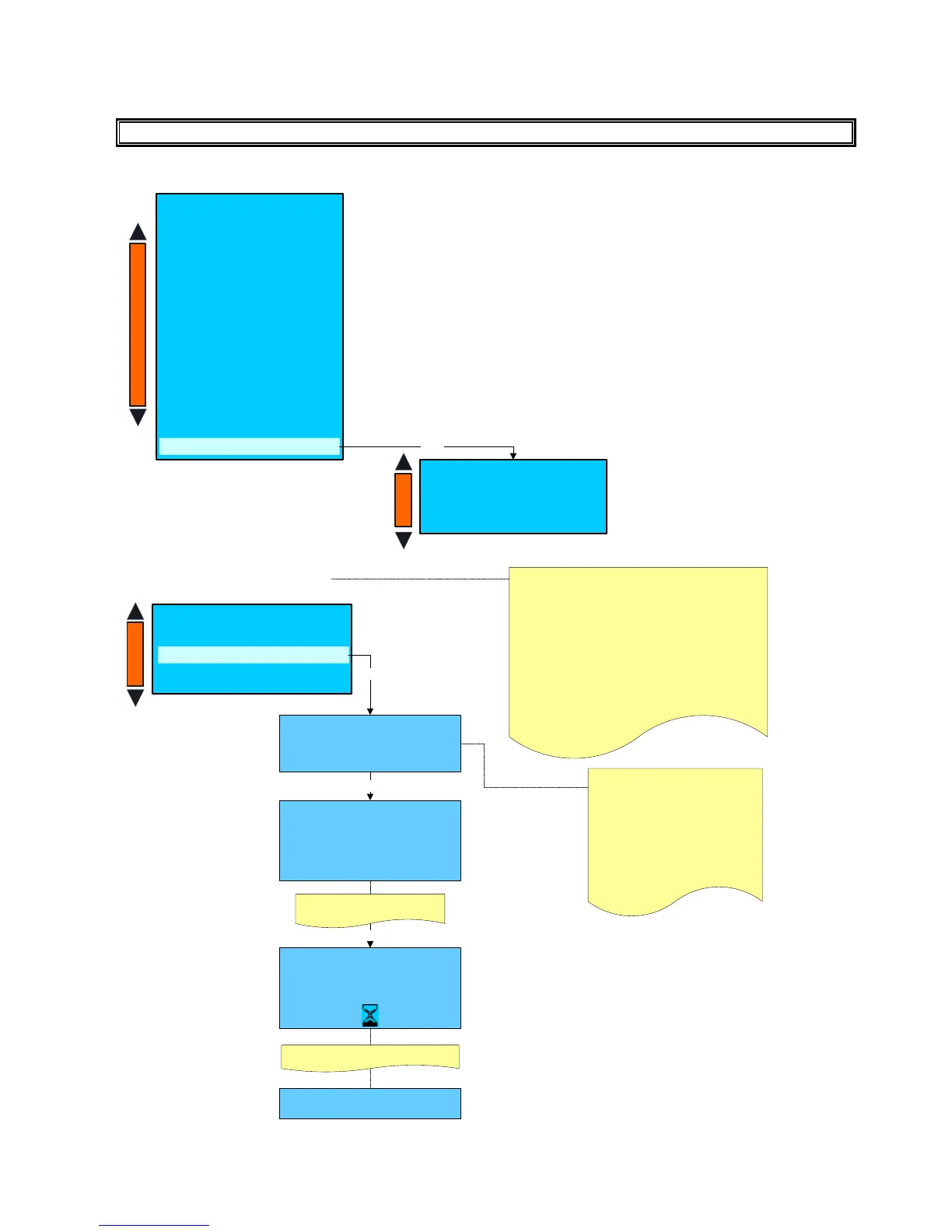
SYSTEM BACKUP
PLEASE NOTE:
System manager
- Machine configuration
- Machine parameters
- System clock programming
- Display regulation
- Service
- Smart card manager
- Change password
- Group manual movements
- Test actuactors
- Boiler draining
- Alarm history
- Preset configuration data
System backup
Enter
System backup
Load from
- Trasponder to machine
-Machine to trasponder
Trasponder to machine
System backup
Load from
- Machine to trasponder
Trasponder to machine
Enter
This function can be used to load “ALL SYSTEM” or
“ONLY SYSTEM SET-UP” from the trasponder to the
machine pcb.
ALL SYSTEM includes the following data:
- Dose programming
- Machine configuration
- Machine parameters
- Doses counter
- Cleaning counter
ONLY SYSTEM SET-UP includes the following data:
- Dose programming
- Machine configuration
- Machine parameters
System backup
Trasponder to machine
ONLY SYSTEM SET-UP
From file : 1
+
-
+
-
+
-
System backup
Trasponder to machine
ONLY SYSTEM SET-UP
From file : 1
Please confirm
NO
Press +/- keys to select the file that
includes the data that have
previously been loaded on the
trasponder from a machine pcb ,
then confirm with Enter key to
download the data .
On a trasponder is possible to load
max. 4 different “ONLY SYSTEM
SET-UP” data or max. 1 ALL
SYSTEM data.
Enter
System backup
Trasponder to machine
ONLY SYSTEM SET-UP
From file : 1
Press +/- keys to select YES
Enter
After few seconds the display shows
Power OFF & Power ON











 To Next Page