lb-05046-03-EN Pag.14 22/01/2014
B) ACCESS THE MAIN SETTING MENUS WITH SMART CARD.
( ONLY FOR MACHINES WITH TRANSPONDER INSTALLED )
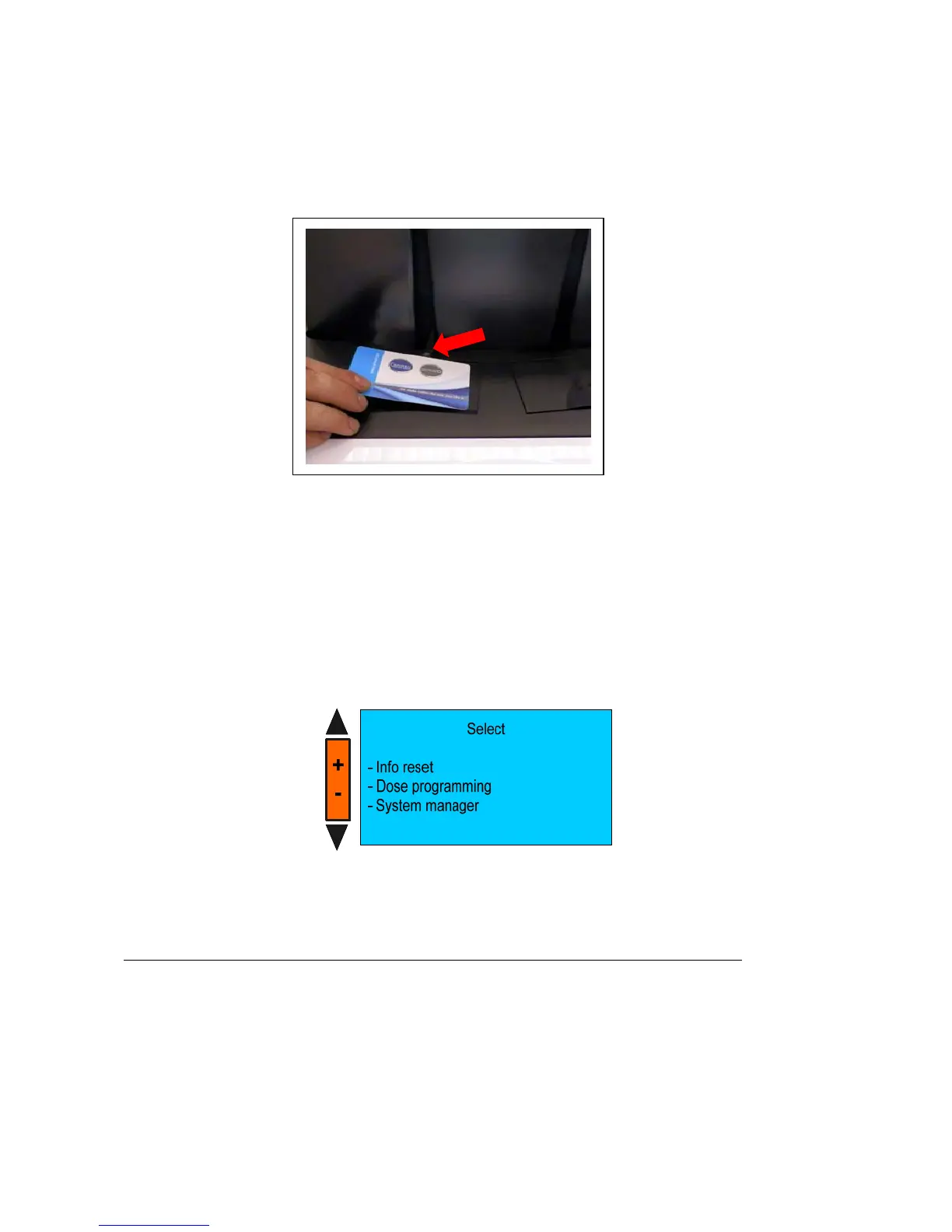
To enter the programming environments , place one of the following smart cards above the proper reader with the led light
on and the machine in off :
- WAITER SMART CARD
- ROASTER- SMART CARD
- OWNER SMART CARD
- SERVICE SMART CARD
- TECHNICIAN SMART CARD
if the inserted card it is correct the reader led light off .
Keep N°10 “SHIFT” key pressed for 5 seconds. The display shows:
WARNING:
If you use a card having a card code different from the machine code, the reader light flash simultaneously
LED
LED











 To Next Page