6540 Series Operations Manual Rev_I 1/12/2016 20
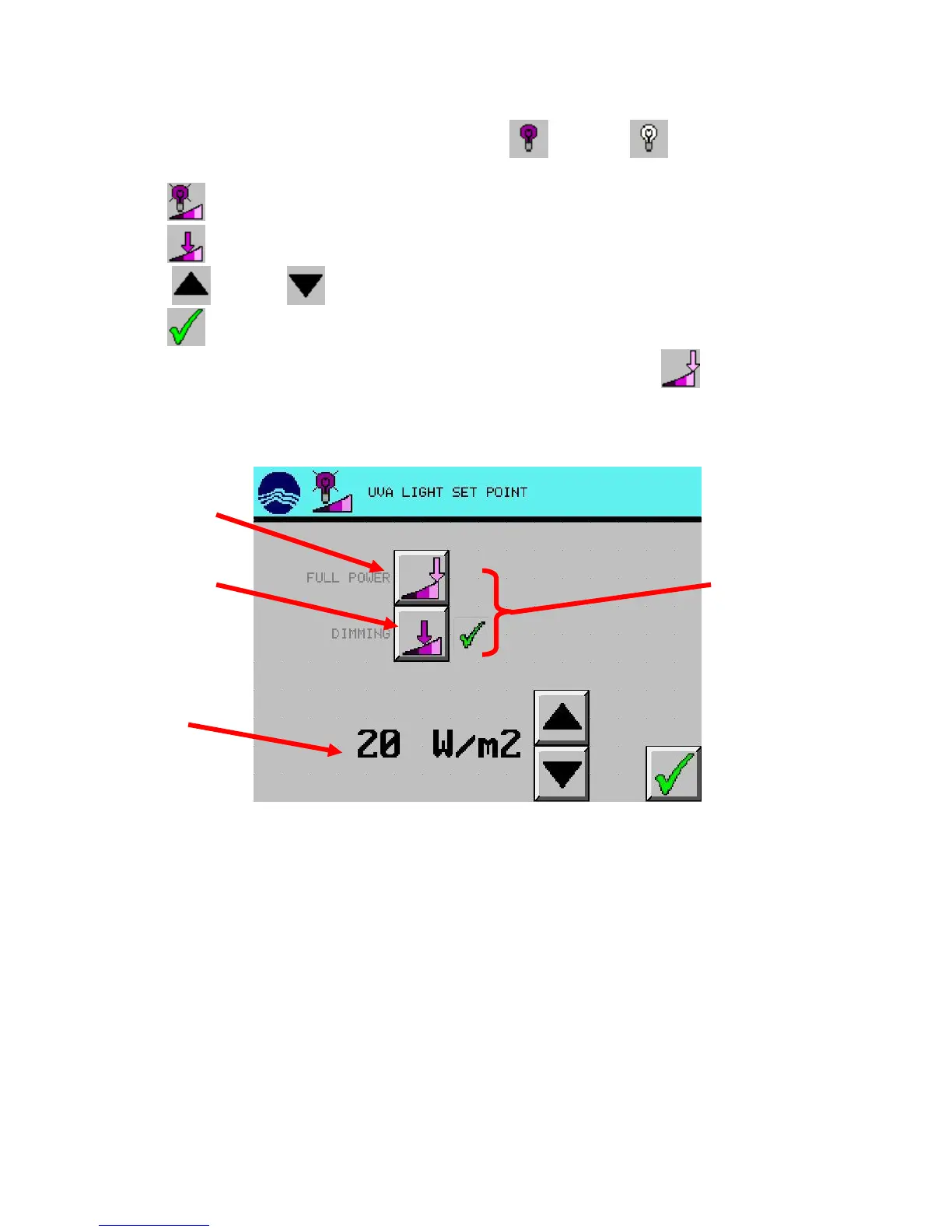
Light Dimming Control (6540-2, 6540-3, 6545-2, 6545-3)
1. From the main screen, press desired light test setup (UVA) or (VIS) button. (UVA used
in example)
2. Press (LIGHT INTENSITY) button.
3. Press (DIMMING) button. The light intensity set point will display a value.
4. Using (UP) and (DOWN) arrow buttons, set the desired light intensity.
5. Press (EXIT) button
To turn lights on full power, repeat the same procedure except in step #3, press (FULL POWER).
lights dimming
maximum brightness
set point
controls to set point



 To Next Page