6540 Series Operations Manual Rev_I 1/12/2016 44
Calibration
The Calibration feature is used to adjust the light intensity, temperature and humidity (optional) against an
independent calibrated measuring device. A linear scale factor is set for both UVA and VIS light intensity.
An offset is set for temperature and humidity.
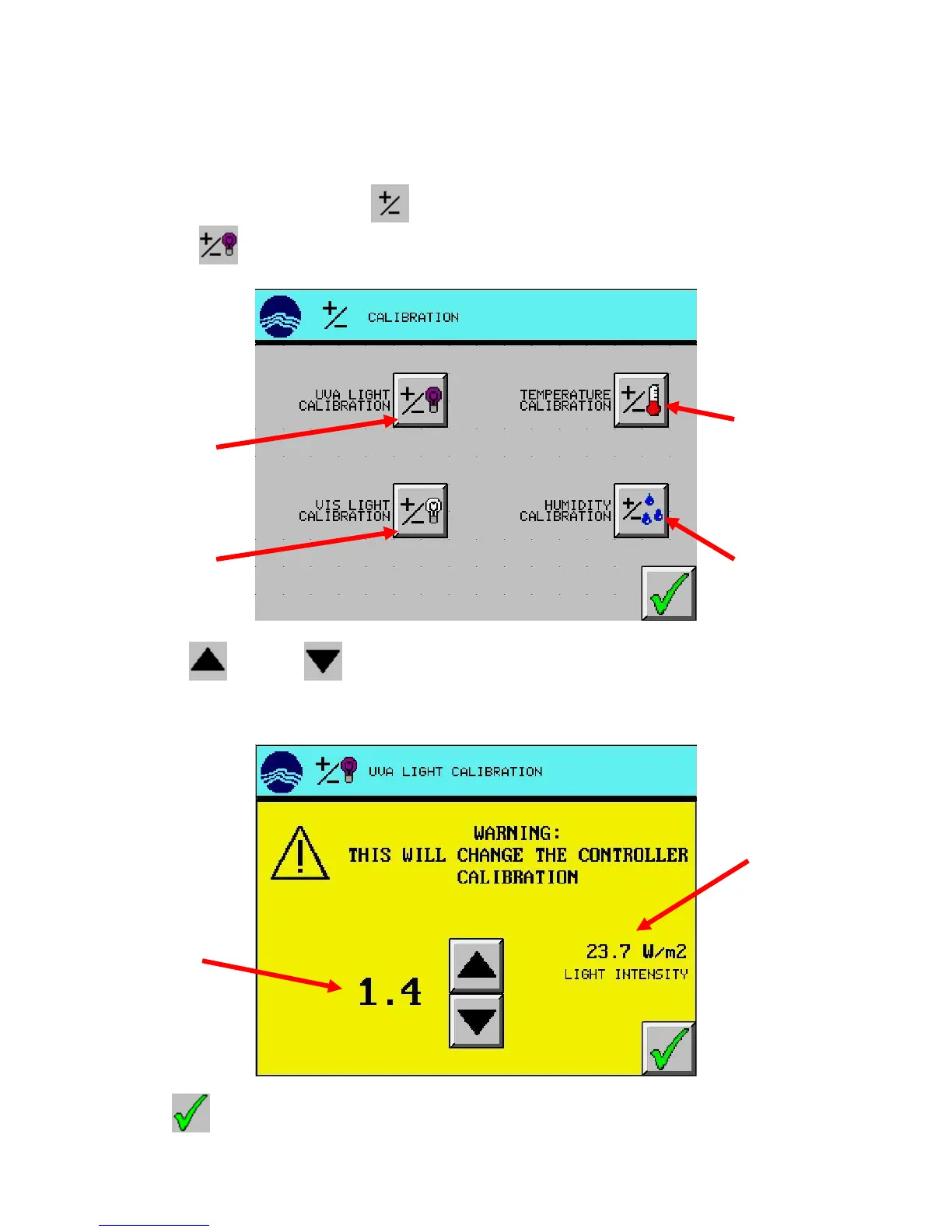
1. From the Setup Menu, press the (CALIBRATION) button.
2. Press the (UVA CALIBRATION) button.
3. Use the (UP) and (DOWN) arrow buttons to adjust the calibration scale factor so the light
intensity corresponds with an independent calibrated light sensor. The default scale factor is zero.
To increase the intensity, increase the scale factor. Scale factors can be negative.
4. Press (EXIT) button to return to the calibration screen.
calibration button
calibration button
calibration button
calibration button
factor
with calibration
scale factor
applied



 To Next Page