6540 Series Operations Manual Rev_I 1/12/2016 37
Setup Menu
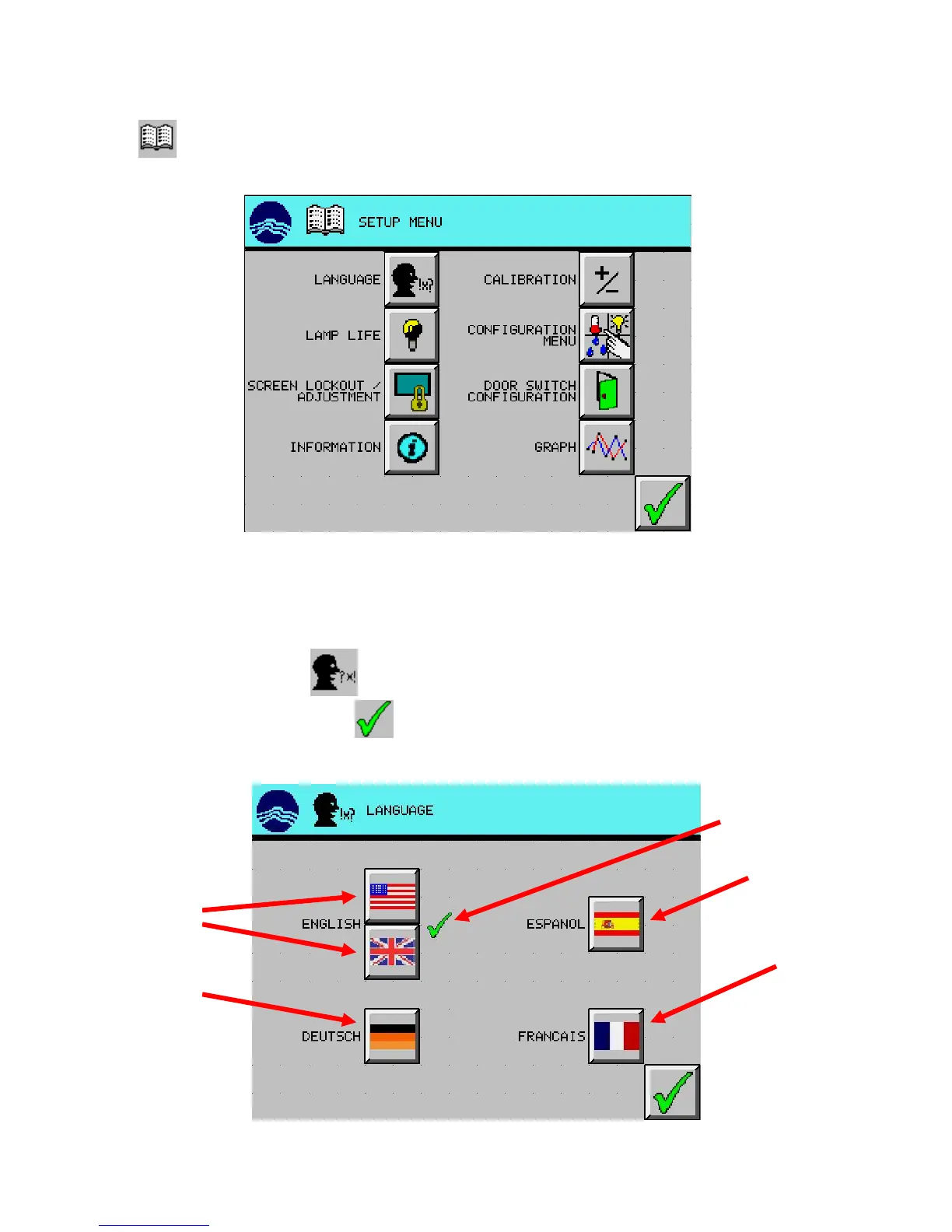
Press the (SETUP MENU) button from the main screen and the setup menu appears.
Language
The language button allows the user to change the active language displayed on the screen.
1. From the Setup Menu, press (LANGUAGE) button.
2. Select desired language, and press (EXIT) button to return to the setup menu screen. In this
example, English is selected.
(both are same)
language selected



 To Next Page