6540 Series Operations Manual Rev_I 1/12/2016 39
Screen Lock-out / Adjustment
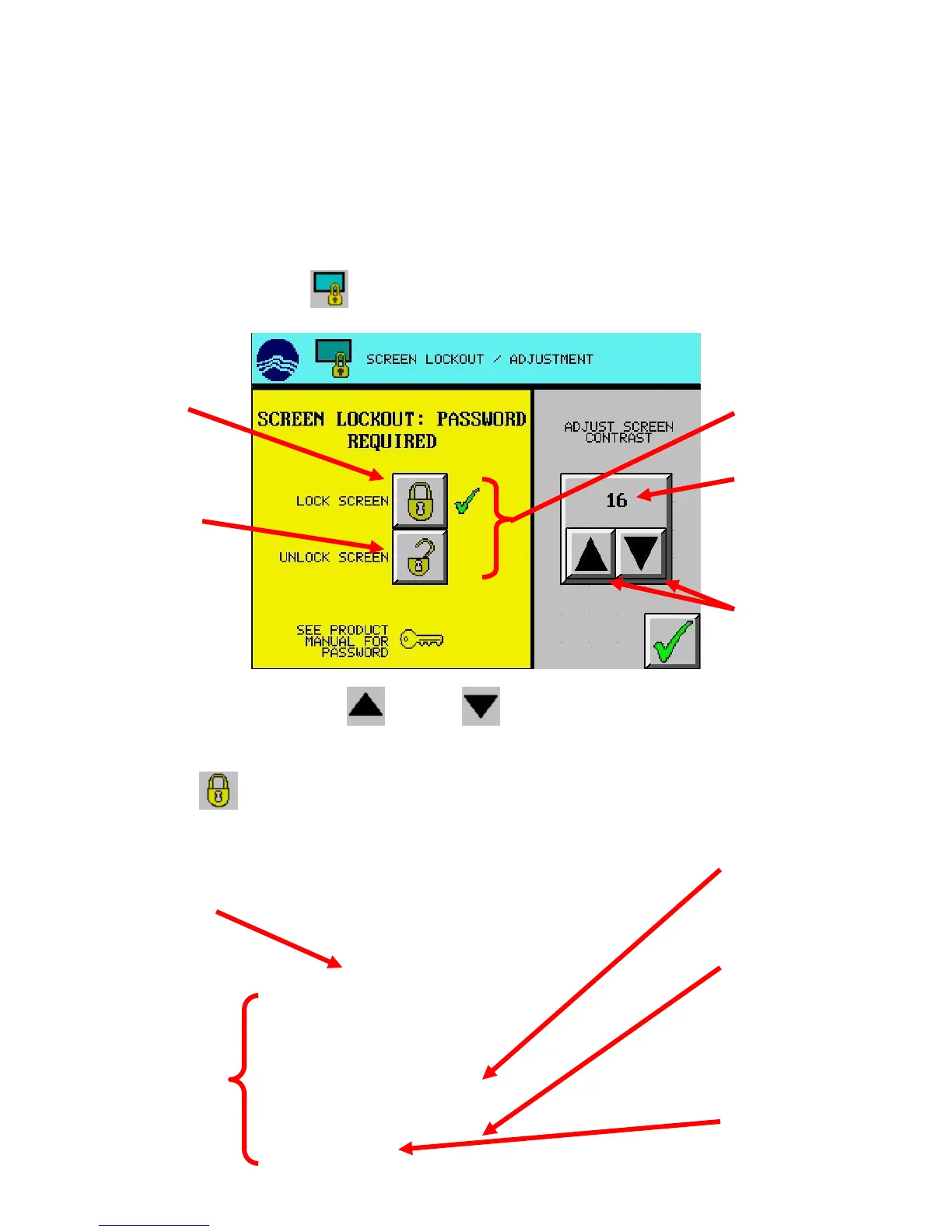
To avoid unauthorized programming or other changes, the entire touch screen can be ‘locked-out’. When the
screen is locked out, only the main screen will display. If a button is pressed while the screen is ‘locked-
out’, the Lockout screen appears. The lockout code is factory set and can’t be changed.
(Note: Screen contrast adjustment feature not available on new models.) The screen contrast is also adjusted
on the same screen. The contrast can be set between 0 and 32. The default value is 16. A lower value is
brighter.
From the Setup Menu, press the (SCREEN LOCKOUT) button.
To adjust the screen contrast, use the (UP) and (DOWN) arrow buttons.
To Lockout the screen:
1. Press the (LOCK SCREEN) button. The security code window appears.
setting
Screen contrast
adjustment buttons
button
‘Check’ indicating
lockout status
button
when done
to abort
code using the
clear the entry
(FEATURE
AVAILABLE ON
OLDER
MODELS ONLY)



 To Next Page